
 Sign in to Mod The Sims
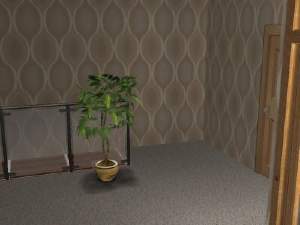
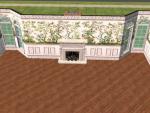
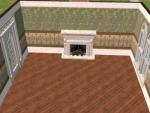
 Madeleine Walls -- Dedicated to KalicoKat
 Madeleine Walls -- Dedicated to KalicoKat


snapshot_00000002_317df840.jpg - width=400 height=300
snapshot_00000002_717df7fc.jpg - width=400 height=300
snapshot_00000002_717df8bc.jpg - width=400 height=300
snapshot_00000002_717df8c7.jpg - width=400 height=300
snapshot_00000002_717df9f8.jpg - width=400 height=300
snapshot_00000002_717df80c.jpg - width=400 height=300
snapshot_00000002_917df7e8.jpg - width=400 height=300
snapshot_00000002_f17df7de.jpg - width=400 height=300
|
Madeleine.rar
Download
Uploaded: 23rd May 2006, 1.38 MB.
927 downloads.
|
||||||||
| For a detailed look at individual files, see the Information tab. | ||||||||
Install Instructions
1. Download: Click the download link to save the .rar or .zip file(s) to your computer.
2. Extract the zip, rar, or 7z file
3. Place in Downloads Folder: Cut and paste the .package file(s) into your Downloads folder:
- Origin (Ultimate Collection): Users\(Current User Account)\Documents\EA Games\The Sims™ 2 Ultimate Collection\Downloads\
- Non-Origin, Windows Vista/7/8/10: Users\(Current User Account)\Documents\EA Games\The Sims 2\Downloads\
- Non-Origin, Windows XP: Documents and Settings\(Current User Account)\My Documents\EA Games\The Sims 2\Downloads\
- Mac: Users\(Current User Account)\Documents\EA Games\The Sims 2\Downloads
- Mac x64:
/Library/Containers/com.aspyr.sims2.appstore/Data/Library/Application Support/Aspyr/The Sims 2/Downloads
Need more information?
- For a full, complete guide to downloading complete with pictures and more information, see: Game Help: Downloading for Fracking Idiots.
- Custom content not showing up in the game? See: Game Help: Getting Custom Content to Show Up.
- If you don't have a Downloads folder, just make one. See instructions at: Game Help: No Downloads Folder.
Loading comments, please wait...

Uploaded: 23rd May 2006 at 12:45 AM
-
by Starla 23rd Dec 2004 at 1:23pm
 5
8.8k
4
5
8.8k
4
-
by DonnaANN 8th Feb 2005 at 1:26am
3
5.5k
1
-

by lisatycoon 19th Jun 2005 at 4:29pm
3
3.7k
-
by Levanthus 28th Jun 2005 at 2:11pm
7
6.1k
-
by angeleyetr 17th Nov 2005 at 1:32am
3.2k
-
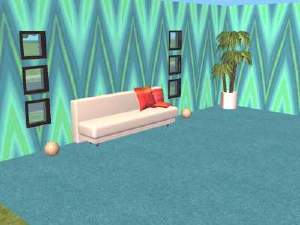
by Ani81 29th Mar 2006 at 4:47pm
3
4.3k
-
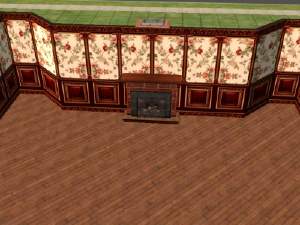
-
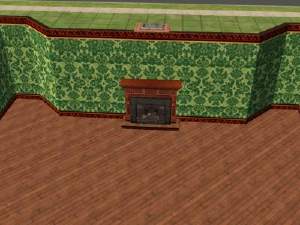
-
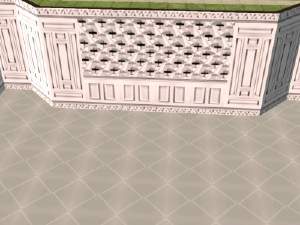
-
by Kaitshi 24th Sep 2006 at 3:16pm
2
8.2k
6

-
by BlueBerry11 23rd Sep 2007 at 4:32pm
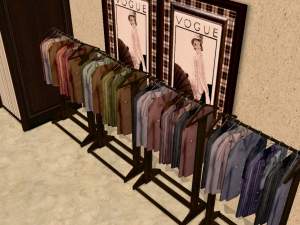
This is another small set of boutique clothing in earth and jewel tones. more...
8
22.5k
38
-
by BlueBerry11 7th Sep 2007 at 10:27pm
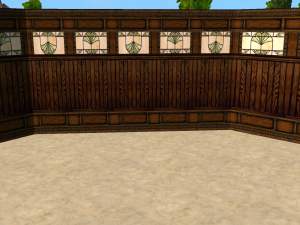
This is a mini set of simple craftsman-style walls in muted sunrise colors. more...
5
6.7k
9
-
-
-
by BlueBerry11 13th Mar 2006 at 4:03am
These took three attempts to make them look right. Hopefully the Minoan walls will be up sooner. more...
3
7.3k
3
-


-
by BlueBerry11 4th Mar 2006 at 9:51am
I'm sorry for the absence everyone. I've had a series of family emergencies in the past couple of months. more...
1
3.7k
2
-
Summer Dress Racks and Dressing Rooms
by BlueBerry11 21st Sep 2007 at 12:08pm
These are just some recolors of the Maxis dress rack and dressing room in summer colors/patterns. Enjoy. more...
11
28.9k
40
-
Olivia Walls -- Dedicated to Sabra
by BlueBerry11 23rd May 2006 at 12:47am
Enjoy ~ Blueberry more...
1
3.4k
1
-
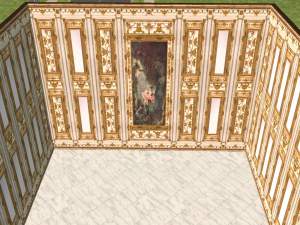
Enlightenment Series: Louis XVI
by BlueBerry11 6th Sep 2007 at 11:36pm
This is a green-themed installment in the Enlightenment collection. Enjoy. more...
6
14.1k
15
About Me
Creation Method: I use cavetools to make recolors, walls and floors. IE: I exclusively use the plain paint program and my hand-dandy cut-and-paste buttons because I find new (and old) technology frightening and confusing. :P
Requests: I will take any request for a wallpaper or floor set (or recolor) providing that a) I feel I can execute it well and b) it is unique. For instance, plain wood siding is available in every color under the sun. I would not create more siding unless there was something to distinguish it from other uploads of the same type. I will also consider any object recolor request for base game objects. Please PM me if you have a request.
Uploading: If you want to use one of my sets in an upload, please ask me first. I appreciate the courtesy and would like to see where my uploads end up.