
 Sign in to Mod The Sims
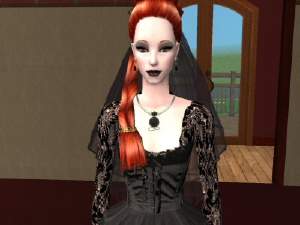
 The Banshee
 The Banshee


shot1.JPG - width=1131 height=886
shot2.JPG - width=1075 height=896
shot3.JPG - width=954 height=938
shot4.JPG - width=971 height=876
shot5.JPG - width=1151 height=932
shot6.JPG - width=1151 height=932
shot7.JPG - width=1280 height=686
Custom Content by Me:
- Banshee1
- bansheehair_black
- bansheehair_white
- bansheehair_MESH Polys:1995
- bansheedress_black
- bansheedress_MESH Polys:3304
- Banshee2
- bansheehair_white
- bansheehair_white
- bansheehair_MESH Polys:1995
- bansheedress_white
- bansheedress_MESH Polys:3304
Custom Content Included:
- Dark Blue Dreams by Pickpock
- VenomLips -Spinderella- Bruno@MTS2 by Bruno@MTS2
- GothBlack01 - By BloodyAngel by BloodyAngel
- Narcissa's Skin by modified by Avialle
- Dark Blue Dreams by Pickpock
- VenomLips -Spinderella- Bruno@MTS2 by Bruno@MTS2
- GothBlack01 - By BloodyAngel by BloodyAngel
- Narcissa's Skin by modified by Avialle
Additional Credits:
Thanks to tiggerypum and HystericalParoxysm for helping me fix the material definitions on the veil.
|
bansheewhite.zip
Download
Uploaded: 16th May 2007, 7.54 MB.
24,836 downloads.
|
||||||||
|
Bansheeblack.zip
Download
Uploaded: 16th May 2007, 7.65 MB.
34,486 downloads.
|
||||||||
| For a detailed look at individual files, see the Information tab. | ||||||||
Install Instructions
1. Download: Click the download link to save the .rar or .zip file(s) to your computer.
2. Extract the zip, rar, or 7z file.
3. Install: Double-click on the .sims2pack file to install its contents to your game. The files will automatically be installed to the proper location(s).
- You may want to use the Sims2Pack Clean Installer instead of the game's installer, which will let you install sims and pets which may otherwise give errors about needing expansion packs. It also lets you choose what included content to install. Do NOT use Clean Installer to get around this error with lots and houses as that can cause your game to crash when attempting to use that lot. Get S2PCI here: Clean Installer Official Site.
- For a full, complete guide to downloading complete with pictures and more information, see: Game Help: Downloading for Fracking Idiots.
- Custom content not showing up in the game? See: Game Help: Getting Custom Content to Show Up.
- If you get an error that says "This content requires expansion pack data that is not installed", please use Clean Installer to install this sim.
Loading comments, please wait...

Uploaded: 16th May 2007 at 4:18 AM
Updated: 20th May 2007 at 2:34 PM
-

-
by pipcicles 7th Feb 2006 at 11:33pm
 14
19.9k
10
-
-
-

by GothFlower 30th Mar 2006 at 9:56pm
29
24.9k
2
-
-
-

-
-


-

by Wicked_sims 12th Jul 2007 at 3:02am
I might first point out that this hair was based off a wig design of the same name from Katie more...
-


by Wicked_sims 4th Jul 2007 at 7:26am
As most of you can probably tell by either my username or my icon, I am a huge fan of more...
-


by Wicked_sims 19th Feb 2007 at 12:35am
Finally i have completed ryoko's hair. more...
-


by Wicked_sims 6th May 2007 at 7:03pm
Tada! more...
-


by Wicked_sims 16th Aug 2008 at 8:57pm
Alrighty then, lets try this again. Finally the organization coats, now available for all your kh needs. more...
42
99.4k
108
-


by Wicked_sims 14th Jan 2007 at 6:49pm
For all other Tenchi fans now comes Sasami's hair. more...
-


by Wicked_sims 5th Apr 2007 at 10:45pm
I actually made this in February but didn't bother to upload it untill now. more...
-

by Wicked_sims 7th Apr 2007 at 7:28pm
This was my first attempt at curls as well as animated hair, and i think it came out rather well. more...
-


by Wicked_sims 19th May 2007 at 4:48am
Finally, my three gorgon sisters to go along with my snake bodies and hair. more...
-

by Wicked_sims 11th Dec 2005 at 3:47am
Here are my Harly Quinn and her two daughters named Delia & Deidre. more...
29
34.4k
15


