Sign in to Mod The Sims
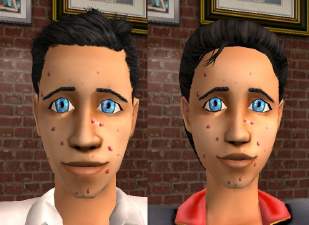
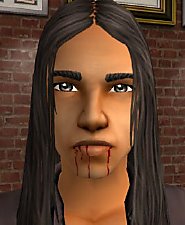
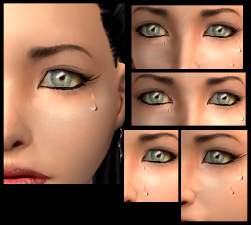
 Wounds, band-aid, scratches .....
 Wounds, band-aid, scratches .....

Tantchens_blood_woundetc.jpg - width=700 height=600
EDIT: Now I updated the stuff for the face mask categroy! So you can use the eyeliner
 .
.Tantchens_woundpack.rar = You find it in the eyeliner category. You can´t use the eyeliner!
Tantchens_woundpack_facemaskcategory.rar = You find it in the face mask category. You can use the eyeliner!
EDIT 18.03.2007: On my HP can you find 6 wounds/tears (at Downloads->Grabbelkiste xD).
You can upload Sims with my stuff (but not donate/paypal... Sims!!!). Please mention that this are from me (Tantchen) and put a link to this Thread! Thanks

|
Tantchens_woundpack_facemaskcategory.rar
Download
Uploaded: 12th Apr 2006, 411.9 KB.
24,382 downloads.
|
||||||||
|
Tantchens_woundpack.rar
Download
Uploaded: 11th Apr 2006, 548.8 KB.
20,581 downloads.
|
||||||||
| For a detailed look at individual files, see the Information tab. | ||||||||
Install Instructions
1. Download: Click the download link to save the .rar or .zip file(s) to your computer.
2. Extract the zip, rar, or 7z file.
3. Place in Downloads Folder: Cut and paste the .package file(s) into your Downloads folder:
- Origin (Ultimate Collection): Users\(Current User Account)\Documents\EA Games\The Sims™ 2 Ultimate Collection\Downloads\
- Non-Origin, Windows Vista/7/8/10: Users\(Current User Account)\Documents\EA Games\The Sims 2\Downloads\
- Non-Origin, Windows XP: Documents and Settings\(Current User Account)\My Documents\EA Games\The Sims 2\Downloads\
- Mac: Users\(Current User Account)\Documents\EA Games\The Sims 2\Downloads
- Mac x64: /Library/Containers/com.aspyr.sims2.appstore/Data/Library/Application Support/Aspyr/The Sims 2/Downloads
- For a full, complete guide to downloading complete with pictures and more information, see: Game Help: Downloading for Fracking Idiots.
- Custom content not showing up in the game? See: Game Help: Getting Custom Content to Show Up.
- If you don't have a Downloads folder, just make one. See instructions at: Game Help: No Downloads Folder.
Loading comments, please wait...
Uploaded: 11th Apr 2006 at 7:55 PM
Updated: 18th Mar 2007 at 7:36 PM
-
-
-
-
by Barcelonista 12th Dec 2005 at 5:16pm
 66
161.2k
108
66
161.2k
108
-

by Barcelonista 18th Dec 2005 at 1:10am
108
153.4k
185
-
by KiaraRawks 23rd Jan 2006 at 4:59pm
20
38k
35
-
by strangeglow 5th Mar 2006 at 6:53pm
6
12.2k
9
-
by Gd1kiscimew 28th Mar 2006 at 8:08pm
6
7.9k
7
-
-

by pickpock 16th Apr 2007 at 9:20pm
63
144k
224


-
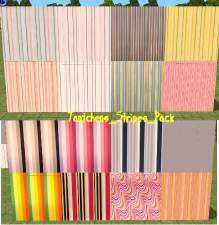
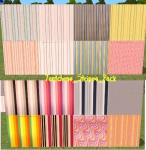
Walls: Stripes, Retro, Modern *6 Wall Packs (= 41 walls)*
by tantchen 23rd Mar 2006 at 11:49am
I have 6 Wall Packs for you: - Modern_retrostyle_pack with 4 walls - Modernwalls_pack with 6 walls - Redwomen-partywall_pack more...
6
9.3k
-

-
-


-

-
-
-
-
-