Sign in to Mod The Sims
 Hilda Gildenrose (No CC Sim)
 Hilda Gildenrose (No CC Sim)


Hilda2.jpg - width=800 height=700
Hilda3.jpg - width=800 height=700
Hilda4.jpg - width=1173 height=656
Hilda5.jpg - width=1173 height=656
Hilda6.jpg - width=800 height=700
Hilda7.jpg - width=800 height=700
Hilda1.jpg - width=800 height=700
thumbnailHilda1.jpg - width=438 height=648
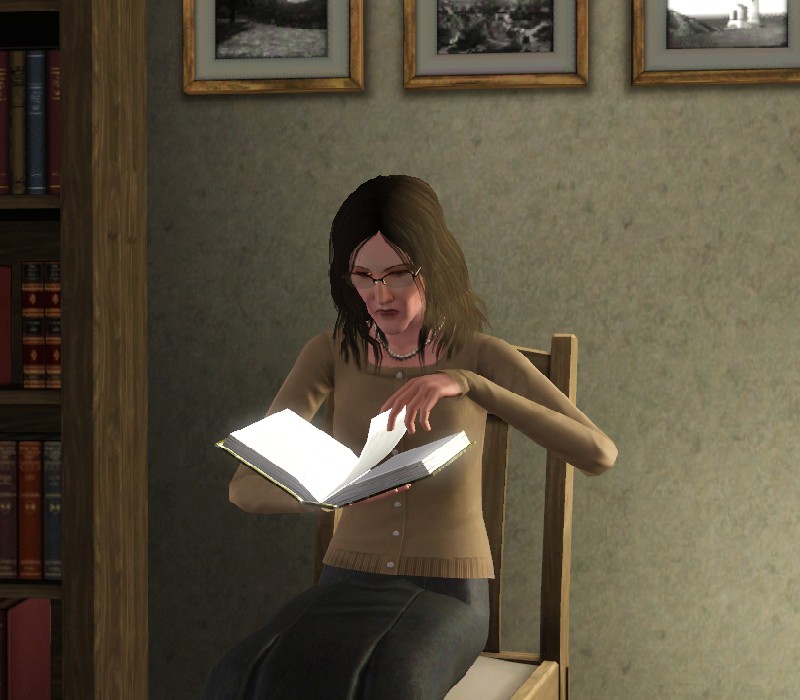
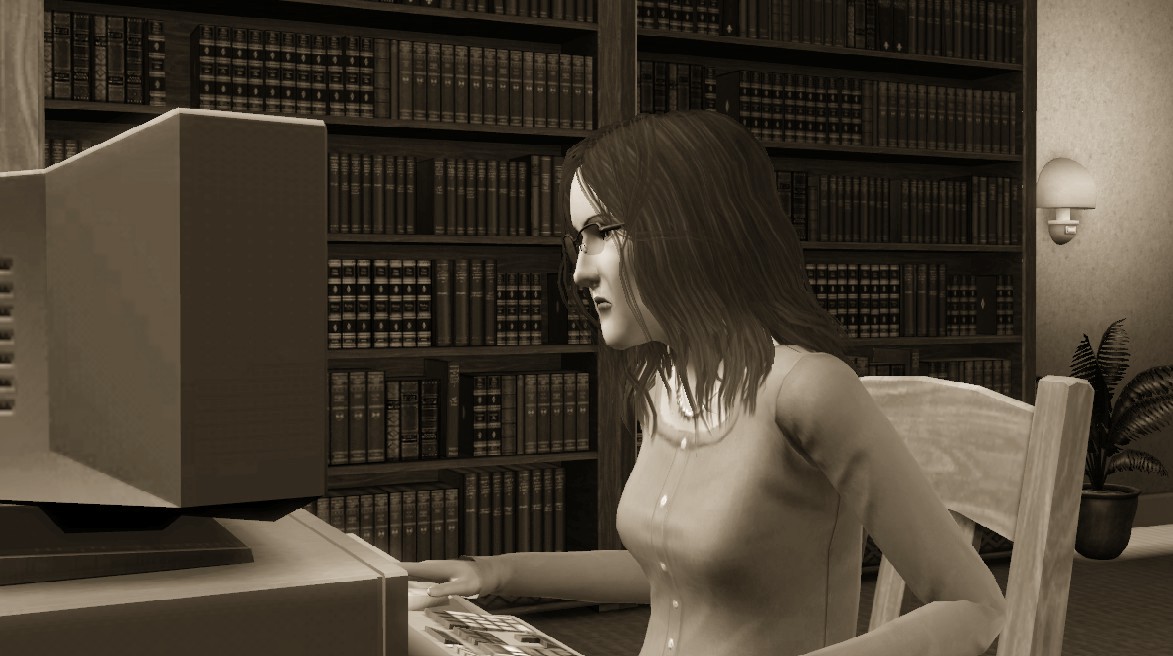
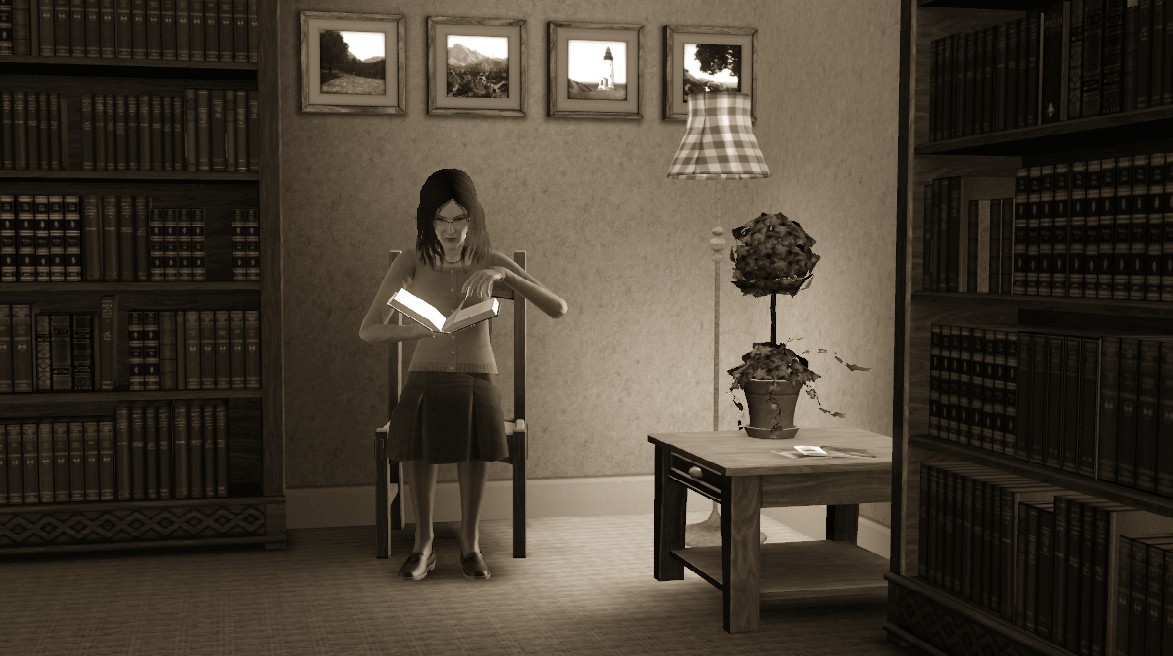
Hilda has always loved to read, and began writing for herself in her late teens. However, she was denied publication - a hit she took hard. Her passion became a hardship and slowly she hid away from the outside world. Later in her life she once again started to write - and she writes almost every waking hour outside of her work as a librarian. Now only time can tell if she can make it as a Professional Author.
LTW: Professional Author
Traits: Loner, Unflirty, Bookworm, Heavy Sleeper, Frugal.
Hilda is an Adult.
Absolutely no CC used or required at all! Uploaded with default skin, too. No sliders, no slider multipliers or anything! Her hair as shown in 7 of the 8 shots is from the Ambitions EP. I looked, and there are a few good Base Game alternatives.

Additional Credits:
Great big thank you to Spladoum for suggesting her name!
#Create chat, for providing suggestions and help. Sorry I can't remember any specific names - PM me if you like (I know Buckley helped, and I followed HP's Tutorial for guidance).
|
Hilda_Gildenrose.rar
Download
Uploaded: 29th Aug 2013, 416.5 KB.
458 downloads.
|
||||||||
| For a detailed look at individual files, see the Information tab. | ||||||||
Install Instructions
1. Click the filename or the download button to download the sim to your computer.
2. Extract the zip, rar, or 7z file.
2. Select the .sim file you got from extracting.
3. Cut and paste it into your Documents\Electronic Arts\The Sims 3\SavedSims folder. If you do not have this folder yet, it is recommended that you open the game, enter Create-a-Sim, and save a sim to the sim bin to create this folder, rather than doing so manually. After that you can close the game and put the .sim file in SavedSims
4. Once the .sim file is in SavedSims, you can load the game, and look for your sim in the premade sims bin in Create-a-Sim.
Extracting from RAR, ZIP, or 7z: You will need a special program for this. For Windows, we recommend 7-Zip and for Mac OSX, we recommend Keka. Both are free and safe to use.
Need more help?
If you need more info, see Game Help:Installing TS3 Simswiki for a full, detailed step-by-step guide! Special Installation Instructions
- If you get an error that says "This content requires expansion pack data that is not installed", please use Clean Installer to install this sim.
Loading comments, please wait...
Uploaded: 29th Aug 2013 at 8:00 PM
-
-
-
-
-

-
-
-
Louie and Kayla - Low CC & Almost Slider Free*
by Hellfrozeover 21st Oct 2017 at 10:36pm
-
by strexstrexstrex 4th Jun 2022 at 12:28am
-
by strexstrexstrex 9th Sep 2023 at 11:13pm


-
#11 CrumbleTop Lane, -Starter Lot- (Base Game, No CC)
by lewjen 22nd Apr 2011 at 2:34pm
The 11th instalment to the CrumbleTop Lane series. Enjoy! more...
 6
15.5k
13
6
15.5k
13
-
-
Cute, Cosy, and Just Lovely #2 (No CC!)
by lewjen 17th Jan 2010 at 3:10pm
Yep, the second cute and cozy lot. more...
 4
11.4k
4
4
11.4k
4
-
-
-
#3 CrumpleTop Lane -Starter lot- (Base Game, No CC)
by lewjen 11th Aug 2010 at 4:13pm
The 3rd installment of my CrumpleTop Lane series more...
5
22.1k
17
-
-
Casa Del Sol (Base Game, No CC!)
by lewjen 22nd Apr 2010 at 9:23pm
A great house for your richer sims to live in. By Lewjen more...
18
20.5k
34
-
Cute, Cosy, and Just Lovely #3 (Base game, No CC!)
by lewjen 21st Jan 2010 at 10:09pm
Well then, this is the third in the series of 'Cute, Cozy, and Just Lovely'. more...
7
11.1k
7
-