
 Sign in to Mod The Sims
 Prancing Palominos
 Prancing Palominos


Chex.jpg - width=560 height=420
Duo1.jpg - width=560 height=420
Duo2.jpg - width=560 height=420
InGameChex.jpg - width=560 height=420
Pale.jpg - width=560 height=420
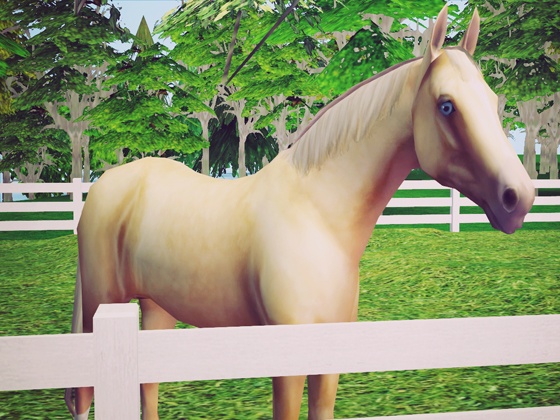
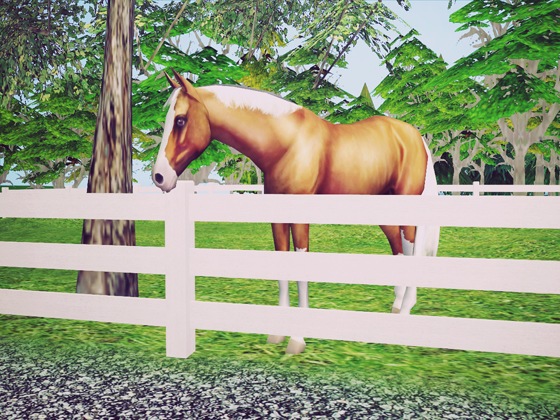
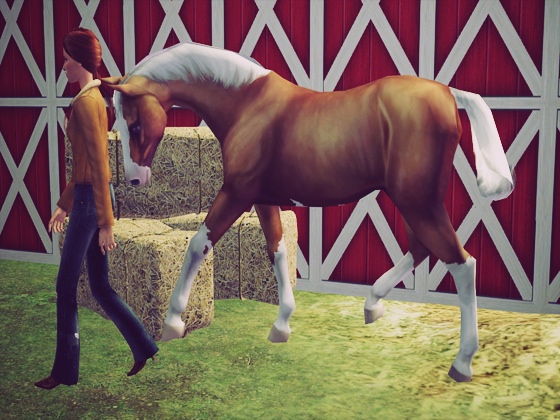
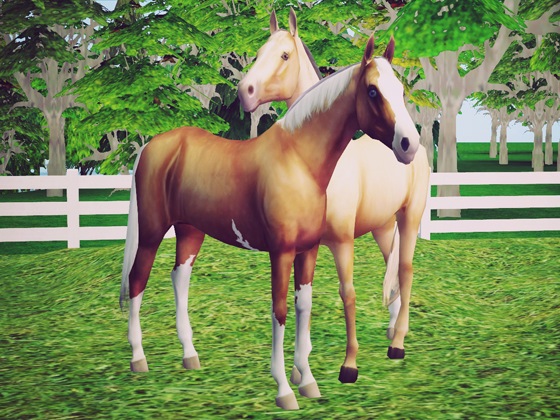
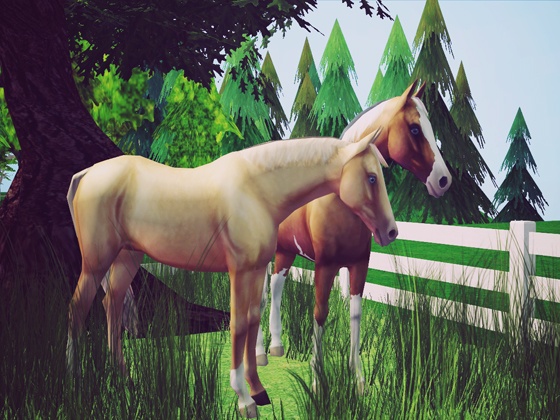
Well I'm back again with two more recolors of Dragon Slave's basic horse mesh (here at MTS). This time I've decided to do palominos. Well, one is a very light palomino and the other is more of an overo, with a few white markings. The latter is based on a Breyer that I own in real life (because I'm a nerd like that.)
-Dragon Slave Recolor: Light Palomino-
-Dragon Slave Recolor: Overo Palomino-
-Both recolors shown together-
(in-game shots)
-Reqs & Whatnot-
(a) I have all Expansion Packs; However, Dragon Slave's mesh is base game compatible, so I don't see why recolors wouldn't be also.
(b) You will need to grab Dragon Slave's basic horse mesh if you don't already have it. There should be a link attached to this post.
(c) Please take the time to read through Dragon Slave's post. She clearly states that (unfortunately) these horses function as STATUES/DECO OBJECTS. They are not animated.
(d) I have made the recolors. I do NOT take any credit for the mesh.
-Conclusion-
I'm happy to share these with you! I hope you find a good use for them!
The Vintage Sim
Additional Credits:
Dragon Slave (MTS)
|
TVS-Palominos.rar
Download
Uploaded: 25th Nov 2010, 711.3 KB.
18,235 downloads.
|
||||||||
| For a detailed look at individual files, see the Information tab. | ||||||||
Install Instructions
1. Download: Click the download link to save the .rar or .zip file(s) to your computer.
2. Extract the zip, rar, or 7z file.
3. Place in Downloads Folder: Cut and paste the .package file(s) into your Downloads folder:
- Origin (Ultimate Collection): Users\(Current User Account)\Documents\EA Games\The Sims™ 2 Ultimate Collection\Downloads\
- Non-Origin, Windows Vista/7/8/10: Users\(Current User Account)\Documents\EA Games\The Sims 2\Downloads\
- Non-Origin, Windows XP: Documents and Settings\(Current User Account)\My Documents\EA Games\The Sims 2\Downloads\
- Mac: Users\(Current User Account)\Documents\EA Games\The Sims 2\Downloads
- Mac x64: /Library/Containers/com.aspyr.sims2.appstore/Data/Library/Application Support/Aspyr/The Sims 2/Downloads
- For a full, complete guide to downloading complete with pictures and more information, see: Game Help: Downloading for Fracking Idiots.
- Custom content not showing up in the game? See: Game Help: Getting Custom Content to Show Up.
- If you don't have a Downloads folder, just make one. See instructions at: Game Help: No Downloads Folder.
Meshes needed
This download requires one or more meshes to work properly. Please check the Description tab for information about the meshes needed, then download them below:| MTS cannot guarantee any off-site links will be available |
| The Only Horse Your Sims Will Ever Need by Dragon Slave |
Loading comments, please wait...

Uploaded: 25th Nov 2010 at 7:11 PM
#horse, #recolor, #dragon slave, #palomino
-
-
-
by OpenHouseJack 18th Apr 2006 at 10:38am
 20
38.5k
19
20
38.5k
19
-
-
-
-
by oceanpupz 12th Feb 2008 at 4:13am
31
121.1k
76
-
by Vampire_of_Death 10th Aug 2008 at 4:09pm
+1 packs
11 46.7k 18 Open for Business
-
Seeing Spots - Recolors of Dragon Slave's Basic Horse
by thevintagesim 16th Oct 2010 at 11:24am
21
43.6k
31
-


-
Seeing Spots - Recolors of Dragon Slave's Basic Horse
by thevintagesim 16th Oct 2010 at 11:24am
Tired of using the same ole 50 recolors that came with the basic horse? Why not add some spots to spruce up your collection? more...
21
43.6k
31