
 Sign in to Mod The Sims
 Chunky Knit Stockings - For Everyone
 Chunky Knit Stockings - For Everyone


thumbnail2.png - width=898 height=748
thumbnail.png - width=1011 height=859
2026-05-15_222307 turnaround.png - width=1544 height=693
Screen Shot 2026-05-18 at 8.46.54 AM.png - width=943 height=878
Screen Shot 2026-05-18 at 8.32.49 AM.png - width=813 height=881
examples01.png - width=2472 height=871
examples02.png - width=2506 height=887
Screen Shot 2026-05-15 at 10.03.45 PM.png - width=935 height=879
only one preset (I could not figure out how they worked.) but they look nice with a variety of colors and patterns

- Accessory, for all sims Teen through Elder.
- Categories: Everyday, Formal, Sleepwear, Athletic, Career, Outerwear, and Maternity
- Not valid for random.
i've never actually made any CC before so please let me know if there's any issues! i do plan to go back later and try to figure out presets + adding multiple channels... this is a bit of a test for now.
-----
short shorts for male sims are a bit hard to find so i'd like to recommend these to go with them:
All Over Shorts by omegastarr82
other mods/cc (neither included nor required) visible in my screenshots:
Candy Crush skintone by i-like-teh-sims
re:Cerberus eyes by simbouquet
CAS animation edits by simbouquet
ColorLash by VirtualHugs
Fharhond Glacier by bakafox (it was the smallest world I had that wasn't completely barren)
- if i missed anything, just ask and i'll make sure to add it.
| Filename | Type | Size |
|---|---|---|
| knittedstockings.zip | zip | |
| zephiiyr_knittedstockings.package | package | 1417018 |
|
knittedstockings.zip
Download
Uploaded: 22nd May 2026, 152.2 KB.
82 downloads.
|
||||||||
| For a detailed look at individual files, see the Information tab. | ||||||||
Install Instructions
1. Click the download button, or the filename, to download the file to your computer.
2. Extract the zip, rar, or 7z file. Now you will have either a .package or a .sims3pack file.
For Package files:
1. Cut and paste the file into your Documents\Electronic Arts\The Sims 3\Mods\Packages folder. If you do not already have this folder, you should read the full guide to Package files first: Sims 3:Installing Package Fileswiki, so you can make sure your game is fully patched and you have the correct Resource.cfg file.
2. Run the game, and find your content where the creator said it would be (build mode, buy mode, Create-a-Sim, etc.).
For Sims3Pack files:
1. Cut and paste it into your Documents\Electronic Arts\The Sims 3\Downloads folder. If you do not have this folder yet, it is recommended that you open the game and then close it again so that this folder will be automatically created. Then you can place the .sims3pack into your Downloads folder.
2. Load the game's Launcher, and click on the Downloads tab. Find the item in the list and tick the box beside it. Then press the Install button below the list.
3. Wait for the installer to load, and it will install the content to the game. You will get a message letting you know when it's done.
4. Run the game, and find your content where the creator said it would be (build mode, buy mode, Create-a-Sim, etc.).
Extracting from RAR, ZIP, or 7z: You will need a special program for this. For Windows, we recommend 7-Zip and for Mac OSX, we recommend Keka. Both are free and safe to use.
Need more help?
If you need more info, see:
- For package files: Sims 3:Installing Package Fileswiki
- For Sims3pack files: Game Help:Installing TS3 Packswiki
Loading comments, please wait...
Uploaded: 22nd May 2026 at 2:33 AM
-
by lurania 9th Jul 2009 at 3:58am
 55
171.1k
139
55
171.1k
139
-
by Shep 4th Jul 2009 at 12:43pm
37
145.4k
204
-
by Oaktree 21st Jul 2009 at 12:27am
44
62.8k
103
-
by newone08 5th Nov 2009 at 5:27pm
23
72.2k
120
-
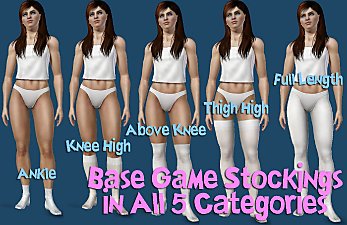
Default Base Game Stockings Available in All 5 Categories
by mikey 4th Jan 2010 at 5:59pm
16
67.8k
116
-
-
by cutsocks 28th Sep 2010 at 4:03am
19
33.1k
56
-

-
-
by Cure Smile 6th Jan 2023 at 6:30pm
5.1k
19


