Sign in to Mod The Sims
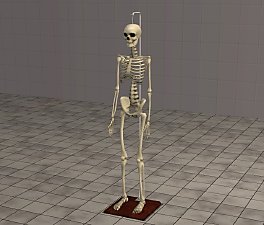
 Skeleton Selection
 Skeleton Selection


coffinskel.jpg - width=596 height=417
threeskels.jpg - width=766 height=596
EA GAMES/The Sims 2/TSData/Res/Sims3D/Sims03.package
All I have done is re-coloured and manipulated them plus make the old musty coffin.
Created and Textured in MilkShape 3D 1.7.6
Packaged using SimPE 48c
EP-Ready (Uni & NL Not required)
Colour-Enabled
Poly Counts :-
Skeleton in coffin 3076
Sitting Skeleton 3012
Standing Skeleton 3012
Thaught it was about time to have the Standing Skeleton without its stand to use anywhere plus a couple extra now we have NightLife.
Feel free to re-colour.
The wall hanging Skeleton can be found here
Thanks to all at Modthesims2

This is a new mesh, and means that it's a brand new self contained object that usually does not require a specific Pack (although this is possible depending on the type). It may have Recolours hosted on MTS - check below for more information.
|
StandingSkeleton.zip
Download
Uploaded: 9th Oct 2005, 180.7 KB.
32,764 downloads.
|
||||||||
|
SittingSkeleton.zip
Download
Uploaded: 9th Oct 2005, 191.0 KB.
36,663 downloads.
|
||||||||
|
CoffinSkeleton.zip
Download
Uploaded: 9th Oct 2005, 239.8 KB.
36,478 downloads.
|
||||||||
| For a detailed look at individual files, see the Information tab. | ||||||||
Install Instructions
1. Download: Click the download link to save the .rar or .zip file(s) to your computer.
2. Extract the zip, rar, or 7z file.
3. Place in Downloads Folder: Cut and paste the .package file(s) into your Downloads folder:
- Origin (Ultimate Collection): Users\(Current User Account)\Documents\EA Games\The Sims™ 2 Ultimate Collection\Downloads\
- Non-Origin, Windows Vista/7/8/10: Users\(Current User Account)\Documents\EA Games\The Sims 2\Downloads\
- Non-Origin, Windows XP: Documents and Settings\(Current User Account)\My Documents\EA Games\The Sims 2\Downloads\
- Mac: Users\(Current User Account)\Documents\EA Games\The Sims 2\Downloads
- Mac x64: /Library/Containers/com.aspyr.sims2.appstore/Data/Library/Application Support/Aspyr/The Sims 2/Downloads
- For a full, complete guide to downloading complete with pictures and more information, see: Game Help: Downloading for Fracking Idiots.
- Custom content not showing up in the game? See: Game Help: Getting Custom Content to Show Up.
- If you don't have a Downloads folder, just make one. See instructions at: Game Help: No Downloads Folder.
Loading comments, please wait...



Uploaded: 9th Oct 2005 at 9:34 PM
Updated: 9th Oct 2005 at 9:58 PM - Added link to hanging Skeleton
-
by gromit 11th Jun 2005 at 1:53pm
 47
56.5k
56
47
56.5k
56
-
by gromit 11th Jun 2005 at 2:01pm
43
53.8k
54
-
by gromit 22nd Jun 2005 at 2:16pm
49
85.8k
96
-
by luslipz73 18th Sep 2005 at 10:53am
34
55.2k
32
-
by Eleonora 26th Jan 2006 at 8:36am
55
103.7k
45
-
by moonlight_muse 29th Jan 2006 at 1:47pm
+2 packs
6 10.7k 2 University
 Nightlife
-
-
-
-



-
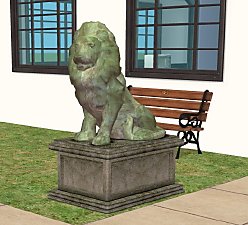
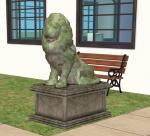
Stately Lion **Problem With Left Lion Now Fixed**
by gromit 3rd Aug 2005 at 3:09pm
For the entrance for any grand house. This Lion comes in three colours dark stone, light stone and bronze. more...
47
62.6k
72
-
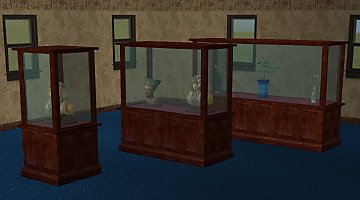
Versatile Display Cabinets *UPDATED 3sq Cabinet 12JUNE05*
by gromit 11th Jun 2005 at 1:36pm
A total Brain flatulent moment. more...
64
74.5k
71
-
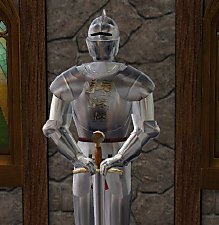
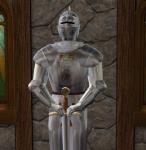
Just One Of Those Knights! *up date 9July05*
by gromit 8th Jul 2005 at 2:40pm
This was requested. For those who like the Medieval Castle or the stately home here is a Knight for you. more...
87
96k
86
-
-
-
-
*Requested* Glass Top Dining Table
by gromit 17th Apr 2006 at 1:33am
This is a CEP 3 clone of the 'Talking Table' Created and Textured In Milkshape 3D 1.7.7a Packaged Using more...
26
40.6k
66
-
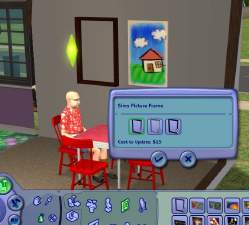
*Requested* Sims Picture Frame
by gromit 20th Apr 2006 at 1:14pm
This is a CEP 3 clone of the 'Bella Squared' painting. more...
42
33.3k
23
-
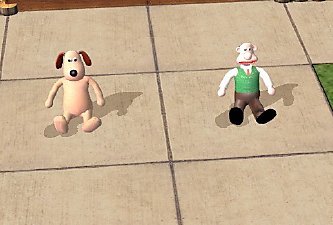
'Wallace & Gromit' *Happy Birthday MTS2*
by gromit 1st May 2006 at 1:48am
I know it's not till tomorrow 2nd May 2006 but being a bank holiday here in Blighty I don't know more...
109
91.6k
63
-