Sign in to Mod The Sims
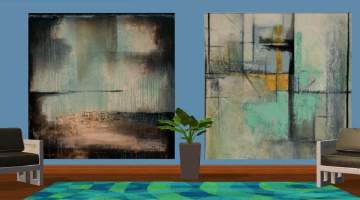
 justmoi's "Majestic Elegance" Recolours including "Primavera"
 justmoi's "Majestic Elegance" Recolours including "Primavera"


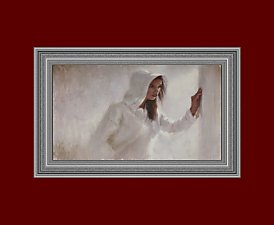
justmoi_Painting_02MajesticElegance_FrescoNo44.jpg - width=600 height=450
justmoi_Painting_02MajesticElegance_SchlossNeuschwanstein.jpg - width=600 height=450
justmoi_Painting_02MajesticElegance_GreekPatio.jpg - width=600 height=450
justmoi_Painting_02MajesticElegance_LeMassage.jpg - width=600 height=450
justmoi_Painting_02MajesticElegance_Primavera.jpg - width=600 height=450
As always, they work in my game but please let me know if you have any problems with them in your game. I have not included screenshots in the rars to save file space. Thanks.
I've packaged the paintings separately from the frames so don't forget to get both packages.
Note: You need the original mesh to have these paintings appear in your game.
|
justmoi_Painting_02MajesticElegance_FrameRecolours01.rar
Download
Uploaded: 10th Jan 2006, 66.0 KB.
2,088 downloads.
|
||||||||
|
justmoi_Painting_02MajesticElegance_Recolours02.rar
Download
Uploaded: 10th Jan 2006, 363.1 KB.
2,252 downloads.
|
||||||||
| For a detailed look at individual files, see the Information tab. | ||||||||
Install Instructions
1. Download: Click the download link to save the .rar or .zip file(s) to your computer.
2. Extract the zip, rar, or 7z file.
3. Place in Downloads Folder: Cut and paste the .package file(s) into your Downloads folder:
- Origin (Ultimate Collection): Users\(Current User Account)\Documents\EA Games\The Sims™ 2 Ultimate Collection\Downloads\
- Non-Origin, Windows Vista/7/8/10: Users\(Current User Account)\Documents\EA Games\The Sims 2\Downloads\
- Non-Origin, Windows XP: Documents and Settings\(Current User Account)\My Documents\EA Games\The Sims 2\Downloads\
- Mac: Users\(Current User Account)\Documents\EA Games\The Sims 2\Downloads
- Mac x64: /Library/Containers/com.aspyr.sims2.appstore/Data/Library/Application Support/Aspyr/The Sims 2/Downloads
- For a full, complete guide to downloading complete with pictures and more information, see: Game Help: Downloading for Fracking Idiots.
- Custom content not showing up in the game? See: Game Help: Getting Custom Content to Show Up.
- If you don't have a Downloads folder, just make one. See instructions at: Game Help: No Downloads Folder.
Meshes needed
This download requires one or more meshes to work properly. Please check the Description tab for information about the meshes needed, then download them below:| MTS cannot guarantee any off-site links will be available |
| New Mesh: "Majestic Elegance" Painting by justmoi |
Loading comments, please wait...


Uploaded: 10th Jan 2006 at 2:19 AM
-
-

-
-
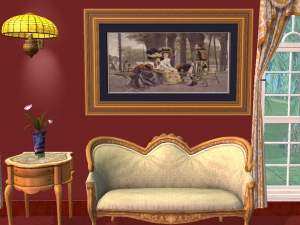
justmoi's "Majestic Elegance" 1800's French Fashion Recolours
by justmoi 9th Jan 2006 at 1:09am
 3
11.1k
5
3
11.1k
5
-
-
-

-
-
-


-

justmoi's "Sleek Art" Recolours 02
by justmoi 21st Jan 2006 at 5:10pm
I've made 12 more recolours of my "Sleek Art" mesh. Enjoy. more...
13
8.6k
4
-
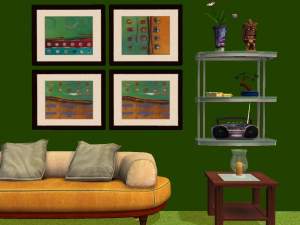
-
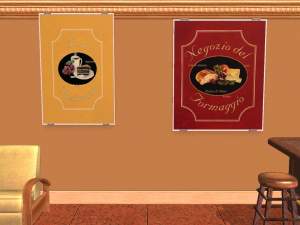
Everything You Need For A Cafe
by justmoi 28th Nov 2005 at 2:03am
Update: Collection 2 can be found at: Here are a load of paintings that are perfectly suited more...
+2 packs
13 8.7k 9 University
 Nightlife
-
-
justmoi's "Rustic Square" Mesh Recolours
by justmoi 18th Jan 2008 at 3:47am
Here are 6 recolours of my "Rustic Square" painting mesh. Enjoy. more...
3
12.4k
4
-

justmoi's "Majestic Beauty" Waterhouse Recolours
by justmoi 12th Jan 2006 at 4:38am
These additional 13 recolours for my "Majestic Beauty" mesh were made for a request from darkraven1753. more...
14
10.7k
8
-
-
-
justmoi's "Rustic Division" Recolours
by justmoi 18th Jan 2008 at 3:36am
Here are 6 recolours of my "Rustic Division" painting mesh. Enjoy. more...
1
9.8k
2
-