
 Sign in to Mod The Sims
 Bruxaria
 Bruxaria
SCREENSHOTS


Bruxaria Fersinoda FULL.jpg - width=666 height=714
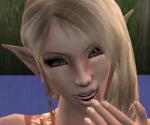
Bruxaria Fersinoda HEAD.jpg - width=566 height=436
Downloaded 69 times
32 Thanks
1 Favourited
8,407 Views
Say Thanks!
Thanked!
I created two elvish looking Sims so far (I will upload the other after this). I got her name "Bruxaria" from one of my favorite songs, and I just made up her last name  . If you don't understand how I label my C.C., here it is: Maker/Type - Filename
She is also my NEW avatar!
Custom Content:
• Barcelonista
Skin - Pale
Blush
• Elina
Hair
• XM Sims
Hair Mesh
• Helaene
Eye Brows - 1207 brows-black
Lips – open lips - peach February
Lashes – Hollywood lashes (no under eye)
Shadow – natural beauty - 16
• Belle_Ange_16
Eyes– innocent eyes
• Louis
Elf Ears {Pale}
• Chriko @ 2-f0r-u.de
Outfit
READ: Hair mesh by http://www.xmsims.com/
EDIT!: If you didn't see my avatar w/ Bruxaria on it, here she is: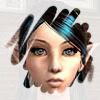
 . If you don't understand how I label my C.C., here it is: Maker/Type - Filename
She is also my NEW avatar!

Custom Content:
• Barcelonista
Skin - Pale
Blush
• Elina
Hair
• XM Sims
Hair Mesh
• Helaene
Eye Brows - 1207 brows-black
Lips – open lips - peach February
Lashes – Hollywood lashes (no under eye)
Shadow – natural beauty - 16
• Belle_Ange_16
Eyes– innocent eyes
• Louis
Elf Ears {Pale}
• Chriko @ 2-f0r-u.de
Outfit
READ: Hair mesh by http://www.xmsims.com/
EDIT!: If you didn't see my avatar w/ Bruxaria on it, here she is:
Advertisement:
|
Bruxaria.rar
Download
Uploaded: 13th Mar 2006, 150.6 KB.
959 downloads.
|
||||||||
| For a detailed look at individual files, see the Information tab. | ||||||||
Install Instructions
Basic Download and Install Instructions:
1. Download: Click the download link to save the .rar or .zip file(s) to your computer.
2. Extract the zip, rar, or 7z file.
3. Install: Double-click on the .sims2pack file to install its contents to your game. The files will automatically be installed to the proper location(s).
1. Download: Click the download link to save the .rar or .zip file(s) to your computer.
2. Extract the zip, rar, or 7z file.
3. Install: Double-click on the .sims2pack file to install its contents to your game. The files will automatically be installed to the proper location(s).
- You may want to use the Sims2Pack Clean Installer instead of the game's installer, which will let you install sims and pets which may otherwise give errors about needing expansion packs. It also lets you choose what included content to install. Do NOT use Clean Installer to get around this error with lots and houses as that can cause your game to crash when attempting to use that lot. Get S2PCI here: Clean Installer Official Site.
- For a full, complete guide to downloading complete with pictures and more information, see: Game Help: Downloading for Fracking Idiots.
- Custom content not showing up in the game? See: Game Help: Getting Custom Content to Show Up.
- If you get an error that says "This content requires expansion pack data that is not installed", please use Clean Installer to install this sim.
Advertisement:
Loading comments, please wait...
Author

Download Details
Packs:
None, this is Sims 2 base game compatible!
Uploaded: 13th Mar 2006 at 1:05 AM
Updated: 16th Jan 2007 at 4:08 PM
Uploaded: 13th Mar 2006 at 1:05 AM
Updated: 16th Jan 2007 at 4:08 PM
Other Download Recommendations:




More downloads by Rondaminia:
See more
-
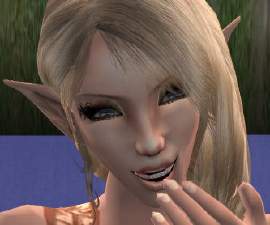
by Rondaminia 13th Mar 2006 at 1:07am
My other Elvish Sim that I uploaded. more...
