
 Sign in to Mod The Sims
 Five Recolors for XM Sims2 Hair #26
 Five Recolors for XM Sims2 Hair #26


snapshot_722d94fe_f22d9a87.jpg - width=400 height=300
snapshot_722d94fe_d22d9835.jpg - width=400 height=300
snapshot_722d94fe_d22d98e1.jpg - width=400 height=300
snapshot_722d94fe_922d99cb.jpg - width=400 height=300
snapshot_722d94fe_122d9960.jpg - width=400 height=300
Blond Highlight
Pink Highlight
Brown Highlight
Light Blue Highlight
Dark Brown Highlight
No Expansion Packs are required. Get the mesh at XM Sims2, do not upload to the exchange. Recolor is good for all ages including young adults.
btw...this my first upload to MTS2 to be accepted :lovestruc
|
light blue highlight recolor.zip
Download
Uploaded: 3rd Oct 2006, 666.5 KB.
5,715 downloads.
|
||||||||
|
pink highlight recolor.zip
Download
Uploaded: 3rd Oct 2006, 686.5 KB.
7,489 downloads.
|
||||||||
|
brown highlight recolor.zip
Download
Uploaded: 3rd Oct 2006, 514.7 KB.
8,604 downloads.
|
||||||||
|
blond highlight recolor.zip
Download
Uploaded: 3rd Oct 2006, 527.8 KB.
9,349 downloads.
|
||||||||
|
dark brown highlight recolor.zip
Download
Uploaded: 3rd Oct 2006, 424.3 KB.
9,209 downloads.
|
||||||||
| For a detailed look at individual files, see the Information tab. | ||||||||
Install Instructions
1. Download: Click the download link to save the .rar or .zip file(s) to your computer.
2. Extract the zip, rar, or 7z file.
3. Place in Downloads Folder: Cut and paste the .package file(s) into your Downloads folder:
- Origin (Ultimate Collection): Users\(Current User Account)\Documents\EA Games\The Sims™ 2 Ultimate Collection\Downloads\
- Non-Origin, Windows Vista/7/8/10: Users\(Current User Account)\Documents\EA Games\The Sims 2\Downloads\
- Non-Origin, Windows XP: Documents and Settings\(Current User Account)\My Documents\EA Games\The Sims 2\Downloads\
- Mac: Users\(Current User Account)\Documents\EA Games\The Sims 2\Downloads
- Mac x64: /Library/Containers/com.aspyr.sims2.appstore/Data/Library/Application Support/Aspyr/The Sims 2/Downloads
- For a full, complete guide to downloading complete with pictures and more information, see: Game Help: Downloading for Fracking Idiots.
- Custom content not showing up in the game? See: Game Help: Getting Custom Content to Show Up.
- If you don't have a Downloads folder, just make one. See instructions at: Game Help: No Downloads Folder.
Meshes needed
This download requires one or more meshes to work properly. Please check the Description tab for information about the meshes needed, then download them below:| MTS cannot guarantee any off-site links will be available |
| xmsims.com/sims2/ehtm/hair/hair26.htm (non-MTS link) |
Loading comments, please wait...

Uploaded: 3rd Oct 2006 at 3:27 AM
Updated: 3rd Oct 2006 at 8:00 AM - More info needed
#recolor, #XM Sims2, #highlights
-
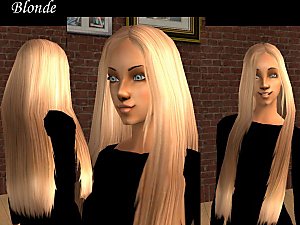
Five Recolors of Plicka's Long Hair Mesh
by Starangel13 4th Jan 2006 at 5:24am
-
-
-
-
-
-
-
-
+Recolors of XM Sims 2 #57 hair
by xpixelatedxlovex 24th May 2007 at 3:12am
-
by senesi2003 15th Jul 2007 at 9:35pm

