Sign in to Mod The Sims
 6 Sets of Linoleum
 6 Sets of Linoleum


blue p1.jpg - width=555 height=431
blue p2.jpg - width=600 height=450
green.jpg - width=599 height=382
grey p2.jpg - width=600 height=450
greyp1.jpg - width=600 height=388
purple.jpg - width=600 height=288
purple - closeup.jpg - width=587 height=239
red.jpg - width=600 height=319
y-orange.jpg - width=600 height=260
Enjoy and thanks for downloading!!
-WykydSyn-
|
ws_yorangelinoleum.zip
Download
Uploaded: 19th Feb 2007, 16.6 KB.
1,063 downloads.
|
||||||||
|
ws_redlinoleum.zip
Download
Uploaded: 19th Feb 2007, 46.7 KB.
1,100 downloads.
|
||||||||
|
ws_purplelinoleum.zip
Download
Uploaded: 19th Feb 2007, 46.4 KB.
1,111 downloads.
|
||||||||
|
ws_greylinoleump2.zip
Download
Uploaded: 19th Feb 2007, 32.9 KB.
1,131 downloads.
|
||||||||
|
ws_greylinoleump1.zip
Download
Uploaded: 19th Feb 2007, 25.9 KB.
1,154 downloads.
|
||||||||
|
ws_greenlinoleum.zip
Download
Uploaded: 19th Feb 2007, 66.6 KB.
1,173 downloads.
|
||||||||
|
ws_bluelinoleump2.zip
Download
Uploaded: 19th Feb 2007, 52.9 KB.
1,178 downloads.
|
||||||||
|
ws_bluelinoleump1.zip
Download
Uploaded: 19th Feb 2007, 51.5 KB.
1,358 downloads.
|
||||||||
| For a detailed look at individual files, see the Information tab. | ||||||||
Install Instructions
1. Download: Click the download link to save the .rar or .zip file(s) to your computer.
2. Extract the zip, rar, or 7z file
3. Place in Downloads Folder: Cut and paste the .package file(s) into your Downloads folder:
- Origin (Ultimate Collection): Users\(Current User Account)\Documents\EA Games\The Sims™ 2 Ultimate Collection\Downloads\
- Non-Origin, Windows Vista/7/8/10: Users\(Current User Account)\Documents\EA Games\The Sims 2\Downloads\
- Non-Origin, Windows XP: Documents and Settings\(Current User Account)\My Documents\EA Games\The Sims 2\Downloads\
- Mac: Users\(Current User Account)\Documents\EA Games\The Sims 2\Downloads
- Mac x64:
/Library/Containers/com.aspyr.sims2.appstore/Data/Library/Application Support/Aspyr/The Sims 2/Downloads
Need more information?
- For a full, complete guide to downloading complete with pictures and more information, see: Game Help: Downloading for Fracking Idiots.
- Custom content not showing up in the game? See: Game Help: Getting Custom Content to Show Up.
- If you don't have a Downloads folder, just make one. See instructions at: Game Help: No Downloads Folder.
Loading comments, please wait...

Uploaded: 19th Feb 2007 at 6:35 AM
-
by Dutchboy 29th Dec 2004 at 5:38pm
 6
9.9k
1
6
9.9k
1
-
by jennihaze 5th Aug 2005 at 9:47pm
33
82.5k
103
-
by Tronickus 5th Nov 2005 at 2:40pm
7
9k
2
-

by DarkJawa 18th Nov 2005 at 4:01am
17
17.9k
11
-
by KalicoKat 23rd Dec 2005 at 5:10am
2.1k
1
-
by Bipsouille 26th Dec 2005 at 9:44pm
3
5.1k
2
-

by z_splat 23rd Feb 2006 at 7:05am
1
13.5k
1
-
-
by mr2capone 17th Dec 2006 at 11:27am
1
6k
2
-
by kim-simpearls 19th Feb 2011 at 11:57am
19
24.7k
44

-

Divinity/Haut/Sanction/Tigress *4 New eyes*
by WykydSyn 10th Mar 2007 at 3:30am
*Update* I've replaced the Haut, Divinity and Sanction pics with new ones and also deleted the Endemism eye collection all-together. more...
-
-
-


-
-

-


-
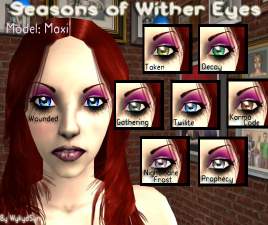
Seasons of Wither Eye Collection
by WykydSyn 15th Oct 2006 at 3:26am
*Update* I've replaced the old picture with a new one! more...
-


-