
 Sign in to Mod The Sims
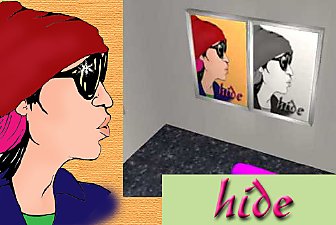
 hide (Hideto Matsumoto) wall hangings - 11 recolors
 hide (Hideto Matsumoto) wall hangings - 11 recolors


hide_1.jpg - width=600 height=450
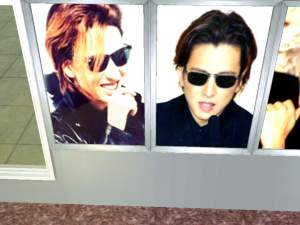
hide_2.jpg - width=600 height=450
hide_3.jpg - width=600 height=450
hide_4.jpg - width=600 height=450
hide_5.jpg - width=600 height=450
hide_6.jpg - width=600 height=450
hide_7.jpg - width=600 height=450
The zip includes 11 recolors.
Much fun! ^_^°
This custom content if it is not clothing, may require a seperate download to work properly. This is available at Colour Enable Package (CEP) by Numenor.
|
hide_from_X-Japan.ZIP
Download
Uploaded: 26th Feb 2007, 4.06 MB.
1,465 downloads.
|
||||||||
| For a detailed look at individual files, see the Information tab. | ||||||||
Install Instructions
1. Download: Click the download link to save the .rar or .zip file(s) to your computer.
2. Extract the zip, rar, or 7z file
3. Place in Downloads Folder: Cut and paste the .package file(s) into your Downloads folder:
- Origin (Ultimate Collection): Users\(Current User Account)\Documents\EA Games\The Sims™ 2 Ultimate Collection\Downloads\
- Non-Origin, Windows Vista/7/8/10: Users\(Current User Account)\Documents\EA Games\The Sims 2\Downloads\
- Non-Origin, Windows XP: Documents and Settings\(Current User Account)\My Documents\EA Games\The Sims 2\Downloads\
- Mac: Users\(Current User Account)\Documents\EA Games\The Sims 2\Downloads
- Mac x64:
/Library/Containers/com.aspyr.sims2.appstore/Data/Library/Application Support/Aspyr/The Sims 2/Downloads
Need more information?
- For a full, complete guide to downloading complete with pictures and more information, see: Game Help: Downloading for Fracking Idiots.
- Custom content not showing up in the game? See: Game Help: Getting Custom Content to Show Up.
- If you don't have a Downloads folder, just make one. See instructions at: Game Help: No Downloads Folder.
Meshes needed
This download requires one or more meshes to work properly. Please check the Description tab for information about the meshes needed, then download them below:| MTS cannot guarantee any off-site links will be available |
| The "CEP" - Color Enable Package v. 9.2.0 - 15 MAY 2009 by Numenor |
Loading comments, please wait...

Uploaded: 26th Feb 2007 at 8:28 AM
#hide, #Hideto Matsumoto, #X-Japan, #wall hangings





-
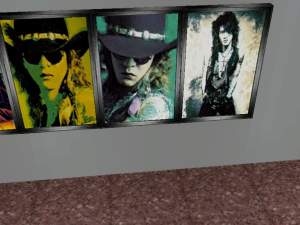

Toshi, Pata, Heath, Taiji (X-Japan) - 16 recolors - wall hangings
by Drache 30th Mar 2007 at 8:45am
Wall hangings - I only used basegame meshes (so you only need CEP!): Toshi - 3 recolors (Dame in Rot more...
 3
8.3k
1
3
8.3k
1
-
Movies:Hero, Corpse Bride, The Geisha, Casshern, Kung Fu Hustle
by Drache 14th Mar 2007 at 7:31am
So, here comes something for the Movie-Fans... more...
1
8.5k
1
-
-
2 B/W recolors - chair with X-Japan Logo
by Drache 30th Mar 2007 at 8:10am
Well, here are the chairs for the X-Japan Fans... more...
-

Manga-Style pics part 2 (my own drawings)
by Drache 11th Oct 2006 at 5:29am
Hi at all! more...
2
4.6k
-
-
My own Manga_Style: some pics...
by Drache 25th Feb 2007 at 5:46pm
I only used base game pics (Dame in Rot / Lady in Red) so you need only CEP! more...
1
5.2k
2
-

manga-style pics (my own drawings)
by Drache 8th Oct 2006 at 12:22pm
^_^° Yes! I definetly do love pics... So here are coming my next ones (12 recolors)! more...
7
7.4k
4
-

Yoshiki Hayashi Wall Hangings - 9 recolors
by Drache 26th Feb 2007 at 8:18am
I only used base game pics (Dame in Rot/Lady in Red?, Verloren im Sumpf/lost in the swamp?, Einsamkeit/solitude?) so you more...
4
5.8k
1
-
Heath, Pata, Toshi (X-Japan) wall hangings
by Drache 26th Feb 2007 at 8:35am
I only used base game pics (Dame in Rot/lady in red?, Verloren im Sumpf/lost in the swamp?) so you only more...
2
9.3k
3
