Sign in to Mod The Sims
 Slight Squint -crossed eyes- for the goofy Look!
 Slight Squint -crossed eyes- for the goofy Look!


squint5.jpg - width=280 height=280
squint4.jpg - width=700 height=600
squint1.jpg - width=462 height=580
squint3.jpg - width=713 height=965

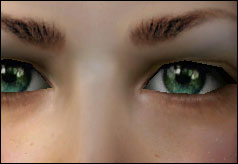
Finally! I have waited to be able to make crossed eyes, thanks to generalzoi for this great mesh idea!

a dumb photo *g*
I have used my wide eyes set for making these!
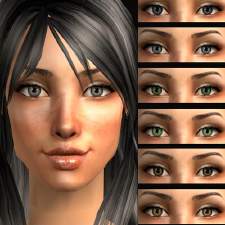
To get to this effect I made side eyemasks in 5 basic colors (to find under custom make-up).
I recolored Generalzoi's eyemesh into 5 basic colored squinted eyes (to find under accessories).
If you want your sims to have the squinted eyes, just choose the accessory eye and its matching eye(face)mask!
if you want your sim just to look to the left side, then choose only the eyemask in the custom make-up section.
OneEyeMask: the mesh recolors
WideEyesSideMask: side looking eyemasks
I hope you enjoy them!
Additional Credits:
Generalzoi for the Mesh
Raonjena for the hair in the preview.
Justsims for the clothing
|
LaPink_OneEyeMask.rar
Download
Uploaded: 7th Feb 2008, 33.9 KB.
4,808 downloads.
|
||||||||
|
LaPink_WideEyesSideMask.rar
Download
Uploaded: 7th Feb 2008, 63.5 KB.
5,413 downloads.
|
||||||||
| For a detailed look at individual files, see the Information tab. | ||||||||
Install Instructions
1. Download: Click the download link to save the .rar or .zip file(s) to your computer.
2. Extract the zip, rar, or 7z file.
3. Place in Downloads Folder: Cut and paste the .package file(s) into your Downloads folder:
- Origin (Ultimate Collection): Users\(Current User Account)\Documents\EA Games\The Sims™ 2 Ultimate Collection\Downloads\
- Non-Origin, Windows Vista/7/8/10: Users\(Current User Account)\Documents\EA Games\The Sims 2\Downloads\
- Non-Origin, Windows XP: Documents and Settings\(Current User Account)\My Documents\EA Games\The Sims 2\Downloads\
- Mac: Users\(Current User Account)\Documents\EA Games\The Sims 2\Downloads
- Mac x64: /Library/Containers/com.aspyr.sims2.appstore/Data/Library/Application Support/Aspyr/The Sims 2/Downloads
- For a full, complete guide to downloading complete with pictures and more information, see: Game Help: Downloading for Fracking Idiots.
- Custom content not showing up in the game? See: Game Help: Getting Custom Content to Show Up.
- If you don't have a Downloads folder, just make one. See instructions at: Game Help: No Downloads Folder.
Loading comments, please wait...


Uploaded: 7th Feb 2008 at 6:19 PM
Updated: 23rd May 2009 at 3:34 PM




-
XY-playful dark framed reading eyewear ~3 Shades~
by icedmango 1st Nov 2007 at 9:00pm
hi, this is one of my newest eyewear collections of the XY styles. more...
 36
57.1k
105
36
57.1k
105
-
Winter Accessories Set ~Scarf, Earmuff & Legwarmers~ 4 Styles
by icedmango updated 12th Mar 2008 at 11:22pm
edit: added mijutaro's Mesh here, he/she has deleted all his items on mts. Otherwise I had to delete this thread! more...
19
45.4k
49
-
-
-
-
-
-
Wide Eyes v2 *semi-realistic* ~14 recolors~
by icedmango 9th Dec 2007 at 4:22pm
Hi, I improved my old wide eyes set. more...
-
-
Nacho's eyes - 20 shine:realistic eyes
by icedmango 16th Mar 2008 at 6:52pm
hi, after request I recolored ignacio's eyes (the hot mexican sim ) the set contains: more...