Sign in to Mod The Sims
 Sunny and Porcelain skintones
 Sunny and Porcelain skintones
SCREENSHOTS


bäst.jpg - width=600 height=450
ansikten.JPG - width=825 height=306
snapshot_74cf54fc_74d1d1f7.jpg - width=600 height=450
4cf54fc_d4d1ddd1.JPG - width=600 height=450
snapshot_74cf54fc_b4d1de59.jpg - width=600 height=450
ny1.jpg - width=600 height=450
ny2.jpg - width=600 height=450
Downloaded 9,337 times
456 Thanks
31 Favourited
46,712 Views
Say Thanks!
Thanked!
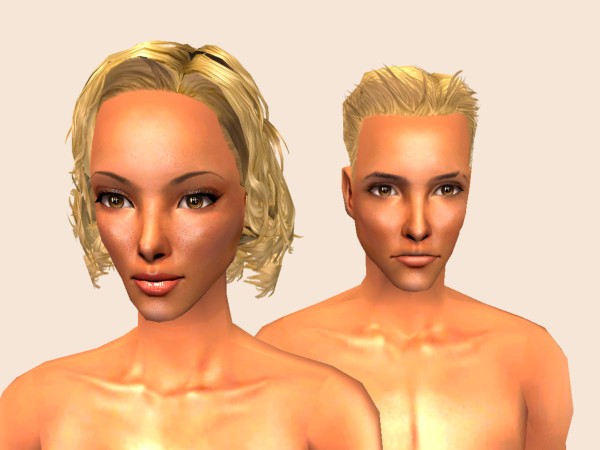
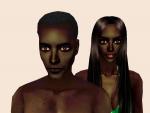
Hey everybody! I was feeling for some tanned skin to bright the sim-days up and I maid one to use in sunny neighbourhoods. It is just the skintones that are included,´they don't have genitals and the females no nipples. If you are wondering about anything, then ask. This is my very first upload on MTS2 and I'm hoping for comments about my work ^_^ thank you
The other skin Porcelain was made after, to fit my alves. It's quite shiny and pale, and they have small beautymarks under the eye in some of the ages. That would be all I think, So-long!
This is a Maxis Recolour which means that it is a recolour of an item that already exists in your game. Please check the Pack requirements to see which game pack it recolours.
|
a04da22b_skintonePale.rar
Download
Uploaded: 28th Feb 2008, 917.9 KB.
11,383 downloads.
|
||||||||
|
c1806dbd_skintoneTan.rar
Download
Uploaded: 27th Feb 2008, 1.16 MB.
15,669 downloads.
|
||||||||
| For a detailed look at individual files, see the Information tab. | ||||||||
Install Instructions
Basic Download and Install Instructions:
1. Download: Click the download link to save the .rar or .zip file(s) to your computer.
2. Extract the zip, rar, or 7z file.
3. Place in Downloads Folder: Cut and paste the .package file(s) into your Downloads folder:
1. Download: Click the download link to save the .rar or .zip file(s) to your computer.
2. Extract the zip, rar, or 7z file.
3. Place in Downloads Folder: Cut and paste the .package file(s) into your Downloads folder:
- Origin (Ultimate Collection): Users\(Current User Account)\Documents\EA Games\The Sims™ 2 Ultimate Collection\Downloads\
- Non-Origin, Windows Vista/7/8/10: Users\(Current User Account)\Documents\EA Games\The Sims 2\Downloads\
- Non-Origin, Windows XP: Documents and Settings\(Current User Account)\My Documents\EA Games\The Sims 2\Downloads\
- Mac: Users\(Current User Account)\Documents\EA Games\The Sims 2\Downloads
- Mac x64: /Library/Containers/com.aspyr.sims2.appstore/Data/Library/Application Support/Aspyr/The Sims 2/Downloads
- For a full, complete guide to downloading complete with pictures and more information, see: Game Help: Downloading for Fracking Idiots.
- Custom content not showing up in the game? See: Game Help: Getting Custom Content to Show Up.
- If you don't have a Downloads folder, just make one. See instructions at: Game Help: No Downloads Folder.
Loading comments, please wait...

Other Download Recommendations:
-
-
-
-
-
-
-
-
-
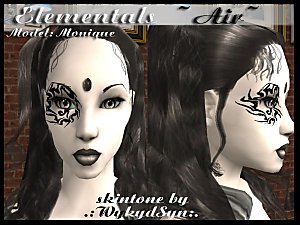
The Elementals - Earth/Water/Air/Fire Skintones
by WykydSyn 27th Mar 2007 at 6:53am
-
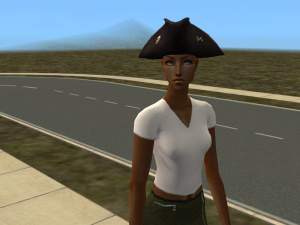
Non-custom genetic versions of Louis #7 skintones
by bruna00000 16th Nov 2007 at 12:43am


More downloads by Dahlian:
See more