
 Sign in to Mod The Sims
 Phoebe Eyes
 Phoebe Eyes


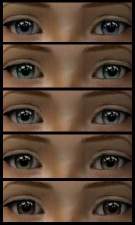
hazelphoebeeyes.jpg - width=262 height=496
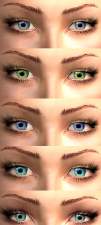
phoebeeyes.jpg - width=250 height=600
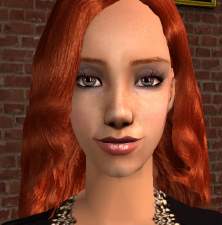
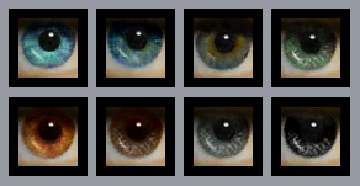
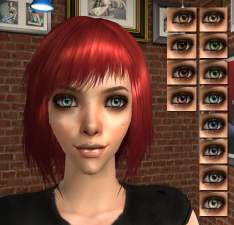
 ) and I decided "what the heck, lets make a set of eyes". There are 6 colors, and I would've made more but I just didn't feel like it. The colors are blue, mist (light blue), green, light green, hazel, and dark gray (which is really more like a dark hazel).
  UPDATE: I added dark brown (see default picture)
Additional Credits:
Bruno for all the make up, La_exotique for the skintone and model.
|
Phoebe Eyes UPDATED WITH DARK BROWN.rar
Download
Uploaded: 17th May 2008, 106.1 KB.
2,585 downloads.
|
||||||||
|
Phoebe Eyes.rar
Download
Uploaded: 17th May 2008, 91.2 KB.
1,826 downloads.
|
||||||||
| For a detailed look at individual files, see the Information tab. | ||||||||
Install Instructions
1. Download: Click the download link to save the .rar or .zip file(s) to your computer.
2. Extract the zip, rar, or 7z file.
3. Place in Downloads Folder: Cut and paste the .package file(s) into your Downloads folder:
- Origin (Ultimate Collection): Users\(Current User Account)\Documents\EA Games\The Sims™ 2 Ultimate Collection\Downloads\
- Non-Origin, Windows Vista/7/8/10: Users\(Current User Account)\Documents\EA Games\The Sims 2\Downloads\
- Non-Origin, Windows XP: Documents and Settings\(Current User Account)\My Documents\EA Games\The Sims 2\Downloads\
- Mac: Users\(Current User Account)\Documents\EA Games\The Sims 2\Downloads
- Mac x64: /Library/Containers/com.aspyr.sims2.appstore/Data/Library/Application Support/Aspyr/The Sims 2/Downloads
- For a full, complete guide to downloading complete with pictures and more information, see: Game Help: Downloading for Fracking Idiots.
- Custom content not showing up in the game? See: Game Help: Getting Custom Content to Show Up.
- If you don't have a Downloads folder, just make one. See instructions at: Game Help: No Downloads Folder.
Loading comments, please wait...

Uploaded: 17th May 2008 at 2:39 AM
Updated: 17th May 2008 at 5:04 PM - Added dark brown




-
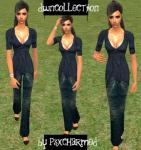
DWNCOLLECTION.[outfitTHREE+RECOLOR]
by p3xcharmed 16th Feb 2007 at 9:36pm
The next outfit in my collection along with a recolor... more...
-
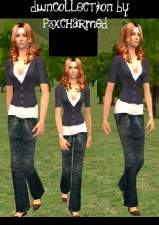
DWNCOLLECTION.[outfitFOUR+RECOLOR]
by p3xcharmed 17th Feb 2007 at 4:14am
The fourth outfit in the DWNCOLLECTION. It's a blue sweater and the recolor is a red sweater:D... more...
-
-
by p3xcharmed 28th Aug 2007 at 7:22pm
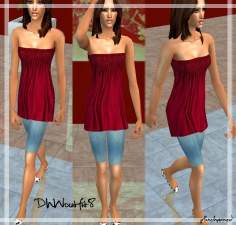
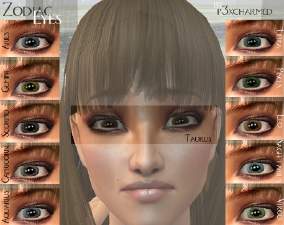
Here's my first set of eyes. more...
-
by p3xcharmed 20th Feb 2007 at 5:36pm
The 5th outfit in my collection... No meshes are required! :D :luff: please leave a comment if you like! more...
-
by p3xcharmed 15th Mar 2007 at 8:59pm
Here's a new set of eyeshadows.. more...
-
-
by p3xcharmed 11th Mar 2007 at 12:03am
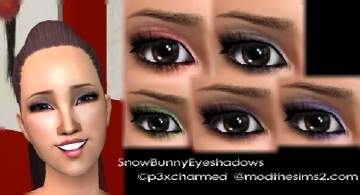
Well I'm not really sure why I named this set "Snow Bunny Eyeshadows".. But oh well:).. more...
-
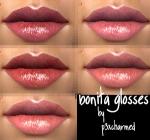
by p3xcharmed 2nd Apr 2007 at 1:14am
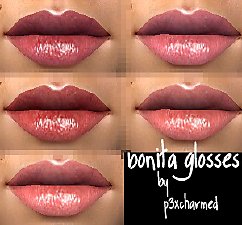
Here's my set of 'Bonita Glosses'. more...
-
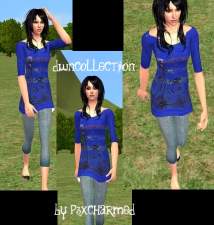
by p3xcharmed 15th Feb 2007 at 11:52pm
Ok. So here's my first upload here at modthesims... more...
