Sign in to Mod The Sims
 **UPDATE Feb.27 2009: Two hairs added** male conversion meshes, made to blend with Maxis.
 **UPDATE Feb.27 2009: Two hairs added** male conversion meshes, made to blend with Maxis.
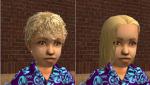
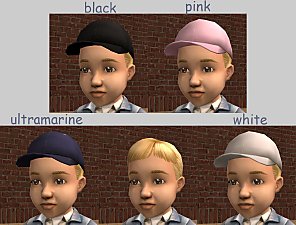
SCREENSHOTS


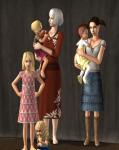
Front.jpg - width=600 height=452
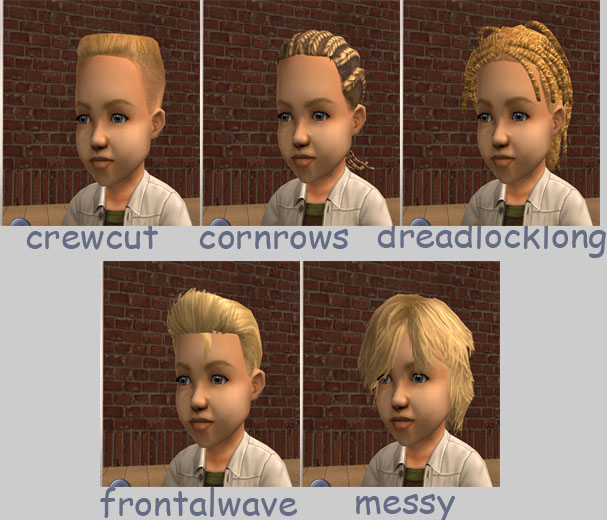
Hair1.jpg - width=607 height=520
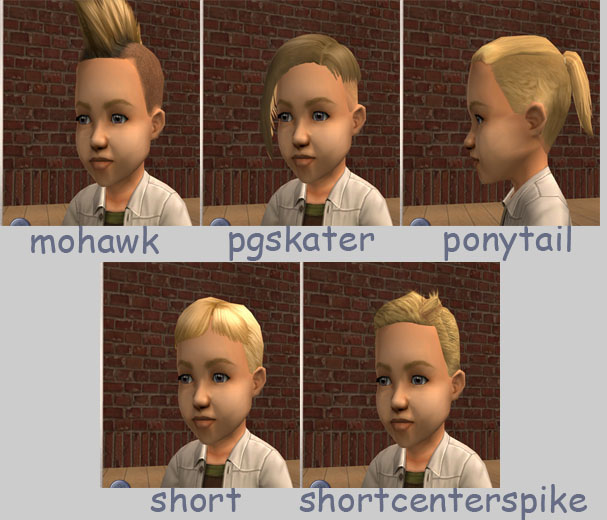
Hair2.jpg - width=607 height=520
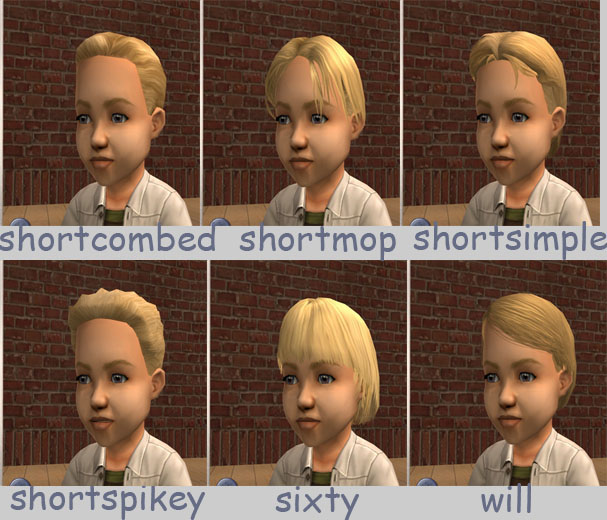
Hair3.jpg - width=607 height=520
Downloaded 50,712 times
959 Thanks
114 Favourited
63,251 Views
Say Thanks!
Thanked!
Picked Upload!
This is a picked upload! It showcases some of the best talent and creativity available on MTS and in the community.
**Update** Feb. 27 2009 Added Ricebowl (Click for picture) Mesh included, thanks to melodie9! and
Simple-straight (Click for picture, and mesh!) Since this was a toddler only hair to start, there was no grey maxis texture for me to link it to, therefore a grey texture is included in this package!
They both had some conflict with other hairs, due to having the same family group. They both come with an extra package file to fix the issue.
**Update** Added Rocker (Click for picture) and
Shortgel (Click for picture) Meshes now included.
They both had some conflict with other hairs, due to having the same family group. They both come with an extra package file to fix the issue.
Linked to the maxis textures.
Family linked to all ages and colors.
Genetically modified: black and brown are more dominant than blond and red.
Properly binned.
Shows up as base game maxis content. (The delete button is still enabled *do not delete any of these hairs*)
Meshes included thanks to melodie9!
These files will not replace, nor conflict with melodie9's files.
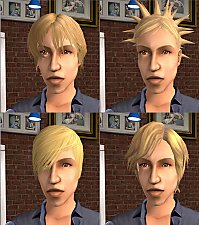
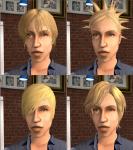
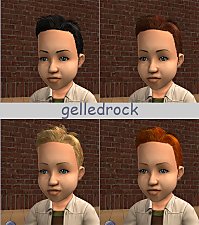
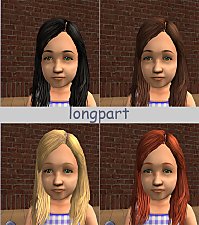
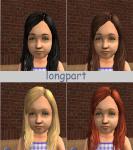
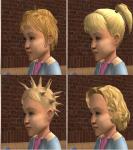
Only blond is pictured, but all four colors are included for all hairs.
All files compressed using The Compressorizer!
*The hairs "Short" and "Shortcombed" had some conflict with other hairs, due to having the same family group. These two .rars come with an extra package file to fix the issue.
Credits:
melodie9 for all of her awesome conversion meshes that were used!
simsbaby for the animated Rocker mesh.
DJ_Mur3 for the Simple-straight mesh.
gwillewyn whose packages I used to learn how to link to maxis textures.
Phaenoh for the "Genetics" section on her hair tutorial.
Jordi for the "How to" on removing the CC star.
The creators of SimPE.
jfade for The Compressorizer!
MTS2!
Simple-straight (Click for picture, and mesh!) Since this was a toddler only hair to start, there was no grey maxis texture for me to link it to, therefore a grey texture is included in this package!
They both had some conflict with other hairs, due to having the same family group. They both come with an extra package file to fix the issue.
**Update** Added Rocker (Click for picture) and
Shortgel (Click for picture) Meshes now included.
They both had some conflict with other hairs, due to having the same family group. They both come with an extra package file to fix the issue.
Linked to the maxis textures.
Family linked to all ages and colors.
Genetically modified: black and brown are more dominant than blond and red.
Properly binned.
Shows up as base game maxis content. (The delete button is still enabled *do not delete any of these hairs*)
Meshes included thanks to melodie9!
These files will not replace, nor conflict with melodie9's files.
Only blond is pictured, but all four colors are included for all hairs.
All files compressed using The Compressorizer!
*The hairs "Short" and "Shortcombed" had some conflict with other hairs, due to having the same family group. These two .rars come with an extra package file to fix the issue.
Credits:
melodie9 for all of her awesome conversion meshes that were used!
simsbaby for the animated Rocker mesh.
DJ_Mur3 for the Simple-straight mesh.
gwillewyn whose packages I used to learn how to link to maxis textures.
Phaenoh for the "Genetics" section on her hair tutorial.
Jordi for the "How to" on removing the CC star.
The creators of SimPE.
jfade for The Compressorizer!
MTS2!
Advertisement:
This is a new mesh recolour, and means that you will need to download the particular mesh itself in order for this to show up in your game. See the Meshes Needed section or read the text for more information.
|
ALL.rar
Download
Uploaded: 15th Mar 2009, 1.99 MB.
15,388 downloads.
|
||||||||
|
Simple-straight.rar
Download
Uploaded: 27th Feb 2009, 426.2 KB.
1,548 downloads.
|
||||||||
|
Ricebowl.rar
Download
Uploaded: 27th Feb 2009, 87.4 KB.
1,535 downloads.
|
||||||||
|
Shortgel.rar
Download
Uploaded: 28th Aug 2008, 44.0 KB.
1,979 downloads.
|
||||||||
|
Rocker.rar
Download
Uploaded: 28th Aug 2008, 37.9 KB.
1,889 downloads.
|
||||||||
|
Will.rar
Download
Uploaded: 20th Aug 2008, 158.2 KB.
3,308 downloads.
|
||||||||
|
Sixty.rar
Download
Uploaded: 20th Aug 2008, 88.0 KB.
3,596 downloads.
|
||||||||
|
Shortspikey.rar
Download
Uploaded: 20th Aug 2008, 80.8 KB.
3,078 downloads.
|
||||||||
|
Shortsimple.rar
Download
Uploaded: 20th Aug 2008, 82.9 KB.
4,212 downloads.
|
||||||||
|
Shortmop.rar
Download
Uploaded: 20th Aug 2008, 58.6 KB.
4,707 downloads.
|
||||||||
|
Shortcombed.rar
Download
Uploaded: 20th Aug 2008, 34.7 KB.
4,187 downloads.
|
||||||||
|
Shortcenterspike.rar
Download
Uploaded: 20th Aug 2008, 55.4 KB.
6,339 downloads.
|
||||||||
|
Short.rar
Download
Uploaded: 20th Aug 2008, 38.4 KB.
4,244 downloads.
|
||||||||
|
Ponytail.rar
Download
Uploaded: 20th Aug 2008, 75.5 KB.
2,490 downloads.
|
||||||||
|
Pgskater.rar
Download
Uploaded: 20th Aug 2008, 96.8 KB.
2,262 downloads.
|
||||||||
|
Mohawk.rar
Download
Uploaded: 20th Aug 2008, 73.6 KB.
2,381 downloads.
|
||||||||
|
Messy.rar
Download
Uploaded: 20th Aug 2008, 128.8 KB.
7,328 downloads.
|
||||||||
|
Frontalwave.rar
Download
Uploaded: 20th Aug 2008, 111.2 KB.
2,945 downloads.
|
||||||||
|
Dreadlocklong.rar
Download
Uploaded: 20th Aug 2008, 180.1 KB.
2,627 downloads.
|
||||||||
|
Crewcut.rar
Download
Uploaded: 20th Aug 2008, 57.9 KB.
3,013 downloads.
|
||||||||
|
Cornrows.rar
Download
Uploaded: 20th Aug 2008, 120.6 KB.
3,634 downloads.
|
||||||||
| For a detailed look at individual files, see the Information tab. | ||||||||
Install Instructions
Basic Download and Install Instructions:
1. Download: Click the download link to save the .rar or .zip file(s) to your computer.
2. Extract the zip, rar, or 7z file.
3. Place in Downloads Folder: Cut and paste the .package file(s) into your Downloads folder:
1. Download: Click the download link to save the .rar or .zip file(s) to your computer.
2. Extract the zip, rar, or 7z file.
3. Place in Downloads Folder: Cut and paste the .package file(s) into your Downloads folder:
- Origin (Ultimate Collection): Users\(Current User Account)\Documents\EA Games\The Sims™ 2 Ultimate Collection\Downloads\
- Non-Origin, Windows Vista/7/8/10: Users\(Current User Account)\Documents\EA Games\The Sims 2\Downloads\
- Non-Origin, Windows XP: Documents and Settings\(Current User Account)\My Documents\EA Games\The Sims 2\Downloads\
- Mac: Users\(Current User Account)\Documents\EA Games\The Sims 2\Downloads
- Mac x64: /Library/Containers/com.aspyr.sims2.appstore/Data/Library/Application Support/Aspyr/The Sims 2/Downloads
- For a full, complete guide to downloading complete with pictures and more information, see: Game Help: Downloading for Fracking Idiots.
- Custom content not showing up in the game? See: Game Help: Getting Custom Content to Show Up.
- If you don't have a Downloads folder, just make one. See instructions at: Game Help: No Downloads Folder.
Meshes needed
This download requires one or more meshes to work properly. Please check the Description tab for information about the meshes needed, then download them below:| MTS cannot guarantee any off-site links will be available |
| *UPDATED*Maxis Mesh "Simple" for Males and Females of All Ages by DJ_Mur3 |
Advertisement:
Loading comments, please wait...
Author

Download Details
Packs:
None, this is Sims 2 base game compatible!
Uploaded: 20th Aug 2008 at 8:17 PM
Updated: 10th May 2009 at 2:05 AM
Uploaded: 20th Aug 2008 at 8:17 PM
Updated: 10th May 2009 at 2:05 AM
Hair Style:
– Natural Colours
– Maxis-Match
Maxis Flags:
– Age Conversions
: Age Conversions of Maxis Hair
Bin Type:
– Binned
Age:
– Toddler
– Child
– Teen
Creator Recommendations:
Other Download Recommendations:






More downloads by Layana:
See more
-
-
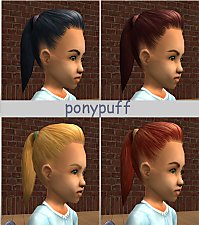
**UPDATE: AL version added** melodie9's Ponypuff conversion mesh, made to blend with Maxis.
by Layana updated 15th Sep 2008 at 1:35am
**Update** Added AL_TSS_Ponypuff.rar. Apartment Life made this hair available for Young Adult, Adult, and Elder. more...
-
-
-
-
-
-
-
-