Sign in to Mod The Sims
 Triple Eye Default Replacements - clear & radiant styles
 Triple Eye Default Replacements - clear & radiant styles


eyethumb.jpg - width=270 height=225
clear.jpg - width=600 height=300
psyche.jpg - width=900 height=300
radiant.jpg - width=900 height=300

my first try on creating eyes for the sims 3, I made 3 different styles, but you can only choose one of those three.
They will replace the original eye defaults- you will have to install the eye-package file which you have chosen (either clear, radiant or psyche) in
program files/Electronic Arts/Sims 3/Mods/Packages
three styles

enjoy
Additional Credits:
thank you for ThomasRiordan's Texture Replacement Tutorial
|
LaPink_Radiant2Eyes_Replacement.rar
Download
Uploaded: 7th Jul 2009, 35.7 KB.
13,425 downloads.
|
||||||||
|
Lapink_Psyche2Eyes_Replacement.rar
Download
Uploaded: 7th Jul 2009, 35.0 KB.
14,678 downloads.
|
||||||||
|
Lapink_3ClearEyes_Replacement.rar
Download
Uploaded: 7th Jul 2009, 35.3 KB.
14,229 downloads.
|
||||||||
| For a detailed look at individual files, see the Information tab. | ||||||||
Install Instructions
1. Click the download button, or the filename, to download the file to your computer.
2. Extract the zip, rar, or 7z file. Now you will have either a .package or a .sims3pack file.
For Package files:
1. Cut and paste the file into your Documents\Electronic Arts\The Sims 3\Mods\Packages folder. If you do not already have this folder, you should read the full guide to Package files first: Sims 3:Installing Package Fileswiki, so you can make sure your game is fully patched and you have the correct Resource.cfg file.
2. Run the game, and find your content where the creator said it would be (build mode, buy mode, Create-a-Sim, etc.).
For Sims3Pack files:
1. Cut and paste it into your Documents\Electronic Arts\The Sims 3\Downloads folder. If you do not have this folder yet, it is recommended that you open the game and then close it again so that this folder will be automatically created. Then you can place the .sims3pack into your Downloads folder.
2. Load the game's Launcher, and click on the Downloads tab. Find the item in the list and tick the box beside it. Then press the Install button below the list.
3. Wait for the installer to load, and it will install the content to the game. You will get a message letting you know when it's done.
4. Run the game, and find your content where the creator said it would be (build mode, buy mode, Create-a-Sim, etc.).
Extracting from RAR, ZIP, or 7z: You will need a special program for this. For Windows, we recommend 7-Zip and for Mac OSX, we recommend Keka. Both are free and safe to use.
Need more help?
If you need more info, see:
- For package files: Sims 3:Installing Package Fileswiki
- For Sims3pack files: Game Help:Installing TS3 Packswiki
Loading comments, please wait...



Uploaded: 7th Jul 2009 at 5:06 PM
Updated: 8th Jul 2009 at 4:41 AM
-
Eye Shine- Eye Default Replacements For Sims 3
by Rockermonkey 26th Jun 2009 at 5:54pm
-
-
Default Eye Replacements: GlistenEyes
by sprinkz 3rd Jul 2009 at 8:04pm
-

BrightEyes Default Eye Texture Replacements
by Miniie 9th Jul 2009 at 8:01am
-
Default Eye Replacements-Vibrant Eyes
by JillianWong 15th Jul 2009 at 10:40am
-
UPDATED: Default Eye Replacement Now With Small Version
by missy harries updated 26th Mar 2010 at 6:29pm
-
Luminous eyes - Default Replacements
by -Shady- 11th Jan 2010 at 2:15pm
-
: Oasis Eyes : Default Replacements
by EccentricSims 2nd Jan 2011 at 2:05am
-
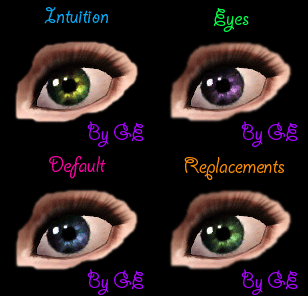
Intuition Eyes TS3 Default Replacements.
by Goldeneyes 10th Jan 2011 at 8:46pm
-


-

Genuine Lusty & Demonic big Eye Set *handdrawn* + 2 editable Sclera Masks
by icedmango 18th Oct 2007 at 8:17pm
hi 2gether, I have made again and again a new eye set, I am eyeddicted! more...
-
-
-
-
-
-
-
-
-
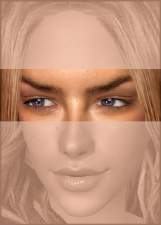
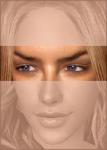
Lateral Eyes "side looking and Front Looking" by *icedmango* !!UPDATED!!
by icedmango 31st Jan 2007 at 6:43pm
Hello 2gether, "Lateral Eyes" - gives the sims' a completely new charismatic Look- especially supposed for stories and screenshots. more...