
 Sign in to Mod The Sims
 ♥ Kawaii Fruit Wallaper Collection ♥
 ♥ Kawaii Fruit Wallaper Collection ♥


The Colours.jpg - width=800 height=600
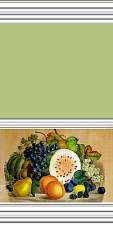
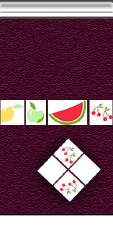
The Fruits .jpg - width=800 height=600
Screenshot 6.jpg - width=800 height=600
Screenshot 1.jpg - width=800 height=600
Screenshot 2.jpg - width=800 height=600
Screenshot 3.jpg - width=800 height=600
Screenshot 4.jpg - width=800 height=600
Screenshot 5.jpg - width=800 height=600
I bring too you now my first upload the Kawaii Fruit Collection!!
This fun and colourful set contains 20 wonderful wallpapers that look good almost anywhere!! :D
The entire set is split into two sections:
♥♥ THE COLOURS ♥♥
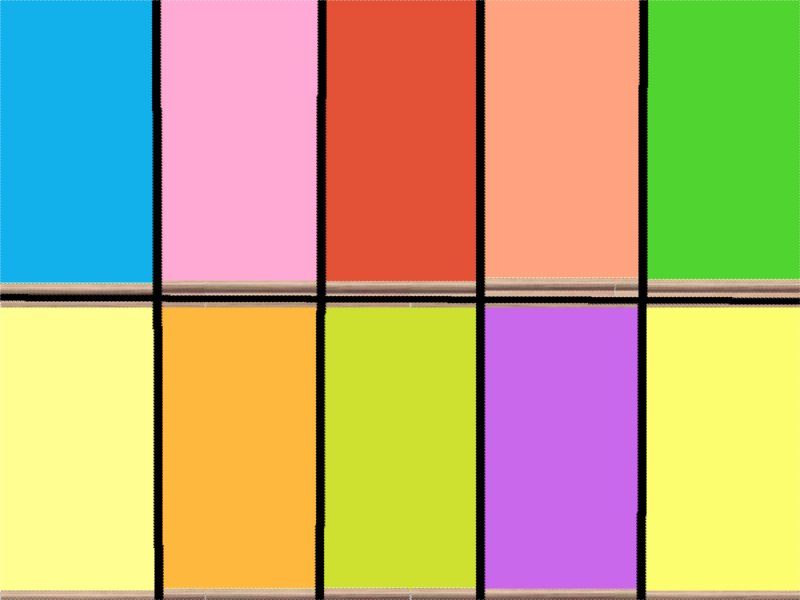
and...
♥♥ THE FRUITS ♥♥
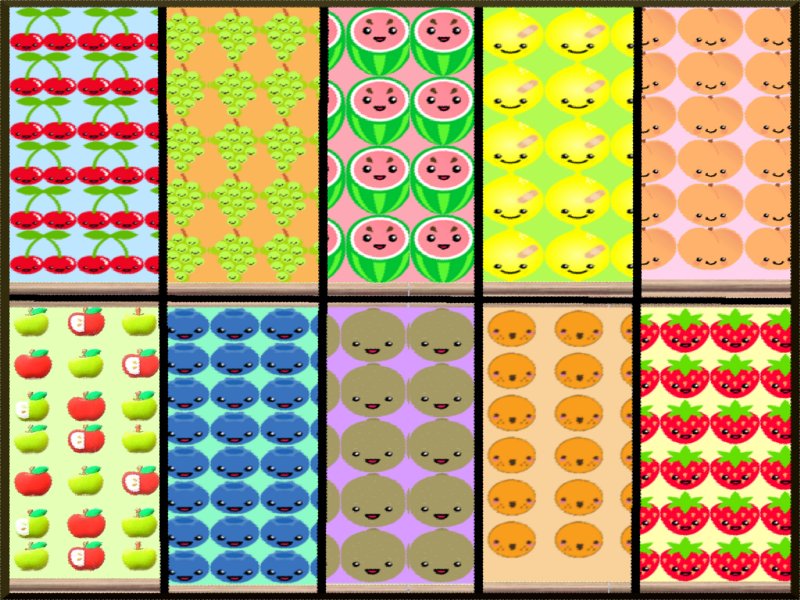
>>>
 PLEASE NOTE WHEN USING THE FRUITY WALLPAPERS YOUR TEXTURE LEVEL IN GAME MUST BE SET TO EITHER MEDIUM OR HIGH IF IT IS SET ON LOW THE FRUITS APPEAR BLURRY <<<
I hope you and your little simmies enjoy my lovely set of Wallpapers and if you download please remeber to hit the Thanks button!! :D
Enjoy ....
Additional Credits:
Chairs and Rug in Screenshot are available for free download at: http://www.4eversimfantasy.net/
|
Kawaii Fruit Collection.rar
Download
Uploaded: 23rd Jul 2009, 180.4 KB.
5,494 downloads.
|
||||||||
| For a detailed look at individual files, see the Information tab. | ||||||||
Install Instructions
1. Download: Click the download link to save the .rar or .zip file(s) to your computer.
2. Extract the zip, rar, or 7z file.
3. Place in Downloads Folder: Cut and paste the .package file(s) into your Downloads folder:
- Origin (Ultimate Collection): Users\(Current User Account)\Documents\EA Games\The Sims™ 2 Ultimate Collection\Downloads\
- Non-Origin, Windows Vista/7/8/10: Users\(Current User Account)\Documents\EA Games\The Sims 2\Downloads\
- Non-Origin, Windows XP: Documents and Settings\(Current User Account)\My Documents\EA Games\The Sims 2\Downloads\
- Mac: Users\(Current User Account)\Documents\EA Games\The Sims 2\Downloads
- Mac x64: /Library/Containers/com.aspyr.sims2.appstore/Data/Library/Application Support/Aspyr/The Sims 2/Downloads
- For a full, complete guide to downloading complete with pictures and more information, see: Game Help: Downloading for Fracking Idiots.
- Custom content not showing up in the game? See: Game Help: Getting Custom Content to Show Up.
- If you don't have a Downloads folder, just make one. See instructions at: Game Help: No Downloads Folder.
Loading comments, please wait...

Uploaded: 23rd Jul 2009 at 2:40 PM
-
by SwampMama 17th Mar 2005 at 5:15pm
 1
3k
1
3k
-
by SwampMama 23rd Mar 2005 at 6:30pm
6
4.8k
2
-
by McAlli 7th Jun 2005 at 1:00am
7
4.3k
2
-
by UTCSimers 20th Sep 2005 at 2:10am
2
5.2k
3
-
by angeleyetr 17th Nov 2005 at 12:32am
3.4k
-
by Ani81 29th Mar 2006 at 3:47pm
3
4.4k
-
by Psyence 21st Jan 2007 at 11:44pm
5.5k
1
-
by artemisnapolla updated 17th Apr 2008 at 2:09am
7
8.1k
12
-
by BananaBomb 4th Aug 2008 at 5:41pm
19
54.2k
92
-
by Yuhawk 4th Mar 2009 at 4:52pm
19
54k
57

About Me
Well basically i'm FrizziChikki!
I am naturally quite random and find even the most normal things funny!
I enjoy creating bright and colourful things for my littler sims!!
I am not very experienced yet and the most complicated thing i can create are patterned wallpapers! :(
But hopefully after some practice i will improve! :D
Another thing i reallly enjoy is writing stories and making movies with my sims!! :)
♥♥ CREATION POLICIES ♥♥
♥ Do not upload any of my items to pay sites!!
♥ If you would like to you may include any of my creations with your lots and/or sims as long as you give me credit.
♥ Please don't upload to the exchange!
And most importantly...
♥ Have fun with my uploads!! :D