Sign in to Mod The Sims
 German Soccer-Club-Athletic-Shirts for both genders
 German Soccer-Club-Athletic-Shirts for both genders
SCREENSHOTS


soccermale1.jpg - width=1200 height=720
soccermale2.jpg - width=1200 height=720
soccermale3.jpg - width=450 height=375
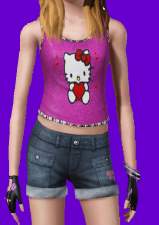
soccerfemale.jpg - width=700 height=850
Downloaded 7,478 times
128 Thanks
7 Favourited
22,837 Views
Say Thanks!
Thanked!
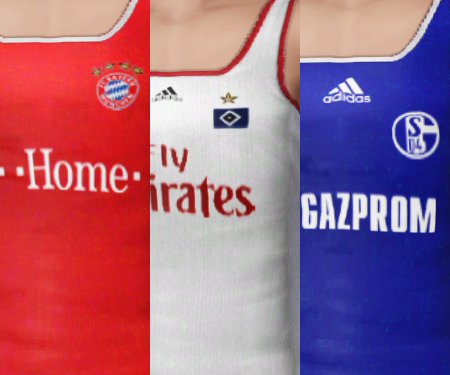
I tried to create original-shirts of the clubs, but had trouble with the stripes on the shoulders, because the shoulders are morphing when the sim gets fat or does training. So i decided to create it this way like an athletic-set for Adults and Teens.
Here it is:
from left to right: FC Bayern Munich, Hamburger SV, FC Schalke 04
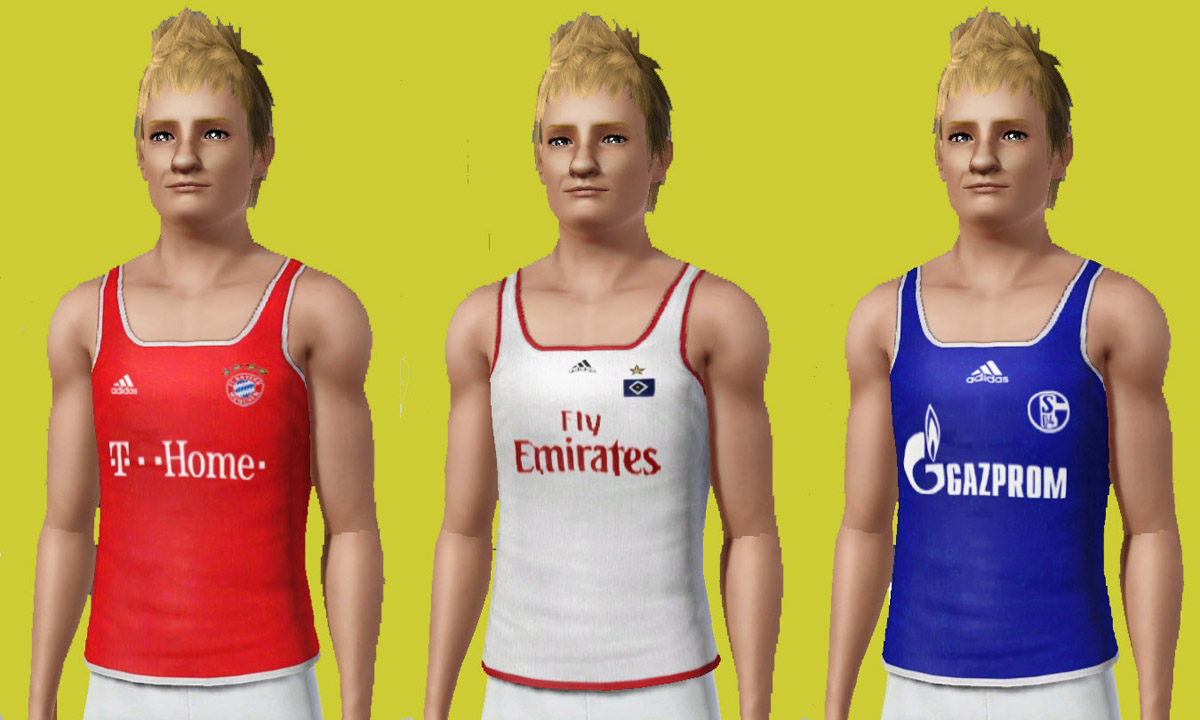
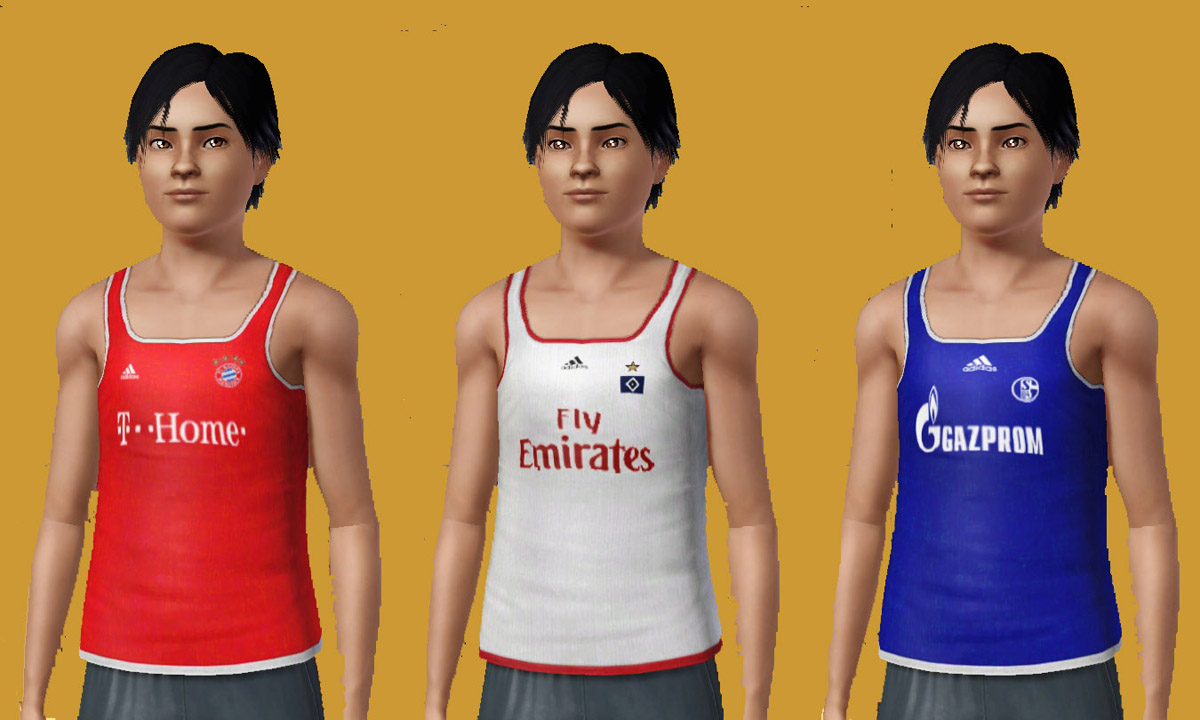
You can wear this in athletic, everyday and sleepwear.
no mesh needed - maxis-recolour only - of course you can recolour the 3 areas and change patterns
Have fun with this.
UPDATE 7.11.09:
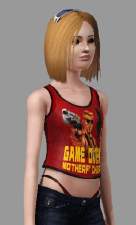
FEMALE VERSION ADDED
(all 3 Designs for Teens and all 3 Designs for Adult)
Examples:
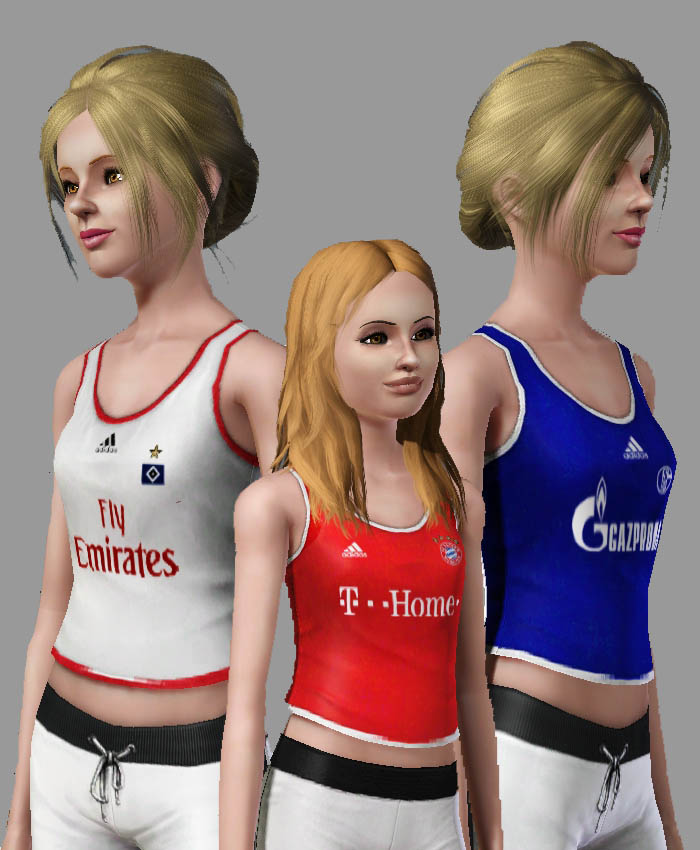
Additional Credits:
Delphys CAS-TextureUnitool
Advertisement:
This is a Maxis Recolour which means that it is a recolour of an item that already exists in your game. Please check the Pack requirements to see which game pack it recolours.
|
smogmog_germansoccer_Female_Teen.rar
Download
Uploaded: 7th Nov 2009, 14.6 KB.
2,691 downloads.
|
||||||||
|
smogmog_germansoccer_Female_Adult.rar
Download
Uploaded: 7th Nov 2009, 16.5 KB.
3,073 downloads.
|
||||||||
|
smogmog_germansoccer_Male_Teen.rar
Download
Uploaded: 6th Nov 2009, 16.6 KB.
3,289 downloads.
|
||||||||
|
smogmog_germansoccer_Male_Adult.rar
Download
Uploaded: 6th Nov 2009, 18.9 KB.
4,072 downloads.
|
||||||||
| For a detailed look at individual files, see the Information tab. | ||||||||
Install Instructions
Quick Guide:
1. Click the download button, or the filename, to download the file to your computer.
2. Extract the zip, rar, or 7z file. Now you will have either a .package or a .sims3pack file.
For Package files:
1. Cut and paste the file into your Documents\Electronic Arts\The Sims 3\Mods\Packages folder. If you do not already have this folder, you should read the full guide to Package files first: Sims 3:Installing Package Fileswiki, so you can make sure your game is fully patched and you have the correct Resource.cfg file.
2. Run the game, and find your content where the creator said it would be (build mode, buy mode, Create-a-Sim, etc.).
For Sims3Pack files:
1. Cut and paste it into your Documents\Electronic Arts\The Sims 3\Downloads folder. If you do not have this folder yet, it is recommended that you open the game and then close it again so that this folder will be automatically created. Then you can place the .sims3pack into your Downloads folder.
2. Load the game's Launcher, and click on the Downloads tab. Find the item in the list and tick the box beside it. Then press the Install button below the list.
3. Wait for the installer to load, and it will install the content to the game. You will get a message letting you know when it's done.
4. Run the game, and find your content where the creator said it would be (build mode, buy mode, Create-a-Sim, etc.).
Extracting from RAR, ZIP, or 7z: You will need a special program for this. For Windows, we recommend 7-Zip and for Mac OSX, we recommend Keka. Both are free and safe to use.
Need more help?
If you need more info, see:
1. Click the download button, or the filename, to download the file to your computer.
2. Extract the zip, rar, or 7z file. Now you will have either a .package or a .sims3pack file.
For Package files:
1. Cut and paste the file into your Documents\Electronic Arts\The Sims 3\Mods\Packages folder. If you do not already have this folder, you should read the full guide to Package files first: Sims 3:Installing Package Fileswiki, so you can make sure your game is fully patched and you have the correct Resource.cfg file.
2. Run the game, and find your content where the creator said it would be (build mode, buy mode, Create-a-Sim, etc.).
For Sims3Pack files:
1. Cut and paste it into your Documents\Electronic Arts\The Sims 3\Downloads folder. If you do not have this folder yet, it is recommended that you open the game and then close it again so that this folder will be automatically created. Then you can place the .sims3pack into your Downloads folder.
2. Load the game's Launcher, and click on the Downloads tab. Find the item in the list and tick the box beside it. Then press the Install button below the list.
3. Wait for the installer to load, and it will install the content to the game. You will get a message letting you know when it's done.
4. Run the game, and find your content where the creator said it would be (build mode, buy mode, Create-a-Sim, etc.).
Extracting from RAR, ZIP, or 7z: You will need a special program for this. For Windows, we recommend 7-Zip and for Mac OSX, we recommend Keka. Both are free and safe to use.
Need more help?
If you need more info, see:
- For package files: Sims 3:Installing Package Fileswiki
- For Sims3pack files: Game Help:Installing TS3 Packswiki
Advertisement:
Loading comments, please wait...
Author
Download Details
Packs:
None, this is Sims 3 base game compatible!
Uploaded: 6th Nov 2009 at 4:28 PM
Updated: 1st Feb 2015 at 2:36 PM by Nysha
Uploaded: 6th Nov 2009 at 4:28 PM
Updated: 1st Feb 2015 at 2:36 PM by Nysha
Age:
– Teen
– Young Adult
– Adult
Gender:
– Male
– Female
Clothing Type:
– Everyday
– Sleepwear
– Athletic
Clothing Style:
– Modern
– Brands/Logos
: Products, bands, TV shows etc.
Other Type:
– Not Applicable
Maxis Flags:
– Not Applicable
Outfit Type:
– Top
Tags
Other Download Recommendations:
-
-
-
-
-
Heavy and Shocking- 5 Band T-shirts for Males: Alice Cooper, W.A.S.P., Twisted Sister
by The Path Of Nevermore 31st Oct 2009 at 6:08pm
 13
29.6k
35
13
29.6k
35
Male » Everyday » Young Adult
-

-
-
by monca533 29th Dec 2010 at 8:30am
10
20.2k
24
-
-

More downloads by roflor:
See more