
 Sign in to Mod The Sims
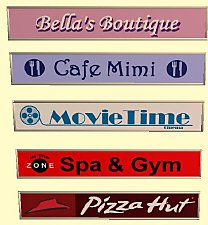
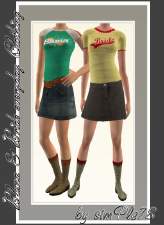
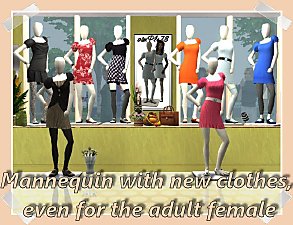
 new images for your fashion business
 new images for your fashion business


Update_060909_a.jpg - width=621 height=481
ShopPicture_d_by_simPle78.jpg - width=708 height=458
ShopPicture_a_by_simPle78.jpg - width=708 height=458
ShopPicture_b_by_simPle78.jpg - width=708 height=458
ShopPicture_c_by_simPle78.jpg - width=708 height=458
a_Shoppicture_outdoor_s78.jpg - width=608 height=458
b_Shoppicture_outdoor_s78.jpg - width=608 height=458
c_Shoppicture_outdoor_s78.jpg - width=608 height=458
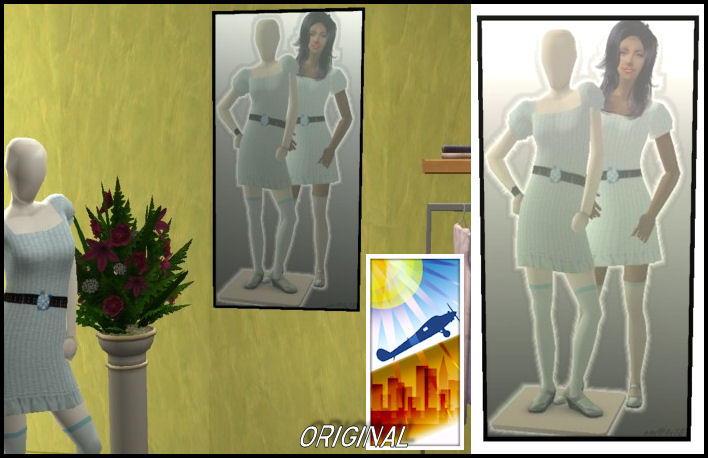
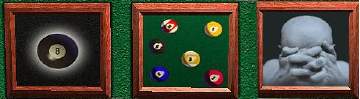
They were created in my image editing program and the SimPE.
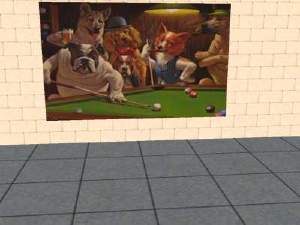
The images were photographed in the game. The mesh comes from the base game. The last 3 photos I took photos from outside.
All nine images are included in the download. I hope you like and wish you much fun shopping.
Additional Credits:
MESH MAXIS
This custom content if it is not clothing, may require a seperate download to work properly. This is available at Colour Enable Package (CEP) by Numenor.
|
SHOP_PICTURE_BY_SIMPLE78.rar
Download
Uploaded: 6th Jan 2010, 1.79 MB.
3,969 downloads.
|
||||||||
| For a detailed look at individual files, see the Information tab. | ||||||||
Install Instructions
1. Download: Click the download link to save the .rar or .zip file(s) to your computer.
2. Extract the zip, rar, or 7z file
3. Place in Downloads Folder: Cut and paste the .package file(s) into your Downloads folder:
- Origin (Ultimate Collection): Users\(Current User Account)\Documents\EA Games\The Sims™ 2 Ultimate Collection\Downloads\
- Non-Origin, Windows Vista/7/8/10: Users\(Current User Account)\Documents\EA Games\The Sims 2\Downloads\
- Non-Origin, Windows XP: Documents and Settings\(Current User Account)\My Documents\EA Games\The Sims 2\Downloads\
- Mac: Users\(Current User Account)\Documents\EA Games\The Sims 2\Downloads
- Mac x64:
/Library/Containers/com.aspyr.sims2.appstore/Data/Library/Application Support/Aspyr/The Sims 2/Downloads
Need more information?
- For a full, complete guide to downloading complete with pictures and more information, see: Game Help: Downloading for Fracking Idiots.
- Custom content not showing up in the game? See: Game Help: Getting Custom Content to Show Up.
- If you don't have a Downloads folder, just make one. See instructions at: Game Help: No Downloads Folder.
Loading comments, please wait...
Uploaded: 6th Jan 2010 at 12:03 AM
#simPle78, #Pictures, #shop signs, #the base game, #decoration, #wall hanging
-
-
-
-
by webmessia 11th Apr 2006 at 10:50pm
 12
8.7k
2
12
8.7k
2
-
by Sirella 11th May 2006 at 4:33pm
2
6.7k
4
-
by zedrik 14th Jun 2006 at 6:37am
56
18.1k
2
-
-
-
Five Recolors of MogHughson's Illuminated Shop Signs
by NekoMimi updated 31st May 2013 at 1:33pm
10
27.4k
50
-


-
-
-
-
4 new relations in the wooden design
by simPle78 30th Nov 2009 at 12:43am
hello everybody, today for all cat's lovers I bring four new cat's dwellings. I hope You like it. more...
+1 packs
7 25.3k 22 Pets
Pets
-

3 new wallpaper in the material design
by simPle78 31st Oct 2009 at 5:26pm
3 new wallpaper in the material design Today I have created for You three new wallpaper in the Staffdesign. more...
9
12.9k
11
-

Llama-wall watches in the new design
by simPle78 29th Dec 2009 at 11:45pm
Hello, of each of the "free time and fun" has as an add-on, this red wall clock knows. more...
+1 packs
2 11.7k 1 Free Time
-
-
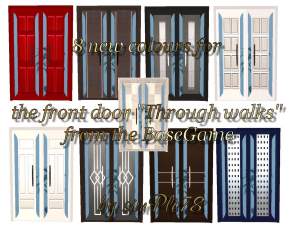
8 new colours for the front door "Through walks" from the BaseGame
by simPle78 3rd Nov 2009 at 6:04pm
8 new colours for the front door "Through walks" from the base play Hi, from the basegame I more...
18
37k
41
-
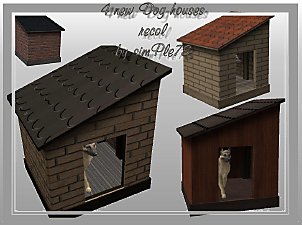
Dog houses, how from the real life
by simPle78 12th Dec 2009 at 4:35am
Today I have thought to me sometimes to offer the dog houses MAXIS in 4 new textures to You. more...
+1 packs
13 32.5k 57 Pets
-
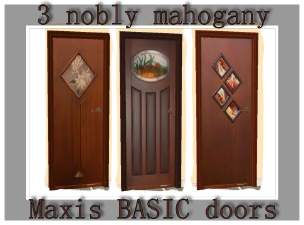
3 new mahogany - MAXIS BASIC doors
by simPle78 31st Oct 2009 at 7:09am
3 new mahogany - MAXIS "BASIC" doors in the classical, noble red-brown and coloured glass application from Basegame. more...
18
38.5k
26


