
 Sign in to Mod The Sims
 CoolSims Mesh N.70 Conversion
 CoolSims Mesh N.70 Conversion


Screenshot-54.jpg - width=255 height=314
Screenshot-56.jpg - width=789 height=714
Screenshot-60.jpg - width=800 height=644
Screenshot-63.jpg - width=800 height=600
Screenshot-31.jpg - width=488 height=532
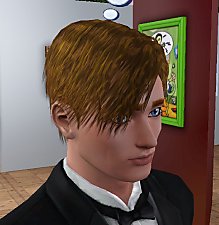
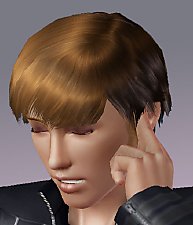
There are some issues because I tried to reduces polygons as much as possible because the original mesh polycount is very high.
For Males only, available to teenagers, young adults and adults.
I hope you enjoy!

Please leave a comment!


Polygon Counts:
LOD0 - 7396
LOD1 - 5652
LOD2 - 2893
LOD3 - 1370
Additional Credits:
You can find the original hair Here
Thanks to Anubis360 for the tips
Hysterical Paroxysm's Tutorial
Delphy's DABOOBs SimPE Wes for the Milk Shape plugins
Thanks joninmobile for theEmptied Blue Screen CAS screen
Skin by LadyFrontbum
This is a new mesh, and means that it's a brand new self contained object that usually does not require a specific Pack (although this is possible depending on the type). It may have Recolours hosted on MTS - check below for more information.
|
CoolSims Mesh N.70 Conversion by kiara24.rar
Download
Uploaded: 6th Sep 2010, 1.32 MB.
61,756 downloads.
|
||||||||
| For a detailed look at individual files, see the Information tab. | ||||||||
Install Instructions
1. Click the download button, or the filename, to download the file to your computer.
2. Extract the zip, rar, or 7z file. Now you will have either a .package or a .sims3pack file.
For Package files:
1. Cut and paste the file into your Documents\Electronic Arts\The Sims 3\Mods\Packages folder. If you do not already have this folder, you should read the full guide to Package files first: Sims 3:Installing Package Fileswiki, so you can make sure your game is fully patched and you have the correct Resource.cfg file.
2. Run the game, and find your content where the creator said it would be (build mode, buy mode, Create-a-Sim, etc.).
For Sims3Pack files:
1. Cut and paste it into your Documents\Electronic Arts\The Sims 3\Downloads folder. If you do not have this folder yet, it is recommended that you open the game and then close it again so that this folder will be automatically created. Then you can place the .sims3pack into your Downloads folder.
2. Load the game's Launcher, and click on the Downloads tab. Find the item in the list and tick the box beside it. Then press the Install button below the list.
3. Wait for the installer to load, and it will install the content to the game. You will get a message letting you know when it's done.
4. Run the game, and find your content where the creator said it would be (build mode, buy mode, Create-a-Sim, etc.).
Extracting from RAR, ZIP, or 7z: You will need a special program for this. For Windows, we recommend 7-Zip and for Mac OSX, we recommend Keka. Both are free and safe to use.
Need more help?
If you need more info, see:
- For package files: Sims 3:Installing Package Fileswiki
- For Sims3pack files: Game Help:Installing TS3 Packswiki
Loading comments, please wait...

Uploaded: 6th Sep 2010 at 2:57 AM
Updated: 7th Sep 2010 at 10:41 PM
#Coolsims, #conversion, #hair, #male
-
by skeletalscreams 17th Nov 2009 at 4:40pm
 22
164.8k
180
22
164.8k
180
Hair » Female » Young Adult
-
Peggy female "free hair" conversion
by Lunararc 18th Feb 2010 at 10:48pm
39
115.9k
187
Hair » Female » Young Adult
-
-
-
-
by Kiara24 17th May 2010 at 12:27am
48
163.8k
255
Hair » Male » Young Adult
-
by Kiara24 20th Aug 2010 at 5:00am
39
79.3k
147
Hair » Female » Young Adult
-
-
by ShojoAngel 16th Mar 2013 at 10:59am
+2 packs
21 92.2k 168 Pets
Pets
 Supernatural
Hair » Male » Young Adult
-
Skysims Hair 171 Retexture Teen-Elder Female
by Bubbly918 9th Jan 2014 at 6:17pm
52
92.8k
405
Hair » Female » Young Adult


-
-
by Kiara24 13th Oct 2014 at 2:53pm
Available in casual, party and formal (teen to elder) 5 colors. more...
 24
45k
209
24
45k
209
Female » Mixed Sets » Adult
-
by Kiara24 11th Feb 2018 at 4:37pm
Available in casual, formal and party, 15 options. more...
6
20.9k
66
Female » Mixed Sets » Toddler
-
-
-
-
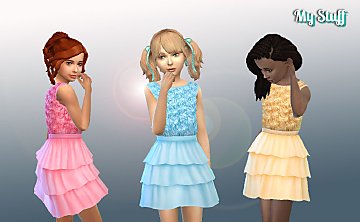
by Kiara24 29th Oct 2016 at 3:24am
Available in casual, party and formal (5 options) more...
13
50.6k
126
Female » Mixed Sets » Child
-
-
-
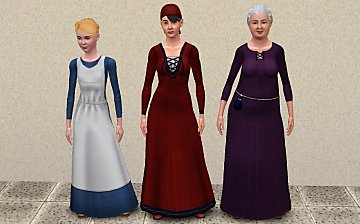
Simdom Garment Shoppe (More Medieval Dresses) - Ye Olde Kingdom of Pudding
by The Merrye Makers 17th Jul 2013 at 10:07am
Three more medieval dresses - for female teens, adults, and elders - by The Merrye Makers. Adult dresses have pregnancy morphs. more...
24
73.1k
226
Female » Mixed Sets » Adult

About Me
Subscribe to my channel.