Sign in to Mod The Sims
 Manga Painting Collection Set 1
 Manga Painting Collection Set 1
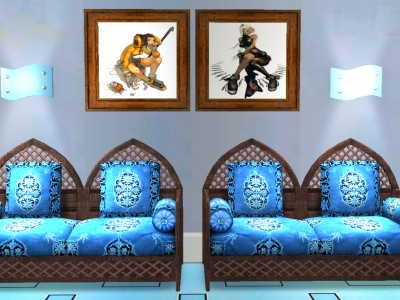
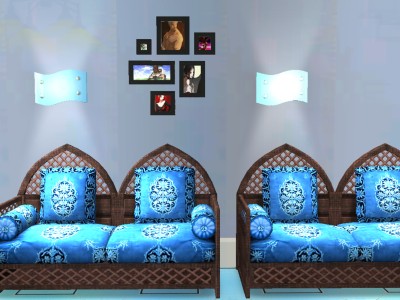
snapshot_00000004_6f3c9769.jpg - width=400 height=300
snapshot_00000004_8f3c97b3.jpg - width=400 height=300
snapshot_00000004_af3c97d3.jpg - width=400 height=300
snapshot_00000004_ef3c991e.jpg - width=400 height=300

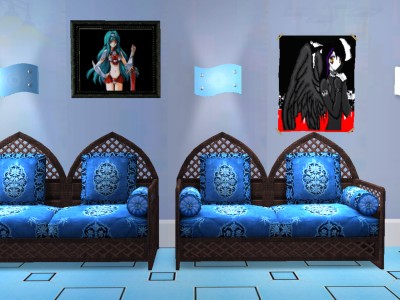
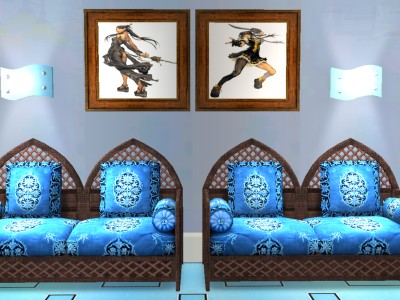
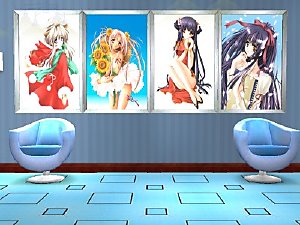
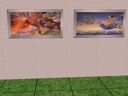
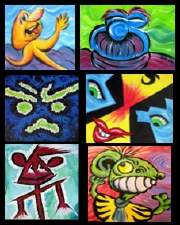
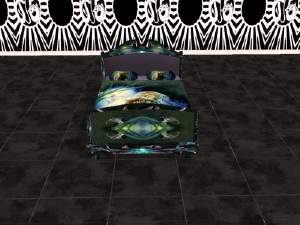
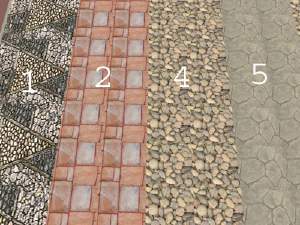
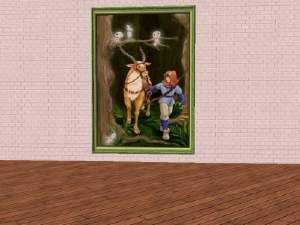
Here is my 1st painting collection set. You can buy them in game under decorative. The 1st pic- paintings 1-2 - can be found under "the lone daisy " and "the civic idol". Second and 3rd pictures- paintings 3-6- can be found under "The arghist soldier".
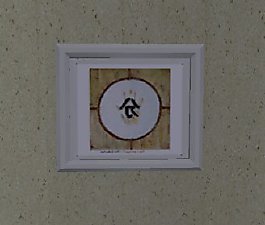
I also included a collage which can be found under "collage in black and white".
I am new at this so I will really appreciate if you guys let me know what you think thus far and test them in game. I will be posting more soon. If you have any requests I could see if I could work on some.

As always, any suggestions are greatly considered.
Thank you! :kami:
This custom content if it is not clothing, may require a seperate download to work properly. This is available at Colour Enable Package (CEP) by Numenor.
|
mishkat_mangapaintings1-6_31005.zip
Download
Uploaded: 30th Apr 2005, 987.4 KB.
348 downloads.
|
||||||||
|
mishka_manga_fotos1.zip
Download
Uploaded: 30th Apr 2005, 18.3 KB.
348 downloads.
|
||||||||
|
mishka_manga_fotos1.rar
Download
Uploaded: 10th Mar 2005, 18.2 KB.
458 downloads.
|
||||||||
|
mishkat_mangapaintings1-6_31005.rar
Download
Uploaded: 10th Mar 2005, 977.5 KB.
524 downloads.
|
||||||||
| For a detailed look at individual files, see the Information tab. | ||||||||
Install Instructions
1. Download: Click the download link to save the .rar or .zip file(s) to your computer.
2. Extract the zip, rar, or 7z file
3. Place in Downloads Folder: Cut and paste the .package file(s) into your Downloads folder:
- Origin (Ultimate Collection): Users\(Current User Account)\Documents\EA Games\The Sims™ 2 Ultimate Collection\Downloads\
- Non-Origin, Windows Vista/7/8/10: Users\(Current User Account)\Documents\EA Games\The Sims 2\Downloads\
- Non-Origin, Windows XP: Documents and Settings\(Current User Account)\My Documents\EA Games\The Sims 2\Downloads\
- Mac: Users\(Current User Account)\Documents\EA Games\The Sims 2\Downloads
- Mac x64:
/Library/Containers/com.aspyr.sims2.appstore/Data/Library/Application Support/Aspyr/The Sims 2/Downloads
Need more information?
- For a full, complete guide to downloading complete with pictures and more information, see: Game Help: Downloading for Fracking Idiots.
- Custom content not showing up in the game? See: Game Help: Getting Custom Content to Show Up.
- If you don't have a Downloads folder, just make one. See instructions at: Game Help: No Downloads Folder.
Loading comments, please wait...

Uploaded: 10th Mar 2005 at 11:21 PM
Updated: 30th Apr 2005 at 7:00 PM - Added ZIP file



-
Divinity with wings tattoed head/hair for male/female
by Mishkat 13th May 2005 at 3:55am
Hello, this is the matching head for the divinity with wings skin I created. more...
-

Manga/Anime Painting Collection Set 4
by Mishkat 11th Mar 2005 at 4:10am
Hello everybody! more...
 6
12.5k
5
6
12.5k
5
-
-
-

-
-

-
Princess Mononoke, by Request, Set 1
by Mishkat 18th Apr 2005 at 1:51am
You will need Qortex Big Painting Mesh to see these in the game. Hope you all enjoy. more...
6
6k
1
-
-