
 Sign in to Mod The Sims
 Family Photo Pack (Parents with Infant)
 Family Photo Pack (Parents with Infant)
.png?cb=1773546145)


Family Photo Pack (Parents with Infant).png - width=1440 height=1440
A full overview of the 5 included pose sets (A-E) showcasing parents with an infant in standing, seated, sofa, and ottoman positions.
Set A.png - width=1440 height=1440
A classic standing family portrait featuring two parents holding their infant together.
Set B.png - width=1440 height=1440
Individual seated portraits for the mother and father, each naturally holding the infant in their lap.
Set B & C.png - width=1440 height=1440
Individual seated portraits for the mother and father, each naturally holding the infant in their lap.
Set C.png - width=1440 height=1440
Individual seated portraits for the mother and father, each naturally holding the infant in their lap.
Set D.png - width=1440 height=1440
A cozy full-family seated pose on a standard sofa.
Set E.png - width=1440 height=1440
A dynamic trio pose utilizing an ottoman prop to add height and variety to the portrait.
Credits & Requirements:
• Andrew's Pose Player and Teleport Any Sim mod are required.
• Created by thundernathan14 (Me).
Recommended
To get the best Photo with these poses, I also recommend:
• ISO Love Photos: Great for lighting and camera angles.
• Crop It Like It's Hot Greenscreens For Creators (SCRIPTED): Essential for clean, professional backgrounds.
How to Use These Poses
1. Place the Teleporter: Place three "Teleport Any Sim" statues on the exact same tile in Build Mode.
o Note: For sofa and ottoman poses, place the statues in the center of the furniture object.
2. Summon Sims: Click each statue to summon your two adult Sims and the infant.
3. Select Poses: Click each Sim, choose "Pose by Pack," and select the corresponding clips from the Family Photo Pack (Parents with Infant).
o Set A: Use Mam (A1), Dad (A2), and Kids (A3).
o Set B: Use Mam (B1) and Kids (B2 & C2).
o Set C: Use Dad (C1) and Kids (B2 & C2).
o Set D: Use Mam (D1), Dad (D2), and Kids (D3).
o Set E: Use Mam (E1), Dad (E2), and Kids (E3).
Pro-Tip: Pause is Your Friend
• Stay in Place: Always pause the game immediately after teleporting your Sims.
• Set the Scene: With the game paused, you can take your time selecting the correct clips for the Mam, Dad, and Kids without anyone walking off to grab a glass of water or use the computer.
• Unpause to Pose: Once all three Sims have their poses assigned in the Pose Player, unpause for a split second to let them snap into position, then pause again to take your photos.
| Filename | Type | Size |
|---|---|---|
| Family Photo Pack (Parents with Infant) by thundernathan14.zip | zip | |
| Family Photo Pack (Parents with Infant).png | png | 913068 |
| Family Photo Pack by thundernathan14.package | package | 3215950 |
| Set A.png | png | 773887 |
| Set B & C.png | png | 1169164 |
| Set B.png | png | 642216 |
| Set C.png | png | 601787 |
| Set D.png | png | 1093666 |
| Set E.png | png | 673221 |
| Read Me.txt | txt | 1906 |
The following custom content is required for this download to function properly! Please make sure you download it before downloading the files!
- Andrew's Pose Player by Andrew
- Teleport Any Sim by scumbumbo
|
Family Photo Pack (Parents with Infant) by thundernathan14.zip
Download
Uploaded: 14th Mar 2026, 8.59 MB.
418 downloads.
|
||||||||
| For a detailed look at individual files, see the Information tab. | ||||||||
Install Instructions
1. Download: Click the File tab to see the download link. Click the link to save the .rar or .zip file(s) to your computer.
2. Extract: Use 7zip (Windows) to extract the file(s) from the .rar or .zip file(s).
3. Cut and paste the file(s) into your Mods folder
Need more information?
- My Documents\Electronic Arts\The Sims 4\Mods\
- Anyone can use both .rar and .zip files easily! On Windows, use 7zip!
- If you don't have a Mods folder, just make one.
Loading comments, please wait...
Uploaded: 14th Mar 2026 at 6:45 PM
-
Happy first Birthday Poses for Mother and Toddler
by Franniez Sims 9th Mar 2017 at 4:27pm
 3
28.1k
24
3
28.1k
24
-
Cuddling on the Couch, Mother and Child having some quality time
by Franniez Sims 15th May 2017 at 1:22pm
+3 packs
6 34.3k 39 Get to Work
 Get Together
 City Living
-
by Kialauna 6th May 2018 at 12:48pm
33.1k
9
-
by Monster without name 15th Jan 2019 at 4:24pm
15
52.1k
78
-
by ShadowByeBye 16th Apr 2020 at 11:22am
2
5.6k
16
-
-

by XxThickySimsxX 7th Jan 2021 at 4:17pm
2
2.5k
2
-
by GenericFan 25th Mar 2021 at 7:59pm
1
3.1k
5
-
-


-
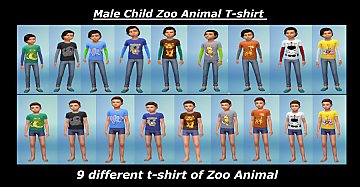
Male Child Zoo Animals T-shirt
by thundernathan14 updated 10th Oct 2018 at 8:47pm
9 Different Zoo Animal more...
-
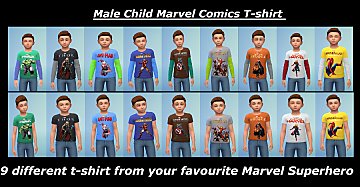
Male Child Marvel Comics T-shirt
by thundernathan14 22nd Oct 2018 at 1:26pm
These are 9 Different Marvel Superhero T-shirt for A Child Sim Long-Sleeve and Short Sleeve, The Marvel Superhero are: [list] Hulk more...
-
by thundernathan14 17th Nov 2018 at 2:11pm
These are 9 Different DC Comics T-shirt for A Child Sim Long-Sleeve and Short Sleeve more...
