Sign in to Mod The Sims
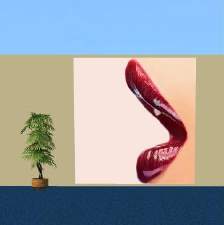
 Diploma for the wall
 Diploma for the wall
SCREENSHOTS

Diploma.JPG - width=750 height=183
Downloaded 943 times
260 Thanks
20 Favourited
14,888 Views
Say Thanks!
Thanked!
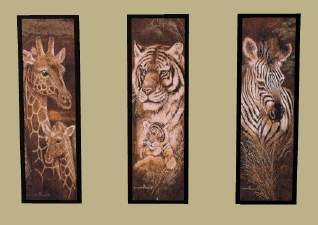
You find the paintings in Buy Mode-Decorative-Wall Hangings:
Pics can be found under "The lone daisy" (Original game only needed) CEP is required, you can download it here:
http://www.modthesims2.com/showthread.php?t=92541
Credits and Thanks to Numenor, RGiles and Quaxi.
You can find more of my downloads here
http://www.modthesims2.com/member.php?u=13188
Pics can be found under "The lone daisy" (Original game only needed) CEP is required, you can download it here:
http://www.modthesims2.com/showthread.php?t=92541
Credits and Thanks to Numenor, RGiles and Quaxi.
You can find more of my downloads here
http://www.modthesims2.com/member.php?u=13188
Advertisement:
This is a Maxis Recolour which means that it is a recolour of an item that already exists in your game. Please check the Pack requirements to see which game pack it recolours.
This custom content if it is not clothing, may require a seperate download to work properly. This is available at Colour Enable Package (CEP) by Numenor.
|
Diplomas.rar
Download
Uploaded: 30th Jan 2006, 319.8 KB.
3,569 downloads.
|
||||||||
| For a detailed look at individual files, see the Information tab. | ||||||||
Install Instructions
Basic Download and Install Instructions:
1. Download: Click the download link to save the .rar or .zip file(s) to your computer.
2. Extract the zip, rar, or 7z file
3. Place in Downloads Folder: Cut and paste the .package file(s) into your Downloads folder:
Need more information?
1. Download: Click the download link to save the .rar or .zip file(s) to your computer.
2. Extract the zip, rar, or 7z file
3. Place in Downloads Folder: Cut and paste the .package file(s) into your Downloads folder:
- Origin (Ultimate Collection): Users\(Current User Account)\Documents\EA Games\The Sims™ 2 Ultimate Collection\Downloads\
- Non-Origin, Windows Vista/7/8/10: Users\(Current User Account)\Documents\EA Games\The Sims 2\Downloads\
- Non-Origin, Windows XP: Documents and Settings\(Current User Account)\My Documents\EA Games\The Sims 2\Downloads\
- Mac: Users\(Current User Account)\Documents\EA Games\The Sims 2\Downloads
- Mac x64:
/Library/Containers/com.aspyr.sims2.appstore/Data/Library/Application Support/Aspyr/The Sims 2/Downloads
Need more information?
- For a full, complete guide to downloading complete with pictures and more information, see: Game Help: Downloading for Fracking Idiots.
- Custom content not showing up in the game? See: Game Help: Getting Custom Content to Show Up.
- If you don't have a Downloads folder, just make one. See instructions at: Game Help: No Downloads Folder.
Advertisement:
Loading comments, please wait...
Author

Download Details
Packs:
None, this is Sims 2 base game compatible!
Uploaded: 14th Oct 2005 at 8:33 PM
Updated: 30th Jan 2006 at 10:58 PM
Uploaded: 14th Oct 2005 at 8:33 PM
Updated: 30th Jan 2006 at 10:58 PM
Other Download Recommendations:






More downloads by maree464:
See more
-
-
-
-


-


-
-
-


Jessica Simpson Posters..........
by maree464 9th Jan 2006 at 4:08pm
You will need the big poster mesh by Qortex. Thank you Qortex..... more...
 3
6.8k
3
3
6.8k
3
-

-