
 Sign in to Mod The Sims
 Pixie Skins
 Pixie Skins


pixiethumb.jpg - width=297 height=242
pixieskins.jpg - width=800 height=417
pixierust2.jpg - width=300 height=400
pixierust1.jpg - width=300 height=400
pixielight2.jpg - width=300 height=400
pixielight1.jpg - width=300 height=400
pixieglow2.jpg - width=300 height=400
pixieglow1.jpg - width=300 height=400
pixiedusk2.jpg - width=300 height=400


Another set of skins
 I'll try to upload the eyes a little later, I'm in something of a hurry right now.
The pixie skins have slightly different features than my other ones and improved muscle tone. I'll be adding on to these for a while now, but I thought I'd share the ones I've already made :]
Pixie Glow –
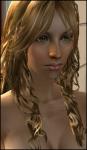
The Glow skin is pale, but with a cute blush and a couple of beauty marks. It has softly glossy lips and a slightly tilted eye shape.


Pixie Light –
Rather close to the Glow skin, but with a slightly warmer tone and no beauty spots, a different eye shape and different lips.


Pixie Rust –
The Rust skin is beautifully tanned and very warm in tone. It has the same eyes and lips as Glow.


Pixie Dusk –
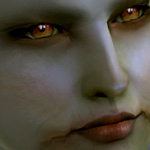
An elfin skin but with a greyish, stormy colour. It has the same features as Pixie Light.


Enjoy :D
|
pixierust.rar
Download
Uploaded: 8th Aug 2006, 1.41 MB.
120,483 downloads.
|
||||||||
|
pixielight.rar
Download
Uploaded: 8th Aug 2006, 1.60 MB.
132,479 downloads.
|
||||||||
|
pixieglow.rar
Download
Uploaded: 8th Aug 2006, 1.39 MB.
143,186 downloads.
|
||||||||
|
pixiedusk.rar
Download
Uploaded: 8th Aug 2006, 1.53 MB.
101,078 downloads.
|
||||||||
| For a detailed look at individual files, see the Information tab. | ||||||||
Install Instructions
1. Download: Click the download link to save the .rar or .zip file(s) to your computer.
2. Extract the zip, rar, or 7z file.
3. Place in Downloads Folder: Cut and paste the .package file(s) into your Downloads folder:
- Origin (Ultimate Collection): Users\(Current User Account)\Documents\EA Games\The Sims™ 2 Ultimate Collection\Downloads\
- Non-Origin, Windows Vista/7/8/10: Users\(Current User Account)\Documents\EA Games\The Sims 2\Downloads\
- Non-Origin, Windows XP: Documents and Settings\(Current User Account)\My Documents\EA Games\The Sims 2\Downloads\
- Mac: Users\(Current User Account)\Documents\EA Games\The Sims 2\Downloads
- Mac x64: /Library/Containers/com.aspyr.sims2.appstore/Data/Library/Application Support/Aspyr/The Sims 2/Downloads
- For a full, complete guide to downloading complete with pictures and more information, see: Game Help: Downloading for Fracking Idiots.
- Custom content not showing up in the game? See: Game Help: Getting Custom Content to Show Up.
- If you don't have a Downloads folder, just make one. See instructions at: Game Help: No Downloads Folder.
Loading comments, please wait...


Uploaded: 8th Aug 2006 at 6:33 PM
Updated: 8th Aug 2006 at 10:39 PM
-
-
-
-
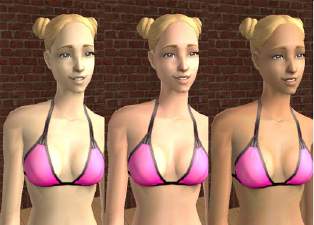
-
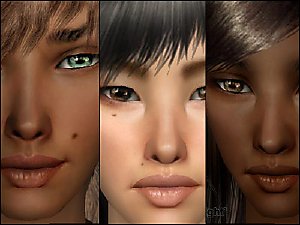
-
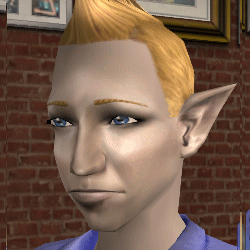
-
by Enayla 8th Mar 2007 at 9:28pm
-
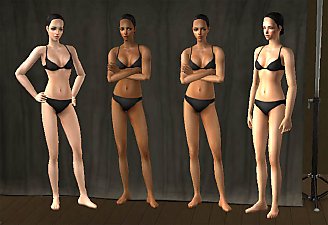
Enayla Pixie Skins as Defaults
by poodle_love 28th Apr 2007 at 10:20am
-
-
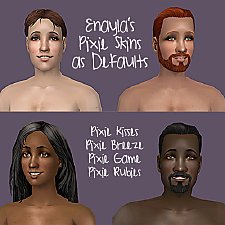
Default Skin Replacements: Enayla Pixie Skins
by sausage 30th Jul 2008 at 8:46am


-
-
-
-
I'm back - and I come carrying skins!
by Enayla 6th Aug 2006 at 6:34am
I've been away for a while, and I apologise for vanishing off the face of the earth... more...
-
-
-
-
-

-

About Me
Anyway; my name is Linda, and I'm a digital artist by trade. Sims 2 is my biggest hobby right now, next to mask-making, and I spend a bit too much time for my own good, making new skins.
I've made up a little list with my 'terms of use' as I keep getting asked these questions. If you have any inquiries, please read it before contacting me.
terms of use
Thank you; have fun with the skins :D