
 Sign in to Mod The Sims
 Lavender Rainbow!
 Lavender Rainbow!

MTS.jpg - width=800 height=600
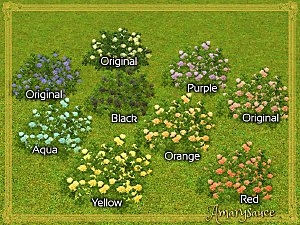
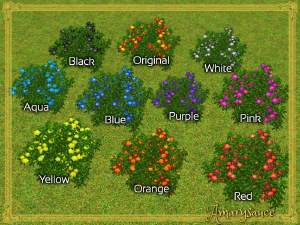
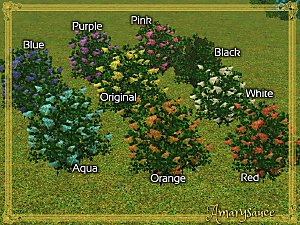
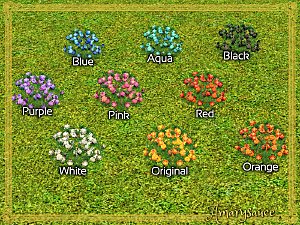
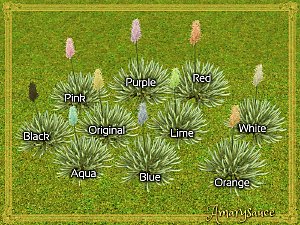
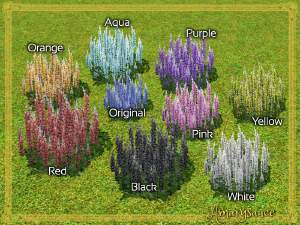
I have done the difficult and made a full spectrum of flower colours for various plants, so you don't have to!
Here we have lavender, in red, orange, yellow, aqua, blue, pink, black, and white, with the original purple for comparison.
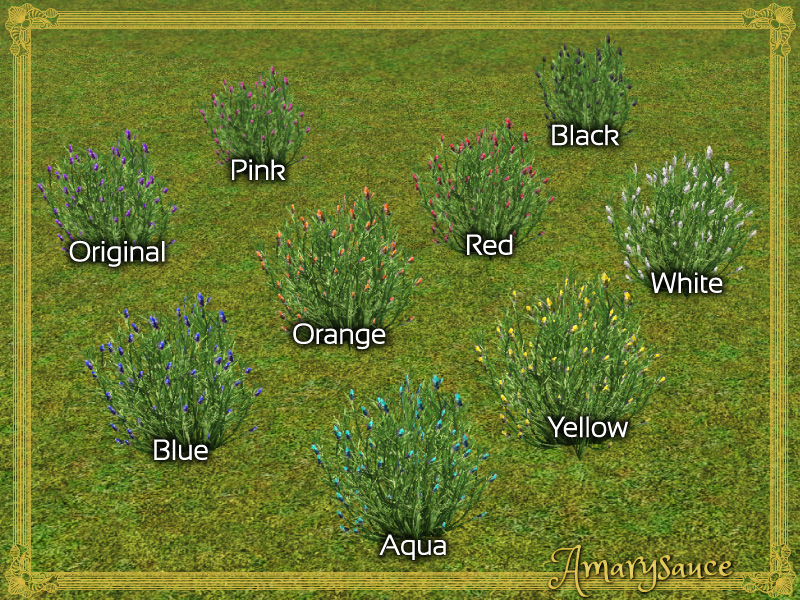
They can be found under Build>Flowers for $45, the same as the original plant.
Additional Credits:
Arsil's tutorial on how to recolour a non-harvestable plant without making it a default replacement - without which I couldn't have done this at all.
|
Lavender.rar
Download
Uploaded: 18th Dec 2015, 1.12 MB.
3,860 downloads.
|
||||||||
| For a detailed look at individual files, see the Information tab. | ||||||||
Install Instructions
1. Click the download button, or the filename, to download the file to your computer.
2. Extract the zip, rar, or 7z file. Now you will have either a .package or a .sims3pack file.
For Package files:
1. Cut and paste the file into your Documents\Electronic Arts\The Sims 3\Mods\Packages folder. If you do not already have this folder, you should read the full guide to Package files first: Sims 3:Installing Package Fileswiki, so you can make sure your game is fully patched and you have the correct Resource.cfg file.
2. Run the game, and find your content where the creator said it would be (build mode, buy mode, Create-a-Sim, etc.).
For Sims3Pack files:
1. Cut and paste it into your Documents\Electronic Arts\The Sims 3\Downloads folder. If you do not have this folder yet, it is recommended that you open the game and then close it again so that this folder will be automatically created. Then you can place the .sims3pack into your Downloads folder.
2. Load the game's Launcher, and click on the Downloads tab. Find the item in the list and tick the box beside it. Then press the Install button below the list.
3. Wait for the installer to load, and it will install the content to the game. You will get a message letting you know when it's done.
4. Run the game, and find your content where the creator said it would be (build mode, buy mode, Create-a-Sim, etc.).
Extracting from RAR, ZIP, or 7z: You will need a special program for this. For Windows, we recommend 7-Zip and for Mac OSX, we recommend Keka. Both are free and safe to use.
Need more help?
If you need more info, see:
- For package files: Sims 3:Installing Package Fileswiki
- For Sims3pack files: Game Help:Installing TS3 Packswiki
Loading comments, please wait...

 View with Names
Uploaded: 18th Dec 2015 at 10:36 AM
-
by Amarysauce 11th Dec 2015 at 12:26pm
 16
12.7k
62
16
12.7k
62
-
by Amarysauce 11th Dec 2015 at 12:26pm
22
14.5k
70
-
by Amarysauce 17th Dec 2015 at 11:15pm
6
9.3k
50
-
by Amarysauce 18th Dec 2015 at 10:15am
8
12.3k
59
-
by Amarysauce 18th Dec 2015 at 10:31am
+1 packs
3 10k 41 Island Paradise
-
by Amarysauce 18th Dec 2015 at 10:44am
+1 packs
8 11.2k 49 World Adventures
-
by Amarysauce 18th Dec 2015 at 1:56pm
4
12.6k
54
-
-
-
by Amarysauce 18th Dec 2015 at 6:06pm
7
10.9k
36


-
-
Way Too Many Roof Colours: Scallop Tile Edition
by Amarysauce 4th Aug 2014 at 11:26pm
WAY. TOO. MANY. more...
25
28k
159
-
Way Too Many Roof Colours: Standing Seam Edition
by Amarysauce 15th Aug 2014 at 8:24pm
All the metal roof colours you could want. more...
21
22.9k
91
-
-
by Amarysauce 18th Dec 2015 at 5:47pm
pretty softly coloured shrubs more...
+1 packs
3 12.7k 50 World Adventures
-
-
-
-
-
Packs Needed
| Expansion Pack | |
|---|---|
| World Adventures |
About Me
Every time someone says thank you, I go delightfully squishy inside <3 Thank you all!
Arsil's tutorial to make non-default recoloured plants possible can be found [URL=http://www.modthesims.info/showthread.php?p=4682755#post4682755]here![URL]