Sign in to Mod The Sims
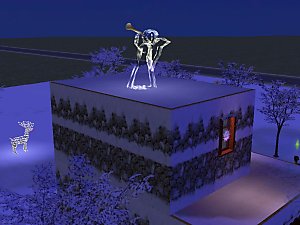
 Angel HeadStone
 Angel HeadStone


Angle HS-Detailed.jpg - width=393 height=322
Angle HS.jpg - width=600 height=450
Angle HS-2.jpg - width=861 height=572
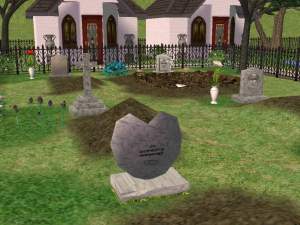
Well I got everything to a tea, And here it is the Angel HeadStone, For that special Sim you want to reamember.
The detail on this is beautiful, Easyer to do than the photo retouching iv done.
Im off to work on some cracked headstone and other stuff for a request.
Iv also atched the HS Angel MAP plate, for those how know how to recolour its as a Paint Shop Pro, Layered so you can see how its done. :nana:
Poly Count:
Angel HeadStone - 1,776
Use's My Owen unique GUID, if you have a conflict tell me.
NOTE: Over write the old files of mine.
If you dont have a rar extractor, for a free file unziper goto.
http://www.altools.net/
Awesome freeware Thanks to Sir Ignitus Blowtorch for telling me this.
Instruction for installation are inside the rar as a txt.
:baloons:
You maybe a king or a little street sweeper but sooner or later you'll dance with the reaper.
Bill and Teds Bogus Journey
This is a new mesh, and means that it's a brand new self contained object that usually does not require a specific Pack (although this is possible depending on the type). It may have Recolours hosted on MTS - check below for more information.
|
HS Angle MAP Plate PSP.rar
Download
Uploaded: 16th May 2005, 1.10 MB.
9,893 downloads.
|
||||||||
|
MTS-140505-Angle-HeadStone.rar
Download
Uploaded: 16th May 2005, 446.6 KB.
13,376 downloads.
|
||||||||
| For a detailed look at individual files, see the Information tab. | ||||||||
Install Instructions
1. Download: Click the download link to save the .rar or .zip file(s) to your computer.
2. Extract the zip, rar, or 7z file.
3. Place in Downloads Folder: Cut and paste the .package file(s) into your Downloads folder:
- Origin (Ultimate Collection): Users\(Current User Account)\Documents\EA Games\The Sims™ 2 Ultimate Collection\Downloads\
- Non-Origin, Windows Vista/7/8/10: Users\(Current User Account)\Documents\EA Games\The Sims 2\Downloads\
- Non-Origin, Windows XP: Documents and Settings\(Current User Account)\My Documents\EA Games\The Sims 2\Downloads\
- Mac: Users\(Current User Account)\Documents\EA Games\The Sims 2\Downloads
- Mac x64: /Library/Containers/com.aspyr.sims2.appstore/Data/Library/Application Support/Aspyr/The Sims 2/Downloads
- For a full, complete guide to downloading complete with pictures and more information, see: Game Help: Downloading for Fracking Idiots.
- Custom content not showing up in the game? See: Game Help: Getting Custom Content to Show Up.
- If you don't have a Downloads folder, just make one. See instructions at: Game Help: No Downloads Folder.
Loading comments, please wait...



Uploaded: 16th May 2005 at 5:13 AM
Updated: 27th Oct 2005 at 11:42 AM




-
-
-
Cat Sitting - Stuffed and Mounted
by mickyss 14th Jul 2005 at 9:46am
Cat Sitting Just a quickly done sitting kittie cat. more...
 47
45.4k
10
47
45.4k
10
-
-
-

-
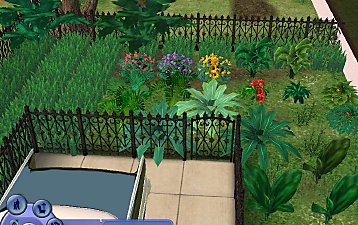
Leafy Flower Plant, Pampas, Swiss Philidendron, Fishbone Fern, Sun Flower NEW PLANTS
by mickyss 27th Jun 2005 at 7:53am
Leafy Flower Plant, Pampas, Swiss Philidendron, Fishbone Fern, Sun Flower. more...
81
82.8k
68
-
-
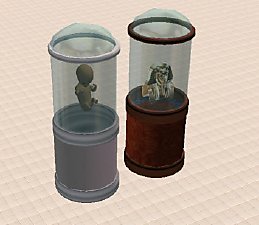
Round Display Case and Floating Fetus
by mickyss 19th Jun 2005 at 5:36am
Round Display Case and Floating Fetus --------------------------------------------------- DON'T USE OR EXTRACT MY MESH OR TEXTURES --------------------------------------------------- Please Don't Ste more...
63
56.7k
39
-