
 Sign in to Mod The Sims
 Dots Tattoo Stencil
 Dots Tattoo Stencil
SCREENSHOTS


TS4_x64_cJkftbsTsV thumb.png - width=1366 height=768
TS4_x64_cJkftbsTsV.png - width=1366 height=768
TS4_x64_af5TPZPjT0.png - width=1366 height=768
TS4_x64_RUw1zJlQat edit.png - width=1366 height=768
TS4_x64_2NomgHT2bS.png - width=1366 height=768
TS4_x64_3YdFwH7gB2.png - width=1366 height=768
Downloaded 239 times
9 Thanks
0 Favourited
2,275 Views
Say Thanks!
Thanked!
About
This is a cc that adds tattoo stencil consists of dots for your sims. Literally from head to toe.
Installation
Simply extract the file from zip, then put the .package folder in Documents\Electronic Arts\The Sims4\Mods
Where to find it
(you may wish to use the cheat cas.fulleditmode , after activating cheat using testingcheats console command)
Enter Create a Sim first, then go to Body > Tattoos > whatever body part of your liking (e.g. Upper Back), then enter Paint Mode. In the Stencils category, scroll down a bit to find the corresponding tattoo stencil thumbnail.
OR
(w/o using cheats whatsoever)
Go to a tattoo parlor (e.g. Spilled Neon in Nordhaven), check in, then click on tattoo table > Request Tattoo... > Request Custom Tattoo from... (or Request Custom Dedication Tattoo from...) > select any valid sim. This will take you to Create a Sim where you could create a custom tattoo.
And once there, click whatever body part of your liking, then enter Paint Mode. In the Stencils category, scroll down a bit to find the corresponding tattoo stencil thumbnail.
Requirement(s)
I believe you need Business & Hobbies expansion pack to use this cc, since i think custom tattoo paint mode came with it... (p.s. i barely remember if the feature was added as part of base game update or from expansion pack).
And last but not least,
if you have ane questions, you may leave a comment and i'll try my best to answer them.
p.s.: GUIDE TO MAKE CUSTOM TATTOO STENCIL SOON ON KO-FI, i hope... And don't worry, the guide won't be locked behind paywall of some kind
It's out now: https://ko-fi.com/post/HOW-I-MADE-A...NCIL-X7X21WIDFT
Happy tattooing!
This is a cc that adds tattoo stencil consists of dots for your sims. Literally from head to toe.
Installation
Simply extract the file from zip, then put the .package folder in Documents\Electronic Arts\The Sims4\Mods
Where to find it
(you may wish to use the cheat cas.fulleditmode , after activating cheat using testingcheats console command)
Enter Create a Sim first, then go to Body > Tattoos > whatever body part of your liking (e.g. Upper Back), then enter Paint Mode. In the Stencils category, scroll down a bit to find the corresponding tattoo stencil thumbnail.
OR
(w/o using cheats whatsoever)
Go to a tattoo parlor (e.g. Spilled Neon in Nordhaven), check in, then click on tattoo table > Request Tattoo... > Request Custom Tattoo from... (or Request Custom Dedication Tattoo from...) > select any valid sim. This will take you to Create a Sim where you could create a custom tattoo.
And once there, click whatever body part of your liking, then enter Paint Mode. In the Stencils category, scroll down a bit to find the corresponding tattoo stencil thumbnail.
Requirement(s)
I believe you need Business & Hobbies expansion pack to use this cc, since i think custom tattoo paint mode came with it... (p.s. i barely remember if the feature was added as part of base game update or from expansion pack).
And last but not least,
if you have ane questions, you may leave a comment and i'll try my best to answer them.
It's out now: https://ko-fi.com/post/HOW-I-MADE-A...NCIL-X7X21WIDFT
Happy tattooing!
Advertisement:
| Filename | Type | Size |
|---|---|---|
| Top_Skor's_Tattoo_Stencil_Dots.zip | zip | |
| Top_Skor's_Tattoo_Stencil_Dots .package | package | 21623 |
|
Top_Skor's_Tattoo_Stencil_Dots.zip
| the main file
Download
Uploaded: 4th Apr 2026, 21.3 KB.
239 downloads.
|
||||||||
| For a detailed look at individual files, see the Information tab. | ||||||||
Install Instructions
Basic Download and Install Instructions:
1. Download: Click the File tab to see the download link. Click the link to save the .rar or .zip file(s) to your computer.
2. Extract: Use 7zip (Windows) to extract the file(s) from the .rar or .zip file(s).
3. Cut and paste the file(s) into your Mods folder
Need more information?
- My Documents\Electronic Arts\The Sims 4\Mods\
- Anyone can use both .rar and .zip files easily! On Windows, use 7zip!
- If you don't have a Mods folder, just make one.
Advertisement:
Loading comments, please wait...
Author
Download Details
Other Download Recommendations:
-
-
-
-
-

-
-
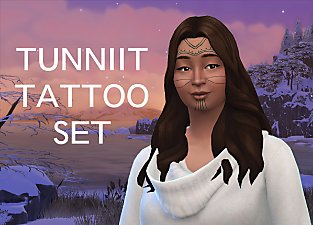
by GhostWitch updated 2nd Sep 2023 at 10:00pm
-
-
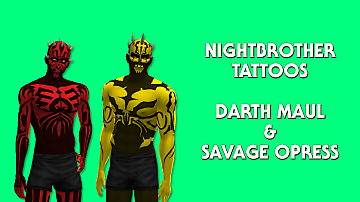
Star Wars: Nightbrother Tattoos
by CriminalElements updated 16th Dec 2024 at 9:03am
-
by Clueingforbeggs 28th Jul 2025 at 1:48pm


More downloads by Top Skor:
See more


Packs Needed
| Base Game | |
|---|---|
 | Sims 4 |
| Expansion Pack | |
|---|---|
 | Businesses & Hobbies |