Sign in to Mod The Sims
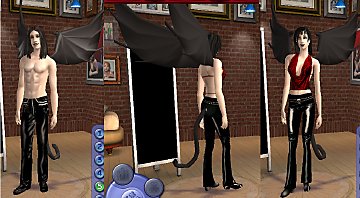
 EP Ready;MESH: WingFolk Wings
 EP Ready;MESH: WingFolk Wings

wingfolkwings.jpg - width=734 height=414
The mesh is included with the clothing package in the zip, and both files must be placed in the saved sims folder for these to work.
These wings will work great on teen through elder male and female sims, they also work on children and toddlers but look a little large for them, they were made for teen through elder.
THESE WINGS MAY NOT BE USED ON THE EXCHANGE or THE SIMS RESOURCE, If anyone would like to create recolors for this item Please post them here on MTS2 , and only MTS2 with a link back to this thread so the mesh may be downloaded. Thank you
This is a new mesh, and means that it's a brand new self contained object that usually does not require a specific Pack (although this is possible depending on the type). It may have Recolours hosted on MTS - check below for more information.
|
dbcabwingedfolkwings.zip
Download
Uploaded: 14th Jul 2005, 310.6 KB.
63,412 downloads.
|
||||||||
| For a detailed look at individual files, see the Information tab. | ||||||||
Install Instructions
1. Download: Click the download link to save the .rar or .zip file(s) to your computer.
2. Extract the zip, rar, or 7z file.
3. Place in Downloads Folder: Cut and paste the .package file(s) into your Downloads folder:
- Origin (Ultimate Collection): Users\(Current User Account)\Documents\EA Games\The Sims™ 2 Ultimate Collection\Downloads\
- Non-Origin, Windows Vista/7/8/10: Users\(Current User Account)\Documents\EA Games\The Sims 2\Downloads\
- Non-Origin, Windows XP: Documents and Settings\(Current User Account)\My Documents\EA Games\The Sims 2\Downloads\
- Mac: Users\(Current User Account)\Documents\EA Games\The Sims 2\Downloads
- Mac x64: /Library/Containers/com.aspyr.sims2.appstore/Data/Library/Application Support/Aspyr/The Sims 2/Downloads
- For a full, complete guide to downloading complete with pictures and more information, see: Game Help: Downloading for Fracking Idiots.
- Custom content not showing up in the game? See: Game Help: Getting Custom Content to Show Up.
- If you don't have a Downloads folder, just make one. See instructions at: Game Help: No Downloads Folder.
Loading comments, please wait...



Uploaded: 14th Jul 2005 at 8:59 PM
Updated: 13th May 2010 at 5:56 PM by CatOfEvilGenius
-
by saracentner 12th May 2005 at 1:30am
 83
93k
33
83
93k
33
-
by Atreya 4th Oct 2005 at 11:04pm
100
222.1k
147
-
-
-
by Atreya 7th Nov 2005 at 10:40pm
49
89.8k
59
-

by Sirella 15th Nov 2005 at 3:32pm
7
17.9k
3
-
by generalzoi 26th Nov 2005 at 3:47am
15
20.1k
21
-
-
-
by generalzoi 5th Feb 2006 at 7:46pm
52
218.3k
134

-
-
Testers wanted: New GraveStone
by DBCAB 27th Jan 2005 at 12:17am
This is a Gravestone thats I made by modifying the Urn in decor , it will show up in decor, more...
13
22.7k
7
-

-
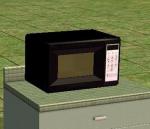
Testers appreciated CEP Recolo Black N White Microwave
by DBCAB 7th Jan 2005 at 11:52pm
This is a CEP Recolor of a Microwave, please download the up to date cep packages to make sure it more...
8
13.3k
7
-
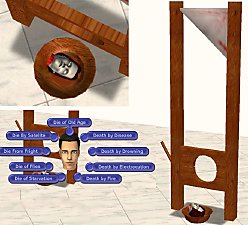
New Mesh : Guillotine of Death: Updated 10/01/05
by DBCAB 30th Sep 2005 at 7:18pm
Hi this guillotine, can kill your sims in many ways it is cloned from the death creator hidden in the more...
93
104k
63
-
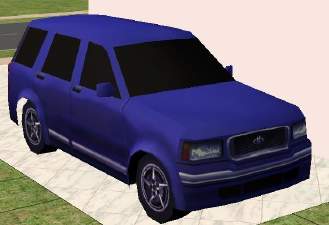
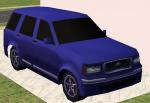
NFS Cars in The Sims 2 2ndCar SUV
by DBCAB 22nd Mar 2005 at 6:10pm
Hi This is the blue suv from Need For Speed Hotpursuit 2 I will be doing some more sports cars more...
24
45.5k
8
-
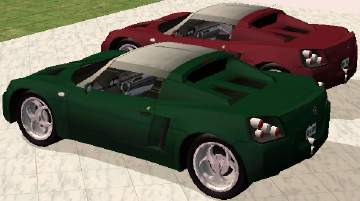
Mesh EP Ready: NFS Speedster with 4 recolors
by DBCAB 3rd Jul 2005 at 10:19pm
This is the Speedster from the game Need for Speed, As decor for Sims driveways, garages etc, it can be more...
37
25.4k
6
-
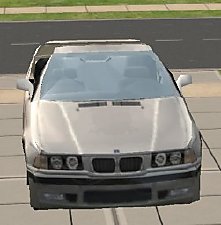
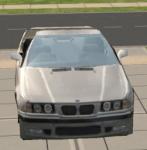
Drivable BMW320i 1996 Convertable
by DBCAB 12th Nov 2005 at 9:21am
Here is a BMW320i 1996 Convertable. more...
+1 packs
38 82.7k 22 Nightlife
-
-