
 Sign in to Mod The Sims
 new meshes.livingroom and diningroom
 new meshes.livingroom and diningroom


pic1.jpg - width=600 height=450
pic2.jpg - width=600 height=450
pic3.jpg - width=600 height=450
pic4.jpg - width=594 height=313
pic5.jpg - width=600 height=450
pic7.jpg - width=600 height=450
pic8.jpg - width=597 height=353

sorry for the lack of posting lately. bus as you can see from this post,i have been very busy. lol
havent slept in 2 days hehehe to much fun

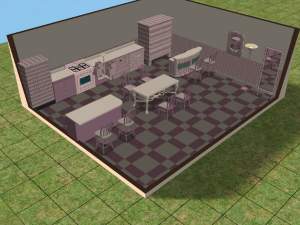
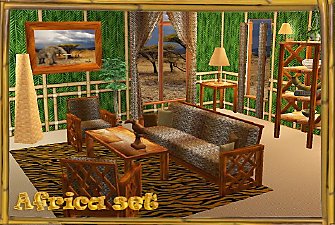
i made a new livingroom and a new diningroom. all new meshes.
the pillow on the sofas,are cloned from a curtain,so u will find it there. i also made some recolors. there is one for the 3 seat and one for the 2 seat.
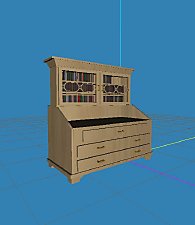
i also made 2 new cabinets.they are both empty,but i cloned a poster and made some clutter u can put in there. so now u can decorate it the way you like it.i will be making more clutter on the way,and more cabinets for the clutter.
i also made an working sculpture/light in the same style.(floor lamp)
i also made a white cabinet,but with different legs.
you may recolor my meshes,but please link back to me,and i would love an pm/mail or something about it,so i can see it
i hope you will like this. im veeery new to making meshes,so if u have any trouble please let me know. it all worked in my game.
enjoy anita
This is a new mesh, and means that it's a brand new self contained object that usually does not require a specific Pack (although this is possible depending on the type). It may have Recolours hosted on MTS - check below for more information.
|
simsisticmeshdininglivingroom0211.zip
Download
Uploaded: 3rd Nov 2005, 501.8 KB.
933 downloads.
|
||||||||
| For a detailed look at individual files, see the Information tab. | ||||||||
Install Instructions
1. Download: Click the download link to save the .rar or .zip file(s) to your computer.
2. Extract the zip, rar, or 7z file.
3. Place in Downloads Folder: Cut and paste the .package file(s) into your Downloads folder:
- Origin (Ultimate Collection): Users\(Current User Account)\Documents\EA Games\The Sims™ 2 Ultimate Collection\Downloads\
- Non-Origin, Windows Vista/7/8/10: Users\(Current User Account)\Documents\EA Games\The Sims 2\Downloads\
- Non-Origin, Windows XP: Documents and Settings\(Current User Account)\My Documents\EA Games\The Sims 2\Downloads\
- Mac: Users\(Current User Account)\Documents\EA Games\The Sims 2\Downloads
- Mac x64: /Library/Containers/com.aspyr.sims2.appstore/Data/Library/Application Support/Aspyr/The Sims 2/Downloads
- For a full, complete guide to downloading complete with pictures and more information, see: Game Help: Downloading for Fracking Idiots.
- Custom content not showing up in the game? See: Game Help: Getting Custom Content to Show Up.
- If you don't have a Downloads folder, just make one. See instructions at: Game Help: No Downloads Folder.
Loading comments, please wait...

Uploaded: 3rd Nov 2005 at 4:18 AM
-
-
-
-
-
-
by simscorner 25th Mar 2006 at 3:45pm
 +2 packs
28 57k 24
+2 packs
28 57k 24 Nightlife
 Open for Business
-
-
-
-
by ninipupucea 22nd Mar 2008 at 2:56pm
7
16k
18



-
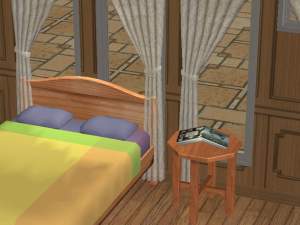
new mesh. more clutter.book for the nightstand
by simsistic 17th Nov 2005 at 5:16pm
hi all :) sorry for the lack of updates,but my computer went down. i finaly got it back up. more...
14
19.4k
8
-
-
-
-
-
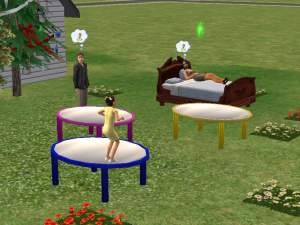
working trampoline !! new mesh by request
by simsistic 13th Dec 2005 at 11:26am
hi all :) someone requested a working trampoline,so here it is. more...
52
24.9k
-
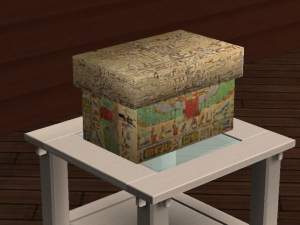
-
fireman sam room. lots of new meshes
by simsistic 16th Dec 2005 at 7:30am
hi all :) as a x-mas present i give you today fireman sam bedroom. more...
-
-
stargate atlantis wall hanging.by request
by simsistic 13th Nov 2005 at 8:23pm
hi all :) iv gotten a lot of request to make wall hanging of stargate atlantis,so here they are. more...
8
7.4k
3
