Sign in to Mod The Sims
 Cybergoth Recolors of Boblishman's Surgical Mask
 Cybergoth Recolors of Boblishman's Surgical Mask

Masks2.jpg - width=515 height=737
I'm aware of the little color glitch on the right side (left for the sim wearing it) of the mask. I've tried to fix it, but it looks like the mesh simply uses that particular area in the texture file for two spots on the mask, and filling the center with color inevitably causes that bit to get colored too. No big deal, even if your hair doesn't cover it.
Contains:
"White" package
-White with Red Medical Cross
-White with Pink Medical Cross
-White with Green Medical Cross
-White with Blue Medical Cross
-White with Black Medical Cross
"Black" package
-Black with Red Medical Cross
-Black with Pink Medical Cross
-Black with Blue Medical Cross
-Black with Green medical Cross
-Black with Yellow Medical Cross
-Black with White Medical Cross
"Odd" package
-Black with Yellow Nuclear Sign
-Black with Green Vertical Slits
-Black with Red Vertical Slits
-White with Pink Heart
-Black with Pink Heart
-Black with Blue heart
Same as usual. Feel free to modify, upload with sims, whatever - but if you're going to make money off them somehow, you're required to send me cookies, don't upload to exchange, and respect Boblishman's Mesh rules obviously.
|
Raza_CyberMasks_White.rar
Download
Uploaded: 5th Mar 2006, 23.6 KB.
8,622 downloads.
|
||||||||
|
Raza_CyberMasks_Odd.rar
Download
Uploaded: 5th Mar 2006, 53.4 KB.
8,748 downloads.
|
||||||||
|
Raza_CyberMasks_Black.rar
Download
Uploaded: 5th Mar 2006, 51.8 KB.
9,067 downloads.
|
||||||||
| For a detailed look at individual files, see the Information tab. | ||||||||
Install Instructions
1. Download: Click the download link to save the .rar or .zip file(s) to your computer.
2. Extract the zip, rar, or 7z file.
3. Place in Downloads Folder: Cut and paste the .package file(s) into your Downloads folder:
- Origin (Ultimate Collection): Users\(Current User Account)\Documents\EA Games\The Sims™ 2 Ultimate Collection\Downloads\
- Non-Origin, Windows Vista/7/8/10: Users\(Current User Account)\Documents\EA Games\The Sims 2\Downloads\
- Non-Origin, Windows XP: Documents and Settings\(Current User Account)\My Documents\EA Games\The Sims 2\Downloads\
- Mac: Users\(Current User Account)\Documents\EA Games\The Sims 2\Downloads
- Mac x64: /Library/Containers/com.aspyr.sims2.appstore/Data/Library/Application Support/Aspyr/The Sims 2/Downloads
- For a full, complete guide to downloading complete with pictures and more information, see: Game Help: Downloading for Fracking Idiots.
- Custom content not showing up in the game? See: Game Help: Getting Custom Content to Show Up.
- If you don't have a Downloads folder, just make one. See instructions at: Game Help: No Downloads Folder.
Meshes needed
This download requires one or more meshes to work properly. Please check the Description tab for information about the meshes needed, then download them below:| MTS cannot guarantee any off-site links will be available |
| Surgical Mask - Accessory by boblishman |
Loading comments, please wait...

Uploaded: 5th Mar 2006 at 4:18 AM
Updated: 19th May 2010 at 3:41 AM by CatOfEvilGenius
-
by dvoid 17th Apr 2005 at 12:45am
 52
43.4k
14
52
43.4k
14
-
by JosephTheSim2k5 6th May 2005 at 4:24pm
46
46.2k
11
-
by ROSE-SIMSTV 29th Jul 2005 at 10:17am
114
69.8k
29
-
by Trissle 14th Aug 2005 at 5:45pm
16
28k
6
-
by pink_pixie 28th Sep 2005 at 10:38pm
4
12.8k
3
-

-
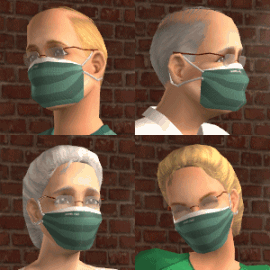
by boblishman 7th Feb 2006 at 12:16am
86
216.6k
160
-
-
by Navetsea 1st Dec 2007 at 2:19pm
37
106k
154
-
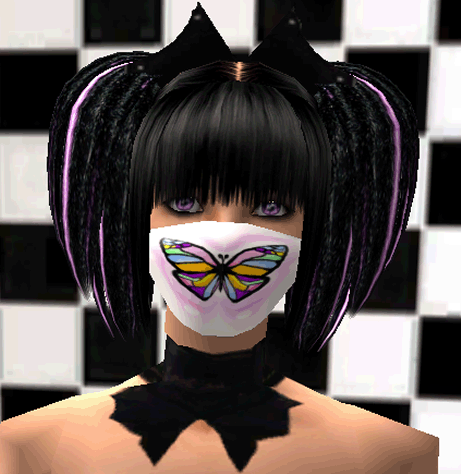
Butterfly Surgical Mask - Recolour of boblishman's sugical mask
by Svveetpea updated 6th May 2008 at 6:28am
7
44.9k
22