
 Sign in to Mod The Sims
 Maxis and Toddler Bubble Re-colors
 Maxis and Toddler Bubble Re-colors
SCREENSHOTS


snapshot_2dae895f_11548848.jpg - width=400 height=300
Cuties.JPG - width=768 height=1017
Downloaded 642 times
49 Thanks
2 Favourited
8,621 Views
Say Thanks!
Thanked!
Onezie -- Didn't turn out to be a Onzie but I like how it turned out any way .. it is useable as a Nighty or Everyday since this is just a re-color you'll need to get the get the mesh here ::
http://www.modthesims2.com/showthread.php?t=95973
Nighty -- Maxis Re-color darker pink than the onzie- Nighty only
Puppy_paw_Print Diaper -- Maxis Re-color availible for both boys ang girls, can be usesd as Undies, Nightclothes or Everyday.
http://www.modthesims2.com/showthread.php?t=95973
Nighty -- Maxis Re-color darker pink than the onzie- Nighty only
Puppy_paw_Print Diaper -- Maxis Re-color availible for both boys ang girls, can be usesd as Undies, Nightclothes or Everyday.
Advertisement:
This is a new mesh recolour, and means that you will need to download the particular mesh itself in order for this to show up in your game. See the Meshes Needed section or read the text for more information.
|
5f3924df_Puppy_paw_Print_.rar
Download
Uploaded: 24th Apr 2006, 20.6 KB.
869 downloads.
|
||||||||
|
5fa118aa_BabyNighty.rar
Download
Uploaded: 24th Apr 2006, 75.1 KB.
952 downloads.
|
||||||||
|
5fb6e141_Onezie.rar
Download
Uploaded: 24th Apr 2006, 74.5 KB.
910 downloads.
|
||||||||
| For a detailed look at individual files, see the Information tab. | ||||||||
Install Instructions
Basic Download and Install Instructions:
1. Download: Click the download link to save the .rar or .zip file(s) to your computer.
2. Extract the zip, rar, or 7z file.
3. Place in Downloads Folder: Cut and paste the .package file(s) into your Downloads folder:
1. Download: Click the download link to save the .rar or .zip file(s) to your computer.
2. Extract the zip, rar, or 7z file.
3. Place in Downloads Folder: Cut and paste the .package file(s) into your Downloads folder:
- Origin (Ultimate Collection): Users\(Current User Account)\Documents\EA Games\The Sims™ 2 Ultimate Collection\Downloads\
- Non-Origin, Windows Vista/7/8/10: Users\(Current User Account)\Documents\EA Games\The Sims 2\Downloads\
- Non-Origin, Windows XP: Documents and Settings\(Current User Account)\My Documents\EA Games\The Sims 2\Downloads\
- Mac: Users\(Current User Account)\Documents\EA Games\The Sims 2\Downloads
- Mac x64: /Library/Containers/com.aspyr.sims2.appstore/Data/Library/Application Support/Aspyr/The Sims 2/Downloads
- For a full, complete guide to downloading complete with pictures and more information, see: Game Help: Downloading for Fracking Idiots.
- Custom content not showing up in the game? See: Game Help: Getting Custom Content to Show Up.
- If you don't have a Downloads folder, just make one. See instructions at: Game Help: No Downloads Folder.
Advertisement:
Loading comments, please wait...
Author
Download Details
Packs:


 View with Names
Uploaded: 24th Apr 2006 at 8:51 AM
Updated: 25th Apr 2006 at 11:54 PM - Fixing links


 View with Names
Uploaded: 24th Apr 2006 at 8:51 AM
Updated: 25th Apr 2006 at 11:54 PM - Fixing links
Other Download Recommendations:




More downloads by Zesta02:
See more
-
-
-
-
-
-
-
-
-
-
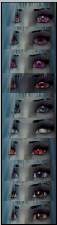
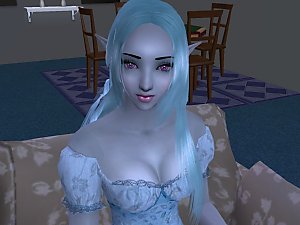
Fantasy Eyes and a couple normal eyes ^_^ Enjoy
by Zesta02 31st May 2006 at 5:27am
:!: I was told that these should work with out any EPs, Thanks akatonbo for telling me ^_^ more...


Packs Needed
| Expansion Pack | |
|---|---|
| University |
| Nightlife |
| Open for Business |
About Me
Feel free to use my textures in your own creations((Unless stated in the description)(Skins /clothes) , so long as credit is given and a link . Any Skins may be re-made in to defaults . Please keep any of the stuff that you use of mine free , thank you and happy simming!!