Sign in to Mod The Sims
 Need a... plushy Tiger? Maybe?
 Need a... plushy Tiger? Maybe?


Ingame_1.jpg - width=723 height=754
Ingame_2.jpg - width=671 height=755


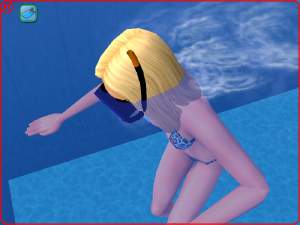
It's for male Adults and young Adults, can be found in Game under "glasses" and needs no EP...
Vertices 345, Faces 502
recolorable...
Maybe you like it.
Feel free to recolor, but:
- please do not offer your recolors on any other sites, except for MTS2.
- do not link to my mesh on any other sites, except for MTS2.
- do not alter or copy my mesh in any way.
- And never offer my mesh with your MTS2-recolors, please. Just link back here for the meshfile.
- If you plan uploading your Recolors anywhere else than modthesims2.com, please PM me first for permission.
have fun
This is a new mesh, and means that it's a brand new self contained object that usually does not require a specific Pack (although this is possible depending on the type). It may have Recolours hosted on MTS - check below for more information.
|
AMPlushyTigerLE_0707_Schwerelos2006.rar
Download
Uploaded: 7th Jul 2006, 46.2 KB.
7,665 downloads.
|
||||||||
| For a detailed look at individual files, see the Information tab. | ||||||||
Install Instructions
1. Download: Click the download link to save the .rar or .zip file(s) to your computer.
2. Extract the zip, rar, or 7z file.
3. Place in Downloads Folder: Cut and paste the .package file(s) into your Downloads folder:
- Origin (Ultimate Collection): Users\(Current User Account)\Documents\EA Games\The Sims™ 2 Ultimate Collection\Downloads\
- Non-Origin, Windows Vista/7/8/10: Users\(Current User Account)\Documents\EA Games\The Sims 2\Downloads\
- Non-Origin, Windows XP: Documents and Settings\(Current User Account)\My Documents\EA Games\The Sims 2\Downloads\
- Mac: Users\(Current User Account)\Documents\EA Games\The Sims 2\Downloads
- Mac x64: /Library/Containers/com.aspyr.sims2.appstore/Data/Library/Application Support/Aspyr/The Sims 2/Downloads
- For a full, complete guide to downloading complete with pictures and more information, see: Game Help: Downloading for Fracking Idiots.
- Custom content not showing up in the game? See: Game Help: Getting Custom Content to Show Up.
- If you don't have a Downloads folder, just make one. See instructions at: Game Help: No Downloads Folder.
Loading comments, please wait...



Uploaded: 7th Jul 2006 at 3:50 PM
Updated: 13th Jun 2010 at 4:25 AM by CatOfEvilGenius
-

by pink_pixie 11th Sep 2005 at 8:07pm
 25
20.8k
4
25
20.8k
4
-

by Shazann 8th Nov 2005 at 10:52pm
15
16.4k
1
-
by q3tbo 8th Apr 2006 at 1:41pm
13
20.2k
19
-
by q3tbo 9th Apr 2006 at 5:00pm
23
29.7k
12
-
by q3tbo 15th Jun 2006 at 9:25am
51
48.5k
39
-
-

-
by q3tbo 8th Aug 2006 at 10:03pm
47
42.9k
28
-
-
by billielith 28th Jan 2022 at 10:55am
4
5.1k
12


-
-
-
-
The Giorgio Armani Line Part I
by q3tbo 27th Jun 2006 at 10:51am
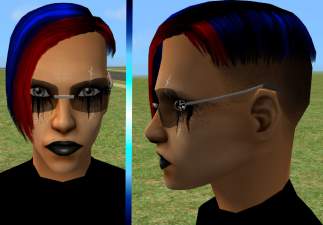
:wtf: It's for male Adults and young Adults, can be found in Game under "glasses" and needs no more...
5
8.5k
4
-
-
-
-

-
-