
 Sign in to Mod The Sims
 Hidden NL Teen Raver Outfit
 Hidden NL Teen Raver Outfit
SCREENSHOTS


Picture 1.jpg - width=604 height=870
Picture 2.jpg - width=583 height=869
Picture 3.jpg - width=577 height=865
Downloaded 616 times
131 Thanks
8 Favourited
13,183 Views
Say Thanks!
Thanked!
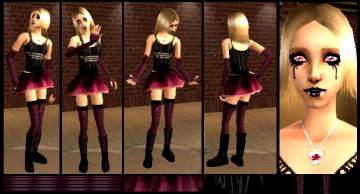
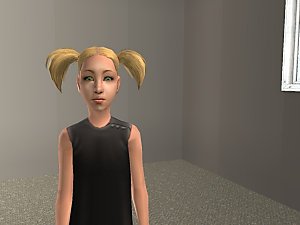
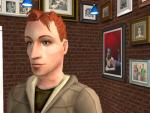
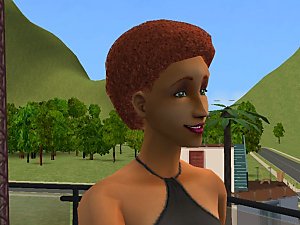
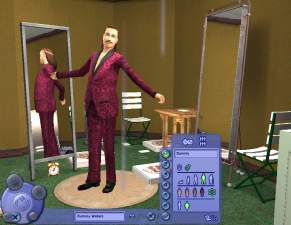
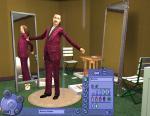
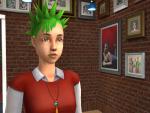
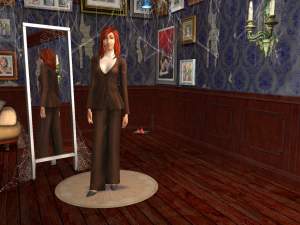
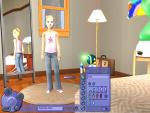
Yet another lost item, this time it is that raver outfit, it should have also shown up for teens but yet again maxis didn't enable it. Uses the standard textures, sorry if the textures seem blurry but my computer is dying on me and I can't get it fixed yet. All three colors are enabled, it shows up with the NL icon and is with the other NL clothing. Shown with adult versions so you can see that they are the same outfit.
You can do what ever you want to my uploads, use them as a base or whatever, you don't have to credit me, but it would be nice if you did and if you sent me a link to your upload. You may make recolors of my stuff and host them on pay only sites or in donation packs. Please do not take them as they without crediting me.

You can do what ever you want to my uploads, use them as a base or whatever, you don't have to credit me, but it would be nice if you did and if you sent me a link to your upload. You may make recolors of my stuff and host them on pay only sites or in donation packs. Please do not take them as they without crediting me.

Advertisement:
This is a Maxis Recolour which means that it is a recolour of an item that already exists in your game. Please check the Pack requirements to see which game pack it recolours.
|
TeenRaverOutfit.zip
Download
Uploaded: 20th Jul 2006, 1.6 KB.
2,083 downloads.
|
||||||||
| For a detailed look at individual files, see the Information tab. | ||||||||
Install Instructions
Basic Download and Install Instructions:
1. Download: Click the download link to save the .rar or .zip file(s) to your computer.
2. Extract the zip, rar, or 7z file.
3. Place in Downloads Folder: Cut and paste the .package file(s) into your Downloads folder:
1. Download: Click the download link to save the .rar or .zip file(s) to your computer.
2. Extract the zip, rar, or 7z file.
3. Place in Downloads Folder: Cut and paste the .package file(s) into your Downloads folder:
- Origin (Ultimate Collection): Users\(Current User Account)\Documents\EA Games\The Sims™ 2 Ultimate Collection\Downloads\
- Non-Origin, Windows Vista/7/8/10: Users\(Current User Account)\Documents\EA Games\The Sims 2\Downloads\
- Non-Origin, Windows XP: Documents and Settings\(Current User Account)\My Documents\EA Games\The Sims 2\Downloads\
- Mac: Users\(Current User Account)\Documents\EA Games\The Sims 2\Downloads
- Mac x64: /Library/Containers/com.aspyr.sims2.appstore/Data/Library/Application Support/Aspyr/The Sims 2/Downloads
- For a full, complete guide to downloading complete with pictures and more information, see: Game Help: Downloading for Fracking Idiots.
- Custom content not showing up in the game? See: Game Help: Getting Custom Content to Show Up.
- If you don't have a Downloads folder, just make one. See instructions at: Game Help: No Downloads Folder.
Advertisement:
Loading comments, please wait...
Author

Download Details
Other Download Recommendations:





More downloads by simsbaby:
See more
-
-

-


GLS Female Formal For Everyday
by simsbaby 28th Aug 2006 at 12:48pm
Yet another mod that lets females use their new formal as everyday outfits. more...
 +1 packs
10 18.1k 5
+1 packs
10 18.1k 5 Glamour Life
-
-
-
Testers Wanted : Summer Outdoors Cas Screen
by simsbaby 25th Apr 2006 at 7:15pm
First, this is based off of Marvine's Cold anger - NL CAS screen so if you want more...
+1 packs
4 6.9k 1 Nightlife
-
-
-
-


Packs Needed
| Expansion Pack | |
|---|---|
 | Nightlife |