
 Sign in to Mod The Sims
 8 Pairs of Baby Eyes
 8 Pairs of Baby Eyes

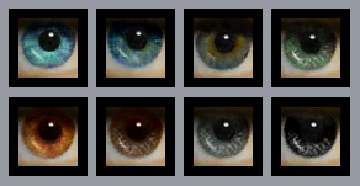
8Eyes.jpg - width=500 height=500
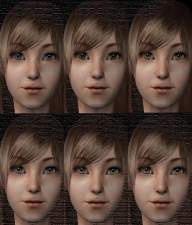
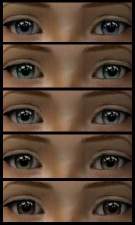
This is my 1st set of uploaded eyes. I call them Baby Eyes! I dont know why, but I just do!
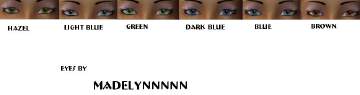
the colours they come in are : Light Blue,Light Green,Light Brown, Aqua,Grey, Dark Green,Dark Brown,Dark Blue=8Sets
Feel free to: Upload on a Sim that uses them, but give a link to here,and credit me, so people know where to get the rest of the set.And only on MTS2! ONLY
BUT DONT: Upload on the exchange!Upload and say they are your own!Recolour them and redistribute!
Suggestions: If theres a colour you would like for me to do in this style, please dont hesitate to say.I may not make the 1 you want,so dont moan if i dont :P
Enjoy!
and if you like or download, please comment,thank and rate :D
|
callum918Eyes.rar
Download
Uploaded: 28th Aug 2006, 109.9 KB.
1,806 downloads.
|
||||||||
| For a detailed look at individual files, see the Information tab. | ||||||||
Install Instructions
1. Download: Click the download link to save the .rar or .zip file(s) to your computer.
2. Extract the zip, rar, or 7z file.
3. Place in Downloads Folder: Cut and paste the .package file(s) into your Downloads folder:
- Origin (Ultimate Collection): Users\(Current User Account)\Documents\EA Games\The Sims™ 2 Ultimate Collection\Downloads\
- Non-Origin, Windows Vista/7/8/10: Users\(Current User Account)\Documents\EA Games\The Sims 2\Downloads\
- Non-Origin, Windows XP: Documents and Settings\(Current User Account)\My Documents\EA Games\The Sims 2\Downloads\
- Mac: Users\(Current User Account)\Documents\EA Games\The Sims 2\Downloads
- Mac x64: /Library/Containers/com.aspyr.sims2.appstore/Data/Library/Application Support/Aspyr/The Sims 2/Downloads
- For a full, complete guide to downloading complete with pictures and more information, see: Game Help: Downloading for Fracking Idiots.
- Custom content not showing up in the game? See: Game Help: Getting Custom Content to Show Up.
- If you don't have a Downloads folder, just make one. See instructions at: Game Help: No Downloads Folder.
Loading comments, please wait...

Uploaded: 28th Aug 2006 at 6:43 AM
Updated: 29th Aug 2006 at 5:29 AM




-
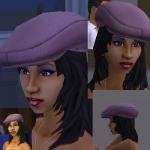
**FIXED ! redownload** Hip Fat Hat
by callum91 10th Apr 2006 at 10:51am
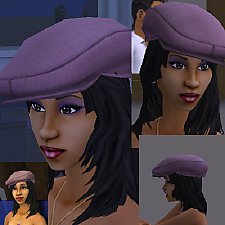
Hey My 1st accessory, so please be nice :P It is basically the maxis hat, but i really wanted more...
 59
64.9k
30
59
64.9k
30
-
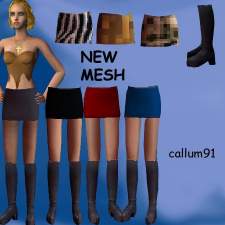
testers wanted:new mesh, short skirt&boots,recolours added... for AF & YAF
by callum91 17th Jun 2005 at 9:36pm
hey this is a new mesh (thats works) made by me, SimPe, milkshape, i used Wes_H's plugins (thanks Wes_h), the more...
-
-
-
-
-
-
-
-
Recolours-Wilma's Rock Necklaces and Betty's Bows
by callum91 27th Jul 2006 at 5:07am
Hey These are some recolours,by me, of Wilmas Rock Necklace and Bettys Bows in the SimStone Set ( ) more...
4
17k
3
