
 Sign in to Mod The Sims
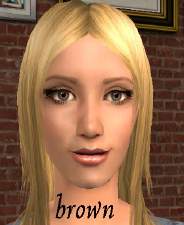
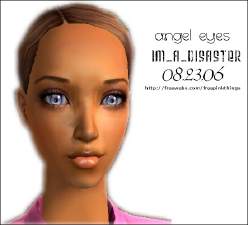
 SussisSoGoodSims2's 'Angel Eyes' as default replacements
 SussisSoGoodSims2's 'Angel Eyes' as default replacements


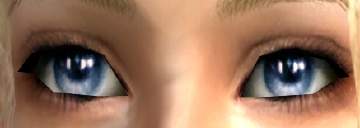
SussiDefaultEyes2.jpg - width=489 height=171
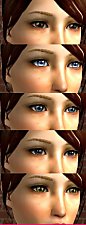
DefaultSussiEyes.jpg - width=307 height=458
StaceyV10389 requested me to make them into defaults.
Put the eyes in your downloads folder. Make sure to take out any default eyes you already have in your downloads folder before putting these in.
To uninstall the eyes just find the files in your downloads folder and delete them.
|
SussiAngelEyeDefault.zip
Download
Uploaded: 21st Dec 2006, 33.2 KB.
2,152 downloads.
|
||||||||
| For a detailed look at individual files, see the Information tab. | ||||||||
Install Instructions
1. Download: Click the download link to save the .rar or .zip file(s) to your computer.
2. Extract the zip, rar, or 7z file.
3. Place in Downloads Folder: Cut and paste the .package file(s) into your Downloads folder:
- Origin (Ultimate Collection): Users\(Current User Account)\Documents\EA Games\The Sims™ 2 Ultimate Collection\Downloads\
- Non-Origin, Windows Vista/7/8/10: Users\(Current User Account)\Documents\EA Games\The Sims 2\Downloads\
- Non-Origin, Windows XP: Documents and Settings\(Current User Account)\My Documents\EA Games\The Sims 2\Downloads\
- Mac: Users\(Current User Account)\Documents\EA Games\The Sims 2\Downloads
- Mac x64: /Library/Containers/com.aspyr.sims2.appstore/Data/Library/Application Support/Aspyr/The Sims 2/Downloads
- For a full, complete guide to downloading complete with pictures and more information, see: Game Help: Downloading for Fracking Idiots.
- Custom content not showing up in the game? See: Game Help: Getting Custom Content to Show Up.
- If you don't have a Downloads folder, just make one. See instructions at: Game Help: No Downloads Folder.
Loading comments, please wait...

Uploaded: 21st Dec 2006 at 7:52 PM
#Sussi, #SussiFriBerg, #SussisSoGoodSims2, #Angel Eyes, #Default
-
-
Helaene's latest eyes as Default Replacements
by NecroVonK 8th Feb 2006 at 9:37pm
-
-
Enayla's newest eyes as default *different colours*
by kashinthegreen 13th Aug 2006 at 1:05pm
-
-
-
-
by rainingdarkness 28th Dec 2009 at 10:35pm
-
My 'Real Eyes' As Default Replacements
by lovetadraw 16th Apr 2010 at 7:41pm
-



-
Crushed Velvet - Lipstick for sims with dark skin
by MissSimGameFan 9th Feb 2007 at 8:54pm
The lipstick comes in two versions. It shows up for all ages and genders. more...
-
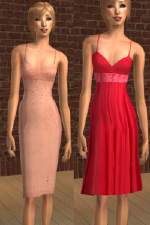
by MissSimGameFan 16th Jan 2007 at 11:07pm
I've got two new dresses, a pink dress with beads and chiffon, and a red dress with silk at the more...
-
4 Sets of earrings for Children
by MissSimGameFan 5th Dec 2007 at 7:21pm
The mesh from is NOT included. The mesh is on page 7 of Accessories. more...
 9
30.7k
43
9
30.7k
43
-
by MissSimGameFan 11th Dec 2006 at 2:06am
Another lipstick by me, I hope you like it. Please read my Terms Of Use Enjoy! more...
-
by MissSimGameFan 11th Dec 2006 at 1:53am
Here's some lipstick I made using a photograph of Adriana Lima's lips as the texture. more...
-
by MissSimGameFan 16th Jan 2007 at 10:39pm
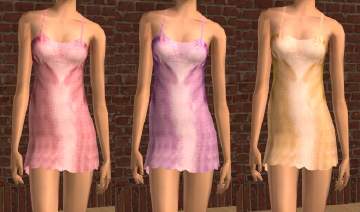
The mesh is by Maxis. The outfits apear in the sleepware section. more...
-
Gold Dress with Black Lace on the front
by MissSimGameFan 5th Dec 2006 at 3:03am
You will need to download the mesh or else the dress will not show up in your game. more...
-
by MissSimGameFan 23rd Jul 2006 at 5:02am
This shirt is for teens, and is another one I like alot, and so that's why I decided more...
-
by MissSimGameFan 2nd Nov 2006 at 3:05am
Here's some metallic lipstick I made a while back, but I hadn't got around to uploading them. more...
-
Realistic Eyes by MissSimGameFan
by MissSimGameFan 30th Oct 2006 at 5:10am
Here's an eye set I made. I hope you like them. more...
About Me
You can upload sims wearing my content to any FREE sites. Please, NEVER claim my content as your own, and please make sure to tell people where you got the content from and that I made it when including it with a sim.
------------Recoloring------------
You can recolor my work, just make sure to give me credit for the original creation. And I would love it if you sent me a privet messege telling me where you're uploading the recolor, because I would love to see it.
------------Requests------------
I do not take requests.
Have a nice day. :)