
 Sign in to Mod The Sims
 Various Wallpapers and Flooring
 Various Wallpapers and Flooring

Blueandwhitescreenshotgif.gif - width=575 height=304

Bluetilescreenshotgif.gif - width=503 height=337

Darkscreenshotgif.gif - width=562 height=306

Whitewoodenscreenshotsgif.gif - width=537 height=381
The sets:
The dark set, including one carpet and two wallpapers
The light blue set, including one wallpaper and one siding
The blue tiles set, including one tiled wallcovering and one tiled flooring
The white wood set, including one wood wallcovering and one wooden flooring.
I uploaded them separately, as well as a file with all of the sets together.
The screenshots would be larger, but it wouldn't let me have a very large file size...
Hope you enjoy these ^^;''
 Edit: I just realized that the colors on my monitor are /way/ off, so please look at the screenshots before you download... The blue walls might be purple or something. ;.;'' Sorry... Hopefully they look alright.
|
IsolinaBlack_whitewood.zip
Download
Uploaded: 20th Jan 2007, 76.8 KB.
460 downloads.
|
||||||||
|
IsolinaBlack_WhiteAndBlue.zip
Download
Uploaded: 20th Jan 2007, 33.9 KB.
437 downloads.
|
||||||||
|
IsolinaBlack_dark.zip
Download
Uploaded: 20th Jan 2007, 83.5 KB.
635 downloads.
|
||||||||
|
IsolinaBlack_BlueTiles.zip
Download
Uploaded: 20th Jan 2007, 37.1 KB.
466 downloads.
|
||||||||
|
IsolinaBlack_AllWallsAndFloors.zip
Download
Uploaded: 20th Jan 2007, 231.3 KB.
790 downloads.
|
||||||||
| For a detailed look at individual files, see the Information tab. | ||||||||
Install Instructions
1. Download: Click the download link to save the .rar or .zip file(s) to your computer.
2. Extract the zip, rar, or 7z file
3. Place in Downloads Folder: Cut and paste the .package file(s) into your Downloads folder:
- Origin (Ultimate Collection): Users\(Current User Account)\Documents\EA Games\The Sims™ 2 Ultimate Collection\Downloads\
- Non-Origin, Windows Vista/7/8/10: Users\(Current User Account)\Documents\EA Games\The Sims 2\Downloads\
- Non-Origin, Windows XP: Documents and Settings\(Current User Account)\My Documents\EA Games\The Sims 2\Downloads\
- Mac: Users\(Current User Account)\Documents\EA Games\The Sims 2\Downloads
- Mac x64:
/Library/Containers/com.aspyr.sims2.appstore/Data/Library/Application Support/Aspyr/The Sims 2/Downloads
Need more information?
- For a full, complete guide to downloading complete with pictures and more information, see: Game Help: Downloading for Fracking Idiots.
- Custom content not showing up in the game? See: Game Help: Getting Custom Content to Show Up.
- If you don't have a Downloads folder, just make one. See instructions at: Game Help: No Downloads Folder.
Loading comments, please wait...

Uploaded: 20th Jan 2007 at 7:32 AM
Updated: 27th Sep 2011 at 8:18 AM - Removed block of whining about perceived lack of comments. Ye gods.
-
by Sim2Kid405 26th Dec 2004 at 9:27pm
 11
9.5k
1
11
9.5k
1
-

-
by Tjobbyd 27th Dec 2005 at 10:21am
4
9.5k
7
-
by Ani81 29th Mar 2006 at 3:47pm
3
4.4k
-
-
by galilea 31st May 2006 at 3:09pm
13
16.3k
13
-
by rebecah 16th Mar 2007 at 7:50pm
1
5.2k
6
-
by rebecah 16th Mar 2007 at 7:54pm
3
5.7k
5
-
by La_exotique 22nd Sep 2007 at 8:52pm
25
54.8k
103
-
by Kestin 26th Jul 2009 at 1:44am
3
10.6k
12


-
-


by IsolinaBlack updated 18th Mar 2007 at 10:19pm
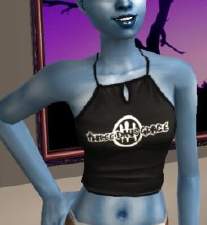
HP said we could edit her textures for Flyingpigeon's onesie mesh, so I went ahead and added bleeding, broken and more...
7
14.9k
8
About Me
It is 27 Sept 2011. I'm going to go in here, clear out the whining on my upload descriptions, and then just leave this be, I think. How did I even get approved with that much whining? Yikes.