
 Sign in to Mod The Sims
 Cleaner Prettier Maxis PJ's *FIXED*
 Cleaner Prettier Maxis PJ's *FIXED*
SCREENSHOTS


snapshot_b2f725cd_b358fc1b.gif - width=560 height=420
snapshot_b2f725cd_d358fb7b.jpg - width=600 height=450
snapshot_b2f725cd_1358fba0.jpg - width=600 height=450
mesh_k8parsfapbaggypj031205.jpg - width=191 height=449
Downloaded 438 times
155 Thanks
8 Favourited
12,257 Views
Say Thanks!
Thanked!
 READ THIS! DOES NOT NEED NIGHTLIFE AND MESH IS NOT INCLUDED!
 Downloaded Mesh here: http://www.parsimonious.org/fashion2/meshes.shtml
This is what the mesh looks like: http://thumbs.modthesims2.com/getimage.php?file=530182
FIXED FILE
Ok now you guys know those nasty sloppy PJ's from Nightlife? You hate them but yet you love them. Well now you don't have to worry about the stains!!! I have got rid of the nasty! I used a different mesh because the maxis one was so big and baggy and it needed Nightlife. It still looks baggy but good. I also took off those hideous slippers and made a lighter prettier recolors of it!! If you have any questions just ask. I will get right back to you. I do take requests, just so you know. ENJOY!!!


Credits:
Lips
eye liner
blush
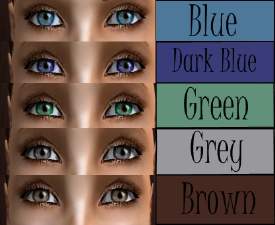
eyes
and skin at Helaene.com
Lips
eye liner
blush
eyes
and skin at Helaene.com
Advertisement:
This is a new mesh recolour, and means that you will need to download the particular mesh itself in order for this to show up in your game. See the Meshes Needed section or read the text for more information.
|
5f6601c4_FIXED Pj's.zip
Download
Uploaded: 24th May 2007, 300.1 KB.
942 downloads.
|
||||||||
|
5fb33775_PjRecolor.zip
Download
Uploaded: 18th May 2007, 277.9 KB.
1,396 downloads.
|
||||||||
| For a detailed look at individual files, see the Information tab. | ||||||||
Install Instructions
Basic Download and Install Instructions:
1. Download: Click the download link to save the .rar or .zip file(s) to your computer.
2. Extract the zip, rar, or 7z file.
3. Place in Downloads Folder: Cut and paste the .package file(s) into your Downloads folder:
1. Download: Click the download link to save the .rar or .zip file(s) to your computer.
2. Extract the zip, rar, or 7z file.
3. Place in Downloads Folder: Cut and paste the .package file(s) into your Downloads folder:
- Origin (Ultimate Collection): Users\(Current User Account)\Documents\EA Games\The Sims™ 2 Ultimate Collection\Downloads\
- Non-Origin, Windows Vista/7/8/10: Users\(Current User Account)\Documents\EA Games\The Sims 2\Downloads\
- Non-Origin, Windows XP: Documents and Settings\(Current User Account)\My Documents\EA Games\The Sims 2\Downloads\
- Mac: Users\(Current User Account)\Documents\EA Games\The Sims 2\Downloads
- Mac x64: /Library/Containers/com.aspyr.sims2.appstore/Data/Library/Application Support/Aspyr/The Sims 2/Downloads
- For a full, complete guide to downloading complete with pictures and more information, see: Game Help: Downloading for Fracking Idiots.
- Custom content not showing up in the game? See: Game Help: Getting Custom Content to Show Up.
- If you don't have a Downloads folder, just make one. See instructions at: Game Help: No Downloads Folder.
Meshes needed
This download requires one or more meshes to work properly. Please check the Description tab for information about the meshes needed, then download them below:| MTS cannot guarantee any off-site links will be available |
| parsimonious.org/ (non-MTS link) |
Advertisement:
Loading comments, please wait...
Author

Download Details
Packs:
None, this is Sims 2 base game compatible!
Uploaded: 18th May 2007 at 5:53 AM
Updated: 24th May 2007 at 1:34 AM
Uploaded: 18th May 2007 at 5:53 AM
Updated: 24th May 2007 at 1:34 AM
Other Download Recommendations:
-
-
-
-
-
-
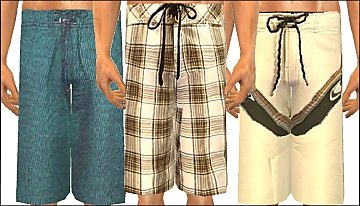
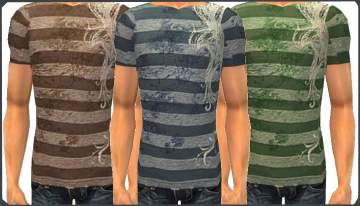
Some clean recolours of the maxis Pj's
by scxlildevil4lyff 9th Sep 2007 at 8:59pm
-
by the black steed 4th Oct 2007 at 8:00pm
-
-
-


More downloads by Sassy Cat:
See more


About Me
*I do not take request any more.
*Do not post my stuff any where else!
*Do not use my textures.
*You can include my stuff in stories, movies, and in you uploads. You don't have to post credit but it would be nice. ^_^
That's all for now.
*Do not post my stuff any where else!
*Do not use my textures.
*You can include my stuff in stories, movies, and in you uploads. You don't have to post credit but it would be nice. ^_^
That's all for now.