
 Sign in to Mod The Sims
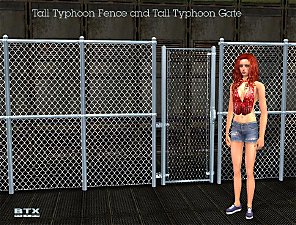
 BTXTallTyphoonFance&Gate - Fixed Textures!
 BTXTallTyphoonFance&Gate - Fixed Textures!


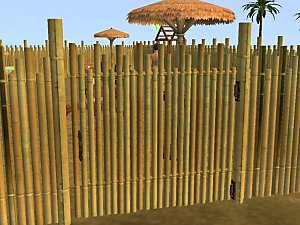
MTS2_544624_MaximusPM_Sims2EP5_2007-06-06_23-50-54-93.JPG - width=1024 height=768
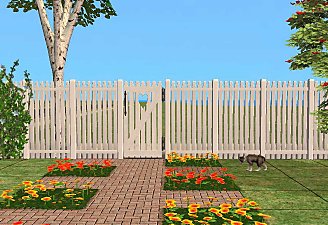
MTS2_545398_MaximusPM_Sims2EP5_2007-06-08_04-42-27-98.JPG - width=1024 height=768
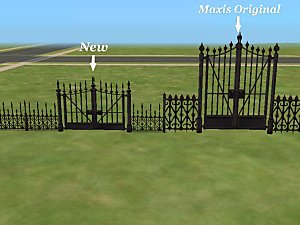
In his original version the texture of the gate was missplaced and looking kinda weird when looking from behind it... So I fixed the alpha channel. I offered send him my fixed version, but don't know why he didn't want it.
Some people requested me this, so I'm uploading it now.
It will replace the original files, as they include the mesh and original textures(sorry, but I don't know how to remove them and make simply a recolor

Polygon Counts:
Fencing:
Verts:290
Faces:412
Gate:
Verts:1284
faces:1542
Additional Credits:
Additional credits go to Brasstex for doing this cool mesh
Check the original thread here: http://www.modthesims2.com/showthread.php?t=234936
And also SimPE, this amazing tool.
This is a new mesh, and means that it's a brand new self contained object that usually does not require a specific Pack (although this is possible depending on the type). It may have Recolours hosted on MTS - check below for more information.
|
TyphoonFanceFixed.rar
Download
Uploaded: 11th Sep 2007, 103.6 KB.
27,188 downloads.
|
||||||||
| For a detailed look at individual files, see the Information tab. | ||||||||
Install Instructions
1. Download: Click the download link to save the .rar or .zip file(s) to your computer.
2. Extract the zip, rar, or 7z file.
3. Place in Downloads Folder: Cut and paste the .package file(s) into your Downloads folder:
- Origin (Ultimate Collection): Users\(Current User Account)\Documents\EA Games\The Sims™ 2 Ultimate Collection\Downloads\
- Non-Origin, Windows Vista/7/8/10: Users\(Current User Account)\Documents\EA Games\The Sims 2\Downloads\
- Non-Origin, Windows XP: Documents and Settings\(Current User Account)\My Documents\EA Games\The Sims 2\Downloads\
- Mac: Users\(Current User Account)\Documents\EA Games\The Sims 2\Downloads
- Mac x64: /Library/Containers/com.aspyr.sims2.appstore/Data/Library/Application Support/Aspyr/The Sims 2/Downloads
- For a full, complete guide to downloading complete with pictures and more information, see: Game Help: Downloading for Fracking Idiots.
- Custom content not showing up in the game? See: Game Help: Getting Custom Content to Show Up.
- If you don't have a Downloads folder, just make one. See instructions at: Game Help: No Downloads Folder.
Loading comments, please wait...
-
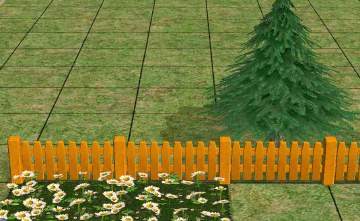
by Supertramp 12th Sep 2005 at 11:31pm
 13
14.6k
11
13
14.6k
11
-
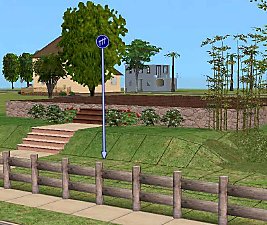
-
by stepehnguy 15th Feb 2006 at 6:51am
14
22.5k
15
-
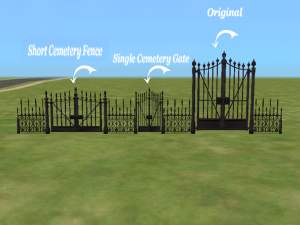
by stepehnguy 17th Feb 2006 at 3:06am
9
28.6k
20
-
by stepehnguy 9th Apr 2006 at 4:34am
3
11k
1
-
by JohnBrehaut1 19th Apr 2006 at 4:54pm
+1 packs
10 17.1k 2 Nightlife
-
-
-
by feeEssen 20th Jun 2007 at 12:13am
13
24.4k
37
-
by crocobaura 17th Jul 2007 at 9:58am
24
76.8k
117


-
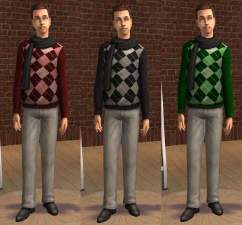
"Get Ready for Pets!" white Tanks
by MaximusPM 29th Jul 2006 at 6:19am
A collection of white tanks with a dog footstep from Pets expanssion pack! more...
2
5.6k
-
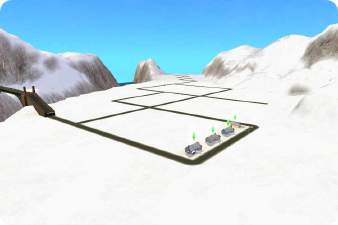
Need Testers! Hood fully covered in snow during winter!
by MaximusPM 7th Apr 2007 at 9:15am
Hi, this is my first mod. more...
+1 packs
26 22.4k 14 Seasons
Miscellaneous » Neighborhoods & CAS Screens » Neighbourhood Deco
-
-
-
Family Fun Red Dragon Recolour
by MaximusPM 14th Apr 2006 at 2:40am
WARNING!!! more...
+1 packs
4 7.7k 2 Family Fun
-

-
-
-


-



About Me
Most of my textures are edited from Maxis or other creators and I give credits when nescessary, please do the same.
When recolouring try to link back to my thread, and, if possible, warn me so I can download too ^^