
 Sign in to Mod The Sims
 Spring coloured walls&floor set!
 Spring coloured walls&floor set!


blue_1a.jpg - width=400 height=276
green_1a.jpg - width=400 height=276
pink_1a.jpg - width=400 height=276
purple_1a.jpg - width=400 height=276
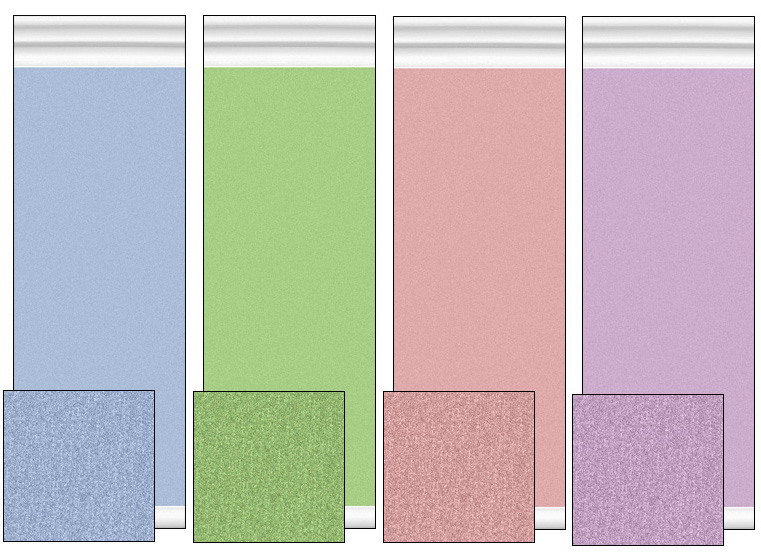
ALLwallsfloors.jpg - width=761 height=557
 This is my first upload... woo!
I've just started learning how to make CC for my game, so I started small with something simple like walls and floors. I really liked this, so I decided to share them with you all!
There are four different colours: Blue, green, pink, and purple [light]. The pink may show up as more of a peach colour depending on how the sun hits the wall. I hope that doesn't bother you too much!
I use a PC so MAC users, these might not work for you [due to size, maybe]. If anyone is willing to test it them out on a MAC computer, please do so and PM me with your results!
I do not think you need any EPs for these to work... again, let me know if you do!
I have included a file to download them all, or separate files incase you only want a certain colour.
Constructive criticism is always accepted. I am always wanting to improve!
Enjoy!
xo
|
purple.zip
Download
Uploaded: 14th Mar 2008, 109.6 KB.
415 downloads.
|
||||||||
|
pink.zip
Download
Uploaded: 14th Mar 2008, 112.7 KB.
408 downloads.
|
||||||||
|
green.zip
Download
Uploaded: 14th Mar 2008, 114.6 KB.
391 downloads.
|
||||||||
|
blue.zip
Download
Uploaded: 14th Mar 2008, 113.6 KB.
409 downloads.
|
||||||||
|
ALL.zip
Download
Uploaded: 14th Mar 2008, 450.5 KB.
2,764 downloads.
|
||||||||
| For a detailed look at individual files, see the Information tab. | ||||||||
Install Instructions
1. Download: Click the download link to save the .rar or .zip file(s) to your computer.
2. Extract the zip, rar, or 7z file
3. Place in Downloads Folder: Cut and paste the .package file(s) into your Downloads folder:
- Origin (Ultimate Collection): Users\(Current User Account)\Documents\EA Games\The Sims™ 2 Ultimate Collection\Downloads\
- Non-Origin, Windows Vista/7/8/10: Users\(Current User Account)\Documents\EA Games\The Sims 2\Downloads\
- Non-Origin, Windows XP: Documents and Settings\(Current User Account)\My Documents\EA Games\The Sims 2\Downloads\
- Mac: Users\(Current User Account)\Documents\EA Games\The Sims 2\Downloads
- Mac x64:
/Library/Containers/com.aspyr.sims2.appstore/Data/Library/Application Support/Aspyr/The Sims 2/Downloads
Need more information?
- For a full, complete guide to downloading complete with pictures and more information, see: Game Help: Downloading for Fracking Idiots.
- Custom content not showing up in the game? See: Game Help: Getting Custom Content to Show Up.
- If you don't have a Downloads folder, just make one. See instructions at: Game Help: No Downloads Folder.
Loading comments, please wait...

-
-

Aqua & White Wall and Floor Set
by KalicoKat 19th Dec 2005 at 7:10pm
-
by Queenmumy 22nd Dec 2005 at 3:43am
 2
5.7k
2
5.7k
-
-
-
-
-
-
by Sheyza 28th Mar 2007 at 8:22pm
7
8.2k
4
-
by tter 21st May 2008 at 5:19am
1
11.5k
5


-
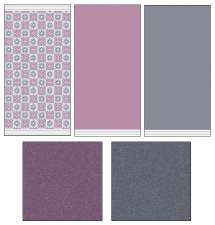
A Simple Pattern -3Walls&2Floors-
by xo chriis 8th Apr 2008 at 12:32am
When I found this pattern in photobucket, I absolutely had to make it in to some sim wallpaper and floors. more...
7
9.4k
11
-


3 "Civic Idol" poster recolours
by xo chriis 18th May 2008 at 2:50am
Here I bring you three recolours of the "Civic Idol" poster. more...
6
18k
24
-


Japanese Inspired Wallpaper Set
by xo chriis 29th Jun 2008 at 10:25pm
Here I bring you a set of three Japanese inspired wallpapers with matching painted walls. more...
15
49.7k
70
