Sign in to Mod The Sims
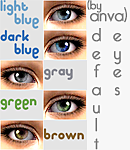
 DEFAULTS of "Deceptive Eyes" by Anva
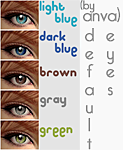
 DEFAULTS of "Deceptive Eyes" by Anva

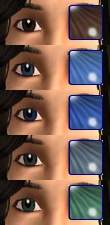
MTS2_Anva_766113_V1f.gif - width=348 height=540

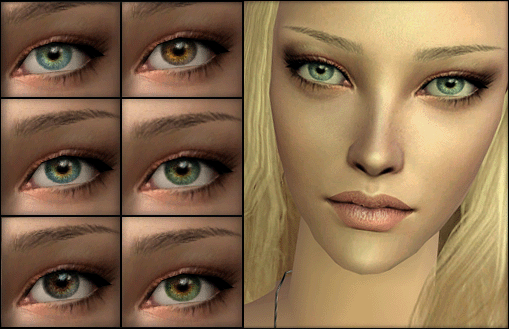
MTS2_Anva_766111_V2Eyes.gif - width=509 height=432
I made defaults of every color of each version separately so that you can mix and match them. Choose one eye from each color and place them in your Downloads folder. For example: you can choose one of each Brown, Green, Gray, Light Blue, Dark Blue making it 5 total files.
I have numbered each file so that you can match the color to the image file and know exactly which color you're picking.
Remember that you need to remove any other normal eye defaults that you have been using so that these work properly!
To remove them, just delete them from your Downloads folder.
To get the original Non-default version go here.
I hope you enjoy these as much as I do!

Additional Credits:
Anva for her wonderful eyes!
SaraMK for her awesome and easy to follow tutorial on making default replacement eyes.
|
AnvasDeceptiveEyesV2_DEFAULTS.rar
Download
Uploaded: 22nd Feb 2009, 263.2 KB.
8,930 downloads.
|
||||||||
|
AnvasDeceptiveEyesV1_DEFAULTS.rar
Download
Uploaded: 22nd Feb 2009, 143.7 KB.
9,790 downloads.
|
||||||||
| For a detailed look at individual files, see the Information tab. | ||||||||
Install Instructions
1. Download: Click the download link to save the .rar or .zip file(s) to your computer.
2. Extract the zip, rar, or 7z file.
3. Place in Downloads Folder: Cut and paste the .package file(s) into your Downloads folder:
- Origin (Ultimate Collection): Users\(Current User Account)\Documents\EA Games\The Sims™ 2 Ultimate Collection\Downloads\
- Non-Origin, Windows Vista/7/8/10: Users\(Current User Account)\Documents\EA Games\The Sims 2\Downloads\
- Non-Origin, Windows XP: Documents and Settings\(Current User Account)\My Documents\EA Games\The Sims 2\Downloads\
- Mac: Users\(Current User Account)\Documents\EA Games\The Sims 2\Downloads
- Mac x64: /Library/Containers/com.aspyr.sims2.appstore/Data/Library/Application Support/Aspyr/The Sims 2/Downloads
- For a full, complete guide to downloading complete with pictures and more information, see: Game Help: Downloading for Fracking Idiots.
- Custom content not showing up in the game? See: Game Help: Getting Custom Content to Show Up.
- If you don't have a Downloads folder, just make one. See instructions at: Game Help: No Downloads Folder.
Loading comments, please wait...

Uploaded: 22nd Feb 2009 at 9:48 PM
Updated: 11th Apr 2009 at 5:14 AM
#anva, #default eyes, #default, #eye, #awesome
-
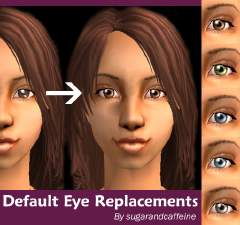
Default Eye Replacements for all colors
by sugarandcaffeine 13th Apr 2005 at 1:34am
-
DEFAULTS - Far Away Eyes by Anva
by RedSimmies 1st Nov 2007 at 2:33am
-
DEFAULTS - Innocent Eyes by Anva
by RedSimmies 1st Nov 2007 at 2:33am
-
-
by rachelaranya 15th Aug 2008 at 4:49pm
-
Maxis default replacement - eyes
by AliceSacco 22nd Jun 2009 at 4:35am
-
Anva's Deceptive EyesV2 - Default Replacement
by Dreamin147 18th Apr 2012 at 7:55pm
-
Anva's Guarded Eyes - Default Replacement Set
by Dreamin147 22nd May 2012 at 8:56am
-
DEFAULT Nouk Gem Eyes with Anva's Sclera
by Delijume 23rd Dec 2021 at 12:09pm
-
Realistic Eyes - Default Replacement
by |usagi 22nd Jun 2026 at 10:36pm