Sign in to Mod The Sims
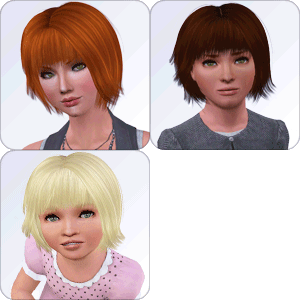
 Testers wanted: Shortperm hair conversion toddler to elder
 Testers wanted: Shortperm hair conversion toddler to elder


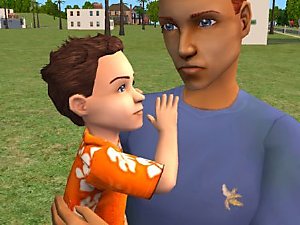
Screenshot-2.jpg - width=1280 height=796
Screenshot-4.jpg - width=1280 height=796
Screenshot-5.jpg - width=1280 height=796
Screenshot-8.jpg - width=1280 height=796
Screenshot-22.JPG - width=1280 height=796
It has 4 channels: base, roots, highlights and tips
Polygon Counts:
Melodie9Shortperm-AF: 1402
Melodie9Shortperm-CF: 1402
Melodie9Shortperm-PF: 1402
This is a new mesh, and means that it's a brand new self contained object that usually does not require a specific Pack (although this is possible depending on the type). It may have Recolours hosted on MTS - check below for more information.
|
Melodie9Shortperm.rar
Download
Uploaded: 31st May 2010, 7.09 MB.
5,571 downloads.
|
||||||||
| For a detailed look at individual files, see the Information tab. | ||||||||
Install Instructions
1. Click the download button, or the filename, to download the file to your computer.
2. Extract the zip, rar, or 7z file. Now you will have either a .package or a .sims3pack file.
For Package files:
1. Cut and paste the file into your Documents\Electronic Arts\The Sims 3\Mods\Packages folder. If you do not already have this folder, you should read the full guide to Package files first: Sims 3:Installing Package Fileswiki, so you can make sure your game is fully patched and you have the correct Resource.cfg file.
2. Run the game, and find your content where the creator said it would be (build mode, buy mode, Create-a-Sim, etc.).
For Sims3Pack files:
1. Cut and paste it into your Documents\Electronic Arts\The Sims 3\Downloads folder. If you do not have this folder yet, it is recommended that you open the game and then close it again so that this folder will be automatically created. Then you can place the .sims3pack into your Downloads folder.
2. Load the game's Launcher, and click on the Downloads tab. Find the item in the list and tick the box beside it. Then press the Install button below the list.
3. Wait for the installer to load, and it will install the content to the game. You will get a message letting you know when it's done.
4. Run the game, and find your content where the creator said it would be (build mode, buy mode, Create-a-Sim, etc.).
Extracting from RAR, ZIP, or 7z: You will need a special program for this. For Windows, we recommend 7-Zip and for Mac OSX, we recommend Keka. Both are free and safe to use.
Need more help?
If you need more info, see:
- For package files: Sims 3:Installing Package Fileswiki
- For Sims3pack files: Game Help:Installing TS3 Packswiki
Loading comments, please wait...


Uploaded: 31st May 2010 at 10:04 PM
#Sims 2, #conversion, #all ages
-
-
-
'Nouk Side Braid' Conversion - All ages!
by Anubis360 22nd Nov 2009 at 10:45pm
 126
419k
1k
126
419k
1k
Hair » Female » Young Adult
-
Raon Female Hair 82 ~ Conversion ~All ages!
by Anubis360 16th Dec 2009 at 7:19pm
108
527.2k
1k
Hair » Female » Young Adult
-
Agustin Kate Hudson's Ponytail ~ All ages!
by Anubis360 13th Mar 2010 at 12:18am
82
327.3k
840
Hair » Female » Young Adult
-
-
-
-
-

-

-
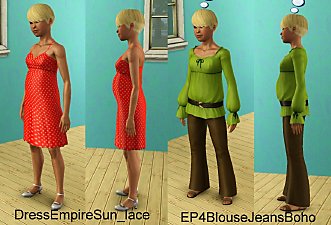
Testers wanted: Pregnant teen clothes + nude body
by melodie9 updated 2nd Mar 2013 at 8:43pm
Update: added 4 new outwear clothes for pregnant teen sims UPDATED New pregnant clothes and nude default more...
191
471.2k
358
Female » Mixed Sets » Teen
-

-

-
-

-
-

-
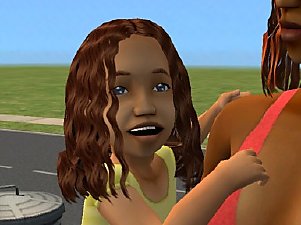
Testers wanted: toddler girl rosette
by melodie9 1st Oct 2005 at 8:29pm
Not really a new mesh but an adaptation of the maxis'sone to toddler girl. more...
-