
 Sign in to Mod The Sims
 Orlov Trotter - Tsar
 Orlov Trotter - Tsar


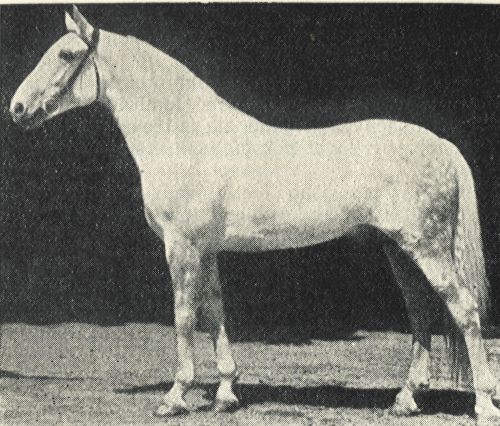
Borzoi.jpg - width=500 height=426
The original Orlov Stallion, Borzoi
Trotteur comparison.jpg - width=800 height=637
Painting of an Orlov Trotter by V. V. Semenski
Screenshot-139.jpg - width=800 height=600
Screenshot-141.jpg - width=800 height=600
Screenshot-142.jpg - width=800 height=600
Orlov Trotter
The Orlov Trotter (also known as Orlov; Russian: Орловский Рысак ) is a horse breed with a hereditary fast trot, noted for its outstanding speed and stamina. It is the most famous Russian horse. The Orlovs emerged as the result of crossing various European mares (primarily of English, Dutch, Mecklenburg, and Danish breeding) with Arabian stallions.
The Orlov trotters are in general taller and more robust than Standardbreds. In appearance, the Orlovs are characterized by a big head, large expressive eyes, a long and naturally arched neck set high, prominent withers and broad croup. The body is muscular. The legs are strongly built, with prominent joints and clearly defined tendons. (Wikipedia)
I present you with Tsar. My version of the Orlov Trotter.
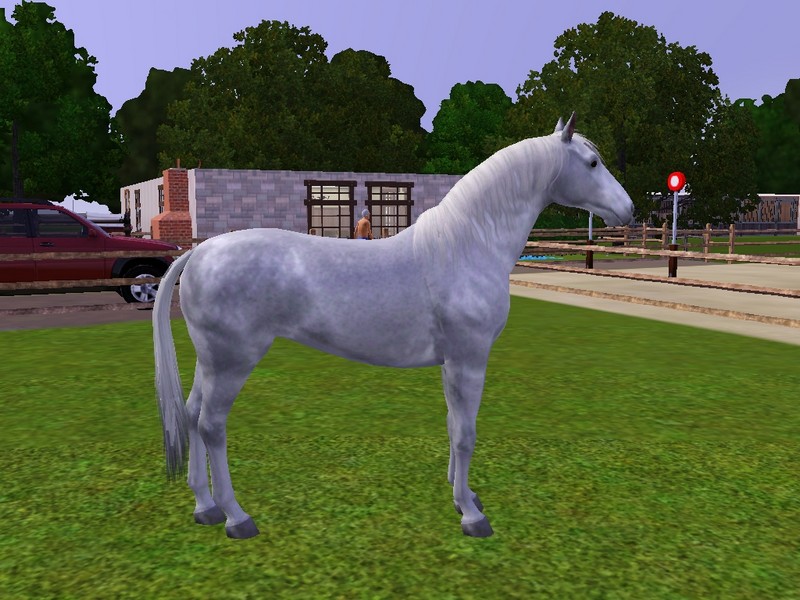
I can't do anything about body length or height, which irritates me to no end. Still, he doesn't look bad compared to the original Orlov Trotter, called Borzoi =)
I hope you enjoy him as much as I do.
Additional Credits:
Wikipedia and my various textbooks for the descriptions
|
Tsar_Orlov.zip
Download
Uploaded: 28th Dec 2011, 356.2 KB.
1,431 downloads.
|
||||||||
| For a detailed look at individual files, see the Information tab. | ||||||||
Install Instructions
1. Click the filename or the download button to download the sim to your computer.
2. Extract the zip, rar, or 7z file.
2. Select the .sim file you got from extracting.
3. Cut and paste it into your Documents\Electronic Arts\The Sims 3\SavedSims folder. If you do not have this folder yet, it is recommended that you open the game, enter Create-a-Sim, and save a sim to the sim bin to create this folder, rather than doing so manually. After that you can close the game and put the .sim file in SavedSims
4. Once the .sim file is in SavedSims, you can load the game, and look for your sim in the premade sims bin in Create-a-Sim.
Extracting from RAR, ZIP, or 7z: You will need a special program for this. For Windows, we recommend 7-Zip and for Mac OSX, we recommend Keka. Both are free and safe to use.
Need more help?
If you need more info, see Game Help:Installing TS3 Simswiki for a full, detailed step-by-step guide!
Loading comments, please wait...
-
-

by Horse'sBeauty 28th Jul 2012 at 11:52am
-
by ArgentusMonoceros 18th Jul 2014 at 3:03pm
-
by GallifreyBakerSt 12th Sep 2014 at 7:13pm
-
-
by xPennyxTallyx 1st Sep 2015 at 10:38pm
-
by Canterville03 14th Mar 2022 at 3:30pm
-
by Canterville03 21st Mar 2022 at 1:26pm
-
by Canterville03 10th May 2022 at 9:36am
-
by Canterville03 11th May 2022 at 10:07am


Packs Needed
| Expansion Pack | |
|---|---|
 | Pets |