
 Sign in to Mod The Sims
 Male Formal Wear Vest Recolours in the LACK Palette
 Male Formal Wear Vest Recolours in the LACK Palette


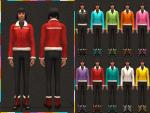
Display.jpg - width=1000 height=750
Elder 1.jpg - width=1000 height=750
Elder 2.jpg - width=1000 height=750
Adult 1.jpg - width=1000 height=750
Adult 2.jpg - width=1000 height=750
Teen 1.jpg - width=1000 height=750
Teen 2.jpg - width=1000 height=750
Child 1.jpg - width=1000 height=750
Child 2.jpg - width=1000 height=750
These are base game compatible, no EP's or SP's required!
Found: CAS > Male > Formal
Files have been compressed and checked in game. Colour charts are included in the zip files.
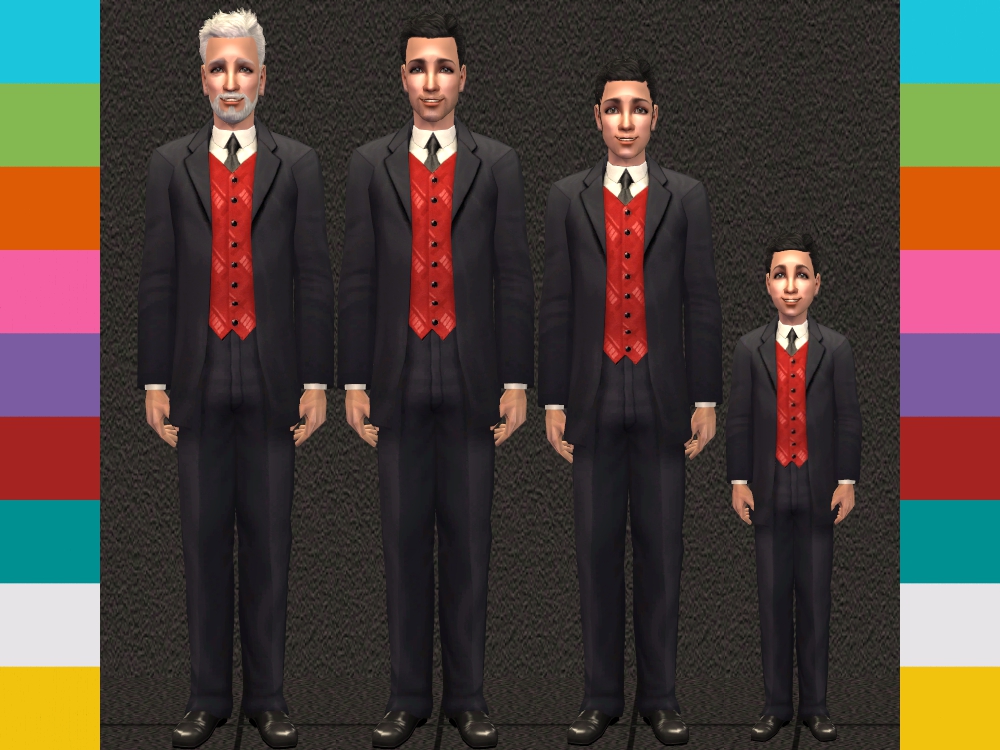
Additional Credits: SimPE - CEP - GIMP - Milkshape - UV Mapper - The Compressorizer - Maxis/EA Games - MTS - Bodyshop - JFade's Wardrobe Wrangler
|
formal_CM-SuitVestRecolours-BySimFused.zip
Download
Uploaded: 24th Feb 2016, 3.21 MB.
3,436 downloads.
|
||||||||
|
formal_TM-SuitVestRecolours-BySimFused.zip
Download
Uploaded: 24th Feb 2016, 3.21 MB.
3,490 downloads.
|
||||||||
|
formal_AM-EM-SuitVestRecolours-BySimFused.zip
Download
Uploaded: 24th Feb 2016, 3.21 MB.
3,710 downloads.
|
||||||||
| For a detailed look at individual files, see the Information tab. | ||||||||
Install Instructions
1. Download: Click the download link to save the .rar or .zip file(s) to your computer.
2. Extract the zip, rar, or 7z file.
3. Place in Downloads Folder: Cut and paste the .package file(s) into your Downloads folder:
- Origin (Ultimate Collection): Users\(Current User Account)\Documents\EA Games\The Sims™ 2 Ultimate Collection\Downloads\
- Non-Origin, Windows Vista/7/8/10: Users\(Current User Account)\Documents\EA Games\The Sims 2\Downloads\
- Non-Origin, Windows XP: Documents and Settings\(Current User Account)\My Documents\EA Games\The Sims 2\Downloads\
- Mac: Users\(Current User Account)\Documents\EA Games\The Sims 2\Downloads
- Mac x64: /Library/Containers/com.aspyr.sims2.appstore/Data/Library/Application Support/Aspyr/The Sims 2/Downloads
- For a full, complete guide to downloading complete with pictures and more information, see: Game Help: Downloading for Fracking Idiots.
- Custom content not showing up in the game? See: Game Help: Getting Custom Content to Show Up.
- If you don't have a Downloads folder, just make one. See instructions at: Game Help: No Downloads Folder.
Loading comments, please wait...

Uploaded: 24th Feb 2016 at 5:28 AM
-
-
Formal suit attack (for children, teen, adult, elder)
by bienchen83 20th Feb 2007 at 10:46am
-
by OpenHouseJack 28th Oct 2007 at 2:01am
-
-
-
H&M Suit converted for Grandpa
by dustfinger 2nd Dec 2008 at 7:02pm
-
by Fresh-Prince 1st Jan 2009 at 4:40am
-
-
Nehru Jacket Age Conversion to Teen and Child
by onlyfrillsandhorses 11th Dec 2018 at 1:48am
-


-
20 Bathroom Recolours for Pet Lovers
by SimFused 26th Feb 2018 at 10:47am
20 Bathroom recolours for the Jan/Feb Pets Theme. more...
-
-
Sci-Fi Walls Inspired by MTS February Theme 'Into the Future'
by SimFused 27th Feb 2016 at 10:22pm
28 Sci-Fi Walls Inspired by MTS February Theme 'Into the Future' more...
 5
5.3k
15
5
5.3k
15
-
-
-
-
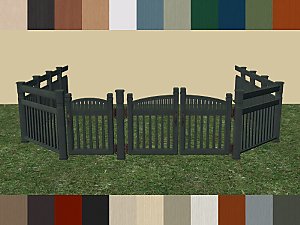
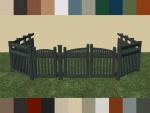
CEP-Extra ~ Longbranch Side Gate Metal Hardware
by SimFused 2nd Apr 2018 at 5:30pm
CEP-Extra and recolours for the Longbranch Side Gate and Front Gate also matching Fences. more...
7
10.6k
31
-
-
-


About Me
1. You may recolor any of our creations:
a) Please contact us and let us know you are going to do this.
b) Please give credit and link to the item's mesh at MTS.
2. You may include any of our creations with your lots uploaded to any free site:
a) Please contact us and let us know you are going to do this.
b) Please give credit and link to the item's mesh at MTS.
3. Please DO NOT re-upload to pay sites and DO NOT claim or imply any of our creations are your own.
4. If you use our creations in your screenshots, credit would be appreciated.
Thank you all for the opportunity to contribute back to the community. If you have any questions, please do not hesitate to send us a PM.
Debra and Michelle
Fused together in friendship to create for the Sims.