
 Sign in to Mod The Sims
 Astro Stall Door
 Astro Stall Door


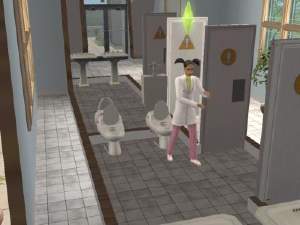
Screen Shot 828.JPG - width=1432 height=900
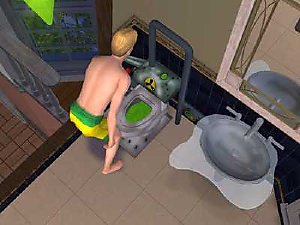
Screen Shot 829.JPG - width=1432 height=900
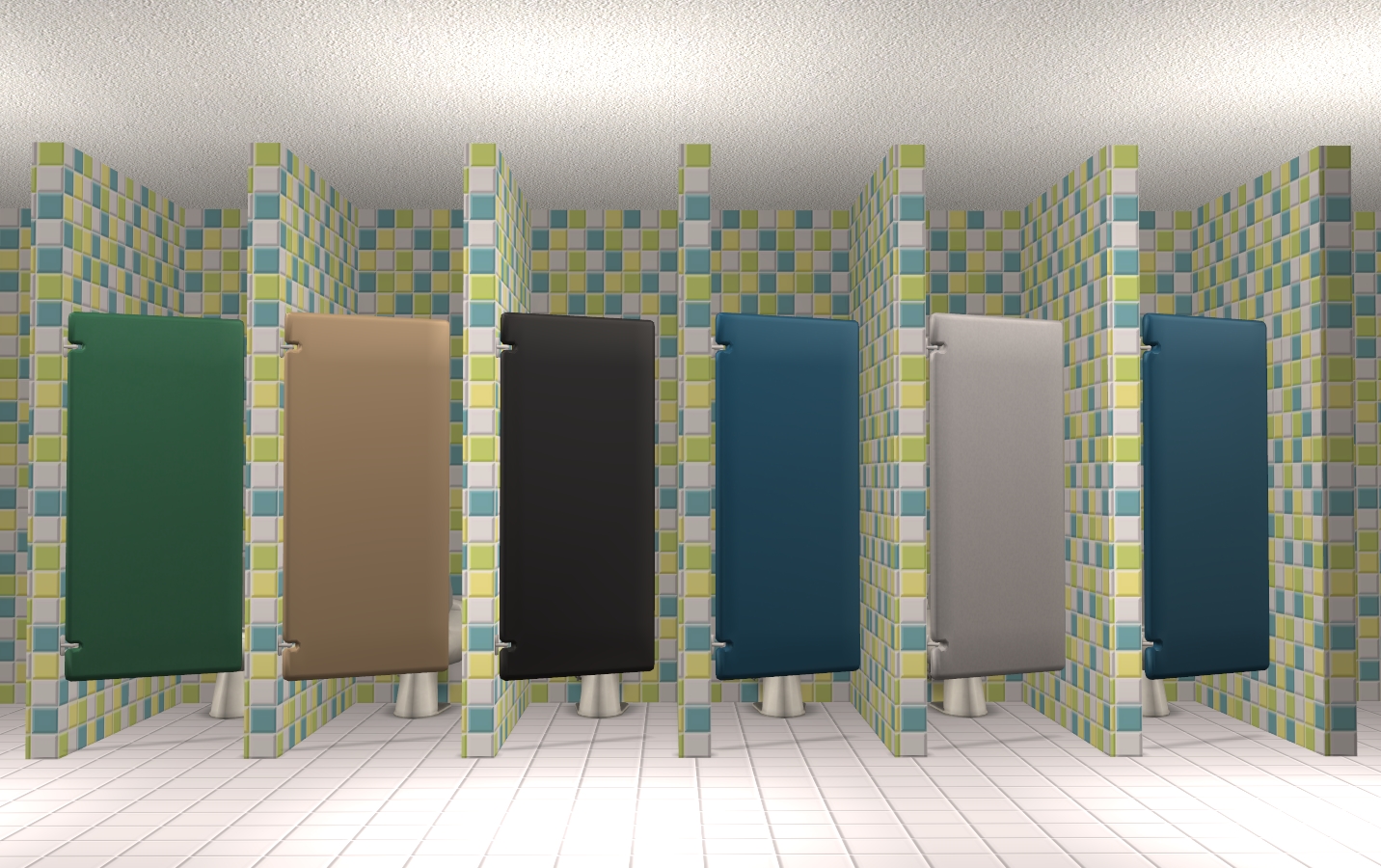
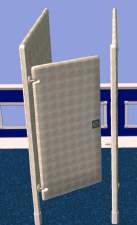
As I was building my neighborhood, I got more and more annoyed with the ugliness that is the ResiStall Astro Divider. All plastic and artificial and not at all comfortable. I prefer to build my restrooms with actual walls, so I decided to change the world by fixing one object at the time. Here's the ResiStall Astro Door: a toiletstall without a stall and just the door. The door and toilet are fully functional! It works exactly as the original stall does, but without the ugliness. Place it between two walls to prevent floating doors. The door is repositoried to the toiletstall. Make sure to grab the CEP-Extra that enables the extra subset on the toiletstall.
Details
Catalog name: ResiStall Astro Door 7
Catalog location: Plumbing > Toilets
Catlog price: § 450
Polycount: 2066
Additional Credits:
CEP, SimPE, Milkshape, IgnorantBliss
| Filename | Type | Size |
|---|---|---|
| Klaartje_ToiletStallDoor.7z | 7z | |
| Klaartje_ToiletStallDoor.package | package | 176398 |
This is a new mesh, and means that it's a brand new self contained object that usually does not require a specific Pack (although this is possible depending on the type). It may have Recolours hosted on MTS - check below for more information.
|
Klaartje_ToiletStallDoor.7z
Download
Uploaded: 22nd Sep 2023, 43.8 KB.
10,323 downloads.
|
||||||||
| For a detailed look at individual files, see the Information tab. | ||||||||
Install Instructions
1. Download: Click the download link to save the .rar or .zip file(s) to your computer.
2. Extract the zip, rar, or 7z file.
3. Place in Downloads Folder: Cut and paste the .package file(s) into your Downloads folder:
- Origin (Ultimate Collection): Users\(Current User Account)\Documents\EA Games\The Sims™ 2 Ultimate Collection\Downloads\
- Non-Origin, Windows Vista/7/8/10: Users\(Current User Account)\Documents\EA Games\The Sims 2\Downloads\
- Non-Origin, Windows XP: Documents and Settings\(Current User Account)\My Documents\EA Games\The Sims 2\Downloads\
- Mac: Users\(Current User Account)\Documents\EA Games\The Sims 2\Downloads
- Mac x64: /Library/Containers/com.aspyr.sims2.appstore/Data/Library/Application Support/Aspyr/The Sims 2/Downloads
- For a full, complete guide to downloading complete with pictures and more information, see: Game Help: Downloading for Fracking Idiots.
- Custom content not showing up in the game? See: Game Help: Getting Custom Content to Show Up.
- If you don't have a Downloads folder, just make one. See instructions at: Game Help: No Downloads Folder.
Loading comments, please wait...

Uploaded: 24th Jun 2016 at 12:10 PM
Updated: 22nd Sep 2023 at 10:15 AM - Fixed files
-
-

-
by DJ_Mur3 17th Jul 2005 at 10:18pm
 22
22.7k
13
22
22.7k
13
-
-
by waywardpixie 23rd Mar 2006 at 8:12am
8
13.5k
8
-
-
-
by karialSim 17th May 2006 at 11:31pm
1
7.9k
2
-
-


-
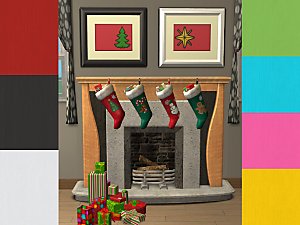
The Meaning of Christmas - Painting and Frame Recolours
by Klaartje 23rd Dec 2013 at 10:25am
The Meaning of Fruit recolours of frame and artwork in christmas style more...
12
9.1k
22
-
Shelters for Salesmen - The Businesses
by Klaartje 4th Apr 2014 at 3:53pm
Supercheap business with supercheap homes more...
+4 packs
10 13.3k 35 Nightlife
 Open for Business
 Ikea Home
 Apartment Life
-
-
-

Key to my Heart - Painting Set
by Klaartje 13th Jun 2014 at 10:06am
Set of lock and key - Recolors of A-Stroke painting more...
+1 packs
9 5.5k 27 Nightlife
-

-
-
-
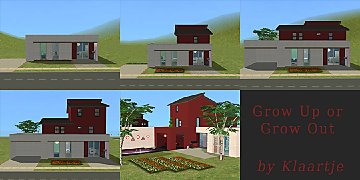
Grow Up or Grow Out - Housing Set
by Klaartje 15th Feb 2014 at 1:42pm
A set of 5 houses that grow with each step more...
+4 packs
12 6.7k 23 Nightlife
Open for Business
Ikea Home
Apartment Life
-


About Me
You may include my recolors with your uploads to free sites.
Please do not convert any of my stuff.
Please give credit where credit is due.