Sign in to Mod The Sims
 Autumn is coming - 9 Longsleeves
 Autumn is coming - 9 Longsleeves
SCREENSHOTS


airy_detail.jpg - width=700 height=700
aurora_detail.jpg - width=700 height=700
cedar_detail.jpg - width=700 height=700
meadow_detail.jpg - width=700 height=700
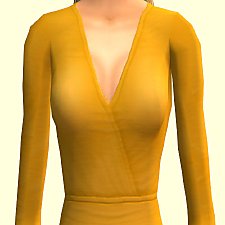
mustard_detail.jpg - width=700 height=700
riverside_detail.jpg - width=700 height=700
sleeves_01.jpg - width=700 height=500
shark_detail.jpg - width=700 height=700
sleeves_03.jpg - width=800 height=600
sleexes_02.jpg - width=547 height=874
taupe_detail.jpg - width=700 height=700
thumbnail_sleeve.jpg - width=300 height=300


Downloaded 3,255 times
122 Thanks
16 Favourited
11,119 Views
Say Thanks!
Thanked!
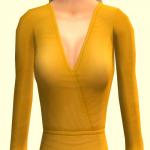
Pantone's Autumn Colour Forecast inspired me to create these longsleeves. It is a simple Maxis Mesh recolour, so you don't need any mesh or expansion pack. They come in nine different colours (Riverside, Airy Blue, Shark Skin, Aurora Red, Warm Taupe, Dusty Cedar, Lush Meadow, Spicy Mustard and Budacious), each of these colours were mentioned to be the best choice this autumn, so your ladies will be dressed in fashionable longsleeves. 
Additional Credits:
Hair, Jeans, Make Up by Maxis
Skintone by MinaM @MTS (MinaM's Worldwide Default Skinetone)

Additional Credits:
Hair, Jeans, Make Up by Maxis
Skintone by MinaM @MTS (MinaM's Worldwide Default Skinetone)
Advertisement:
This is a Maxis Recolour which means that it is a recolour of an item that already exists in your game. Please check the Pack requirements to see which game pack it recolours.
|
MTS_Gincgo_Sleeves_Pantone.rar
Download
Uploaded: 11th Aug 2016, 2.68 MB.
3,257 downloads.
|
||||||||
| For a detailed look at individual files, see the Information tab. | ||||||||
Install Instructions
Basic Download and Install Instructions:
1. Download: Click the download link to save the .rar or .zip file(s) to your computer.
2. Extract the zip, rar, or 7z file.
3. Place in Downloads Folder: Cut and paste the .package file(s) into your Downloads folder:
1. Download: Click the download link to save the .rar or .zip file(s) to your computer.
2. Extract the zip, rar, or 7z file.
3. Place in Downloads Folder: Cut and paste the .package file(s) into your Downloads folder:
- Origin (Ultimate Collection): Users\(Current User Account)\Documents\EA Games\The Sims™ 2 Ultimate Collection\Downloads\
- Non-Origin, Windows Vista/7/8/10: Users\(Current User Account)\Documents\EA Games\The Sims 2\Downloads\
- Non-Origin, Windows XP: Documents and Settings\(Current User Account)\My Documents\EA Games\The Sims 2\Downloads\
- Mac: Users\(Current User Account)\Documents\EA Games\The Sims 2\Downloads
- Mac x64: /Library/Containers/com.aspyr.sims2.appstore/Data/Library/Application Support/Aspyr/The Sims 2/Downloads
- For a full, complete guide to downloading complete with pictures and more information, see: Game Help: Downloading for Fracking Idiots.
- Custom content not showing up in the game? See: Game Help: Getting Custom Content to Show Up.
- If you don't have a Downloads folder, just make one. See instructions at: Game Help: No Downloads Folder.
Advertisement:
Loading comments, please wait...
Author
Download Details
Packs:
None, this is Sims 2 base game compatible!
Uploaded: 11th Aug 2016 at 6:54 AM
Uploaded: 11th Aug 2016 at 6:54 AM
Age:
– Young Adult
– Adult
Gender:
– Female
Clothing Type:
– Everyday
Clothing Style:
– No Style
: None of the below styles
Other Type:
– Not Applicable
Maxis Flags:
– Not Applicable
Outfit Type:
– Top
Tags
Other Download Recommendations:
-
-

-
-
-
-

-
by play jarus updated 30th Jan 2009 at 7:15am
-
-
-


More downloads by Gincgo:
See more