
 Sign in to Mod The Sims
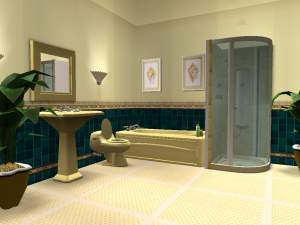
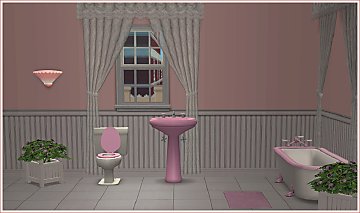
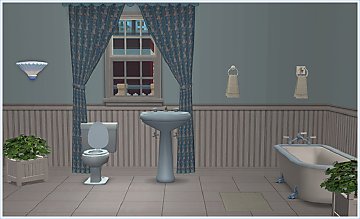
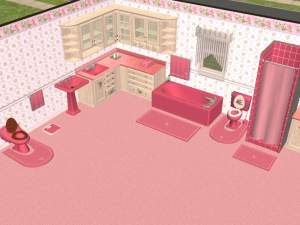
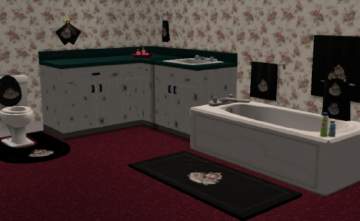
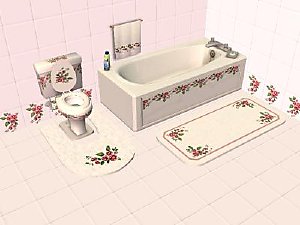
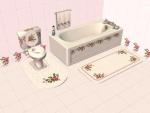
 Maxis match Morning Glory Bathroom
 Maxis match Morning Glory Bathroom


MorningGloryBath2.JPG - width=400 height=300
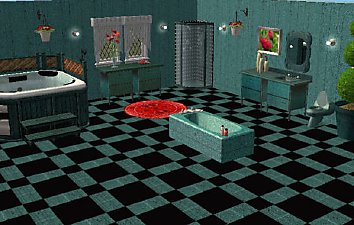
MorningGloryBath3.JPG - width=400 height=300
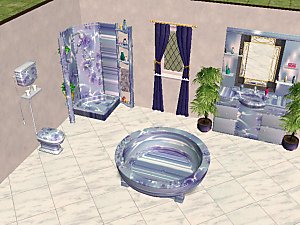
MorningGloryBath4.JPG - width=400 height=300
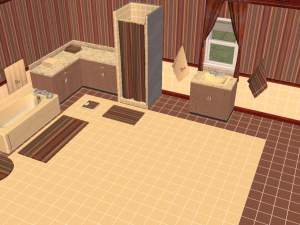
The top cabinets will only show if you have the cabinet by BriAnna at WDS. She has it available for free at her site. www.welldressedsim.com
For some reason unknown to me you can't set anything on the tile with the curtain unless you use the move objects on cheat. Same for placing the small towell, but only on some walls. Go figure.
Would someone please let me know if my stuff works with University. I don't have it.
Would also like to know if anyone would be interested in kitchen or bedroom in same theme.
Grins, mizmugs
the wooden toilet seat is included in my yellow bathroom set.
I'm having difficulty with the hyperlinks not very computer savvy
*Note
If you like this set, I've made some improvements and added a few things to match. They can be found here:
http://modthesims2.com/member/showthread.php?t=227319
This custom content if it is not clothing, may require a seperate download to work properly. This is available at Colour Enable Package (CEP) by Numenor.
|
Recolorsbased onwindkeepers meshesr.zip
Download
Uploaded: 21st May 2005, 67.5 KB.
2,389 downloads.
|
||||||||
|
MorningGloryWallsandFloors.zip
Download
Uploaded: 21st May 2005, 32.4 KB.
2,240 downloads.
|
||||||||
|
mmlMornigGloryBath.zip
Download
Uploaded: 21st May 2005, 544.4 KB.
2,730 downloads.
|
||||||||
| For a detailed look at individual files, see the Information tab. | ||||||||
Install Instructions
1. Download: Click the download link to save the .rar or .zip file(s) to your computer.
2. Extract the zip, rar, or 7z file
3. Place in Downloads Folder: Cut and paste the .package file(s) into your Downloads folder:
- Origin (Ultimate Collection): Users\(Current User Account)\Documents\EA Games\The Sims™ 2 Ultimate Collection\Downloads\
- Non-Origin, Windows Vista/7/8/10: Users\(Current User Account)\Documents\EA Games\The Sims 2\Downloads\
- Non-Origin, Windows XP: Documents and Settings\(Current User Account)\My Documents\EA Games\The Sims 2\Downloads\
- Mac: Users\(Current User Account)\Documents\EA Games\The Sims 2\Downloads
- Mac x64:
/Library/Containers/com.aspyr.sims2.appstore/Data/Library/Application Support/Aspyr/The Sims 2/Downloads
Need more information?
- For a full, complete guide to downloading complete with pictures and more information, see: Game Help: Downloading for Fracking Idiots.
- Custom content not showing up in the game? See: Game Help: Getting Custom Content to Show Up.
- If you don't have a Downloads folder, just make one. See instructions at: Game Help: No Downloads Folder.
Loading comments, please wait...
Uploaded: 21st May 2005 at 6:29 PM
Updated: 12th Apr 2007 at 10:59 AM




-
-
Recolors of AstonG's Frig to match the Maxis ranges
by mizmugs 23rd May 2006 at 10:27am
Hey all, I like this frig. more...
 8
23.5k
14
8
23.5k
14
-
Maxis Match - Crftmst Bkcs and Zookini Stereo
by mizmugs 29th Nov 2006 at 1:48pm
Zookini does a really great job on converting objects from the sims 1. more...
8
22k
11
-
-
Maxis match dark green tub and Cheap Eaze Bed
by mizmugs 7th Jul 2005 at 11:05am
Here is a houseful of furniture that co-ordinates with the honey oak headboard of the Cheap Eaze Sleeper and the more...
12
20.8k
8
-
-
MaxisMatchYellowOrangeAppliances
by mizmugs 1st Jul 2005 at 11:58am
Hey Peeps, This is my attempt at making Maxis stuff useful. more...
-
Maxis Match Pianos to Cheap Bookcases
by mizmugs 23rd Mar 2007 at 12:19pm
Hi all, It's been a while but here are some pianos I did to match the craftmeister bookcases. more...
6
14k
10
-
-
About Me
Grins