
 Sign in to Mod The Sims
 Cat, cat and cat (neon)
 Cat, cat and cat (neon)


neonCatss.jpg - width=1282 height=812
neoncat1_unlit_Day.jpg - width=1025 height=737
neoncat1_lit_day.jpg - width=1016 height=721
neoncat1_lit_night.jpg - width=997 height=707
neoncat1_unlight_night.jpg - width=1318 height=857
neoncat2_unlit_day.jpg - width=1303 height=792
neonCat2_lit_Day.jpg - width=1272 height=775
neoncat2_lit_night.jpg - width=1203 height=760
neonCat2_unlit_night.jpg - width=1262 height=808
basiccat_lit_Day.jpg - width=1083 height=908
basiccat_unlit_day.jpg - width=1046 height=858
basiccat_lit_night.jpg - width=1112 height=757
basiccat_unlit_night.jpg - width=1227 height=797


Sorry for bad photos. Here are some neon lamps for walls, in shape of cat. No EP/SP is required for them as they were made by cloning the basic bare bulb from base game. There are 3 meshes, with 4 recolors each. The meshes are white light and are required in order for recolors to work in game. The package files that dont have color in name are those meshes. Eg to have the neonCat1Pink, neonCat1 is needed. All 3 meshes have different guids so having all three shapes in game is possible. That being said, I hope there are some more cat s̶e̶r̶v̶a̶n̶t̶s̶ fans like me who might find this useful.
Step aside, flamingo. Cats are taking over ! 🐱
Polygon count:
Basic cat: 909
Neon cat 1: 710
Neon cat 2: 919
Credits:
EA/Maxis/Eaxis, SimPE/Numenor & Co, CEP, Blender, GIMP, Photoscape, PineTools
PS - some info about how this object was made/configured.
1. Trying to clone flamingo alone will result in the object not spreading any light around it because the flamingo is a glowing wall decor and not a lamp (thanks for the info, MTS staff), that's why i cloned bare bulb.
2. After cloning the bare bulb, cloning flamingo is also needed to reshape flamingo to cat in Blender (or Milkshape if someone prefers it). Blender has image references and simply moving the faces around and rotating them can create any shape. Also flamingo gmdc has a mesh group named brackets that doesnt have UV mapping, and it needs to be unwrapped, in Blender just choose smart UV.
3. When importing the gmdc of a cat into cloned bare bulb obj, the groups need to be renamed: halo -> swalllightpattern, brackets -> socket, neon -> bulb, southwallshadow -> swallshadow. Bounding box model might also be needed to rebuild, only add bulb and socket to it. Replace the TXTR files too accordingly.
4. In txmt I set the stdMatAlphaBlendMode to NONE. You can set it to additive if you prefer more transparent glowing lamp, but it would look weird when turned on during the day, so none it is.
5. All recolors spread the same color of the light (also same as basic bare bulb). In order to make different recolors spread different light colors, a Nighlife lamp should be cloned (thanks again, MTS staff), but i wanted to make this obj for basegame. Might consider making a nightlife version in future, where each recolor spreads its own light color.
| Filename | Type | Size |
|---|---|---|
| neonCats.rar | rar | |
| basiccat.package | package | 287725 |
| basicCatBlue.package | package | 4325 |
| basicCatOrange.package | package | 4345 |
| basicCatViolet.package | package | 4348 |
| neonCat1.package | package | 267278 |
| neonCat1Green.package | package | 4359 |
| neonCat1Pink.package | package | 4359 |
| neonCat1Yellow.package | package | 4383 |
| neonCat2.package | package | 253668 |
| neonCat2Brown.package | package | 4361 |
| neonCat2Red.package | package | 4361 |
| neonCat2Teal.package | package | 4356 |
This is a new mesh, and means that it's a brand new self contained object that usually does not require a specific Pack (although this is possible depending on the type). It may have Recolours hosted on MTS - check below for more information.
|
neonCats.rar
Download
Uploaded: 11th Apr 2026, 204.5 KB.
487 downloads.
|
||||||||
| For a detailed look at individual files, see the Information tab. | ||||||||
Install Instructions
1. Download: Click the download link to save the .rar or .zip file(s) to your computer.
2. Extract the zip, rar, or 7z file.
3. Place in Downloads Folder: Cut and paste the .package file(s) into your Downloads folder:
- Origin (Ultimate Collection): Users\(Current User Account)\Documents\EA Games\The Sims™ 2 Ultimate Collection\Downloads\
- Non-Origin, Windows Vista/7/8/10: Users\(Current User Account)\Documents\EA Games\The Sims 2\Downloads\
- Non-Origin, Windows XP: Documents and Settings\(Current User Account)\My Documents\EA Games\The Sims 2\Downloads\
- Mac: Users\(Current User Account)\Documents\EA Games\The Sims 2\Downloads
- Mac x64: /Library/Containers/com.aspyr.sims2.appstore/Data/Library/Application Support/Aspyr/The Sims 2/Downloads
- For a full, complete guide to downloading complete with pictures and more information, see: Game Help: Downloading for Fracking Idiots.
- Custom content not showing up in the game? See: Game Help: Getting Custom Content to Show Up.
- If you don't have a Downloads folder, just make one. See instructions at: Game Help: No Downloads Folder.
Loading comments, please wait...

Uploaded: 11th Apr 2026 at 3:09 PM
-
-
Calimese Cat and a Himalayan Mix Cat
by Orionsfire 12th Nov 2006 at 2:16am
-
-
by mina_harker78 4th Jan 2007 at 11:55am
-
by KneazlePuff 20th Aug 2007 at 4:58pm
-
by KneazlePuff 20th Aug 2007 at 5:31pm
-
by KneazlePuff 20th Aug 2007 at 5:41pm
-
by Spotted-pelt 21st Aug 2007 at 4:10pm
-
-
by PineappleForest 3rd Feb 2022 at 9:43pm
 +1 packs
10 6.3k 45
+1 packs
10 6.3k 45 Nightlife


-
Championship belt (wall decor)
by weird_ghost updated 19th Jun 2026 at 8:02pm
Carlos Contender can finally be a contender. more...
343
1
-


Forever rose: Decor & Table lamp
by weird_ghost 14th May 2026 at 3:51pm
Joined this community to post wall hangings, end up being some lamp enthusiast. more...
673
-


-
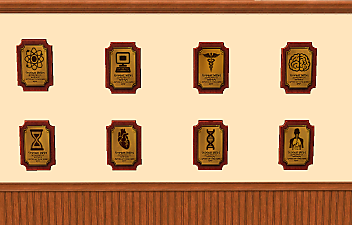
by weird_ghost 25th Jan 2026 at 11:31pm
Hello, this is my first upload. Here are some plaques for fields other than in-game ones, and they are buyable (not more...
+1 packs
7 2.2k 5 Free Time
-


by weird_ghost 8th May 2026 at 6:18pm
Here is a table lamp in a shape of the clef, based on one irl lamp that i saw on more...
1.5k
3


