Quick Reply
Search this Thread
Inventor
Original Poster
#1 Old 19th Jan 2016 at 1:34 AM
Default Saving at community lots
Using the insimenator and all it's lovely mods, I know that you can enable save whenever it is disabled. However I have one question. If you enable save at a community lot and try to save what would happen? Would the game become corrupt, or just crash? I'm just curious. I never have tried it, and know to not as you're not supposed to be able to save at community lots.
Mad Poster
#2 Old 20th Jan 2016 at 12:17 PM
May I gently bump this thread? I too would like to know the answer to this one. I believe the game can exceptionally save on a community lot if a Sim dies there, but such deaths are very rare (especially in my game where no Sim has ever died at all!).

Not being able to quit and save on a community lot visit is one of the biggest constraints on my playstyle. All too often my Sims stay at home or go home early just so I can save and close the game down properly. If only I could save and quit when they're on a community lot! And then resume where I left off.

Though I suspect then some of my Sims might never go home! They love clubbing!

All Sims are beautiful -- even the ugly ones.
My Simblr ~~ My LJ
Sims' lives matter!
The Veronaville kids are alright.
The Great AntiJen
retired moderator
#3 Old 20th Jan 2016 at 4:59 PM
I don't know for sure what would happen but community lots are not meant to be saved in live mode. The game loads the version you last saved when you (or others) built it every time you visit with a sim in live mode. This means that the lot is reset every time as well so any changes you make while there in live mode (I do that pretty often) will disappear next time you visit because the game loads the old version.

The thing is you are saving two different things here - the 'progress' your sim makes while on the lot and the lot itself. The game is set up to do that with residential lots but not with community.

My advice - LEAVE IT ALONE. My opinion is trying to save a community lot with a sim on it is asking for trouble. The game saves sim progress every time you move lot anyway.

I no longer come over to MTS very often but if you would like to ask me a question then you can find me on tumblr or my own site tflc. TFLC has an archive of all my CC downloads.
I'm here on tumblr and my site, tflc
Needs Coffee
retired moderator
#4 Old 20th Jan 2016 at 9:34 PM
The game can do that with owned community lots if your sim is the owner but I would stay away from saving if you have using a buy and build enabler or a cheat.

"I dream of a better tomorrow, where chickens can cross the road and not be questioned about their motives." - Unknown
~Call me Jo~
The Great AntiJen
retired moderator
#5 Old 20th Jan 2016 at 9:56 PM
Owned community lots are a different category of lot. Created specifically for OFB.

I no longer come over to MTS very often but if you would like to ask me a question then you can find me on tumblr or my own site tflc. TFLC has an archive of all my CC downloads.
I'm here on tumblr and my site, tflc
Field Researcher
#6 Old 21st Jan 2016 at 1:09 AM
I used the insim for years and saving on a community lot never appeared to do anything at all. Changes made while on the lot (painting removed as an example) didn't stick. There's no reason to do it since it doesn't accomplish anything, and although it didn't seem to cause trouble for me, it may have been doing something that eventually would have done.
The Great AntiJen
retired moderator
#7 Old 21st Jan 2016 at 1:29 AM
That's a useful observation eliset. I would agree with your caution but it suggests that if you do save on a lot, it saves to the sim file only. I wonder if it saves to other sim files too (since that's what happens on a residential lot).

I no longer come over to MTS very often but if you would like to ask me a question then you can find me on tumblr or my own site tflc. TFLC has an archive of all my CC downloads.
I'm here on tumblr and my site, tflc
The Great AntiJen
retired moderator
#9 Old 21st Jan 2016 at 7:07 PM
Quote: Originally posted by PlatinumPlumbbob
I haven't observed what will happen to urns that are placed directly on the ground indoors. Tombstones will be kept on the lot. So, it's actually best to convert an urn into a tombstone before moving out the family, because the Sim data are stored in the tombstones/urns.

An urn is just an indoor gravestone. I imagine if you placed gravestones on top of something outside, they would get deleted too.

I no longer come over to MTS very often but if you would like to ask me a question then you can find me on tumblr or my own site tflc. TFLC has an archive of all my CC downloads.
I'm here on tumblr and my site, tflc
Mad Poster
#11 Old 21st Jan 2016 at 9:37 PM
I've been after some kind of community lot save thing for years, because my games always seems to crash just when I'm thinking "I should send my sims home now and save before it crashes!" Although I'd love to be able to save a change to say, that bit of wall I forgot to paint when I was building and only just noticed now, I'd settle for saving new contacts/shopping purchases/AL perks. But I've never found anything that even stops the save button from being greyed out.
The Great AntiJen
retired moderator
#12 Old 21st Jan 2016 at 9:42 PM
Quote: Originally posted by PlatinumPlumbbob
Yeah, but you can't really put gravestones on top of anything.

I can - it's not hard to do.

I no longer come over to MTS very often but if you would like to ask me a question then you can find me on tumblr or my own site tflc. TFLC has an archive of all my CC downloads.
I'm here on tumblr and my site, tflc
Needs Coffee
retired moderator
#14 Old 22nd Jan 2016 at 1:00 AM
You should be able to place your urns on a side table. It's been ages since I had any urns but i know I placed them on something. Just don't place them on OFB shelves.

"I dream of a better tomorrow, where chickens can cross the road and not be questioned about their motives." - Unknown
~Call me Jo~
Alchemist
#15 Old 22nd Jan 2016 at 1:40 AM
3 pre-made occupied houses in the base game start with urns::
Pleasantview (1 lot):
-Caliente's house (1 urn, 0 tombstones; 1 grave)
Veronaville (2 lots):
-Capp's house (2 urns, 7 tombstones; 9 graves)
-Monty's house (2 urns, 0 tombstones; 2 graves)
and all 5 urns start on some kind of surface; all pre-made tombstones of base game start on ground.

about saving on community lots; best situation to attempt it (if attempting is done) would be within AnyGameStarter and/or with a temporary neighborhood.
Test Subject
#16 Old 28th Dec 2025 at 6:28 AM
Is there a way to save progress from a community lot -- as in to the sims involved (relationship changes), not to the lot itself -- without play mode? I had a made-selectable sim drive to a lot and make some good friends, and on "drive home" I have a lot with no playables and would like to save the neighborhood-wide changes. (It's happened before that a made-playable sim drove from visited lot to community lot and then returned to his home lot, which is a neat way to rotate play.)
Mad Poster
#17 Old 28th Dec 2025 at 4:21 PM
I think that relationship changes are automatically saved when your sim returns home.
Mad Poster
#18 Old 28th Dec 2025 at 5:50 PM Last edited by AndrewGloria : 28th Dec 2025 at 6:14 PM.
Quote: Originally posted by Charity
I think that relationship changes are automatically saved when your sim returns home.
They are saved then, and also if your Sim(s) go on to another lot. The only time it's not saved is if the game crashes, as mentioned in sushigal007's 9-year-old post above. In that case I usually try to play it again.

But a crash when trying to save can be really problematic, as it can leave the game inconsistent, and therefore genuinely corrupted. It's why I make and keep lots of backups.

All Sims are beautiful -- even the ugly ones.
My Simblr ~~ My LJ
Sims' lives matter!
The Veronaville kids are alright.
Mad Poster
#19 Old 28th Dec 2025 at 6:16 PM
Quote: Originally posted by AndrewGloria
But a crash when trying to save can be really problematic, as it can leave the game inconsistent, and therefore genuinely corrupted. It's why I make and keep lots of backups.


Also, save, then quit. Save while quitting can save incompletely (also, you could crash while quitting).
Mad Poster
#20 Old 28th Dec 2025 at 6:51 PM Last edited by AndrewGloria : 28th Dec 2025 at 7:05 PM.
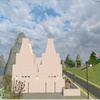
A dodge that I now use is to switch to my Sim-free building 'hood (called "Aedicia") before quitting. It seemed that I quite often got crashes when quitting. The game tends to save about a third of the character files when quitting. But Aedicia doesn't have any character files, so there's (almost) nothing to go wrong there. Since there are no Sims to play there, I can't possibly lose gameplay when I close it.

By the way the name Aedicia is essentially meaningless. I tried to form it from the Latin word Aedificare, meaning "to build". But it's the root "-fic-" from facere) that actually means "to make or build" so by missing it out, I made the name meaningless. But if I'd left it in, it would have sounded too much like "edifice"!

All Sims are beautiful -- even the ugly ones.
My Simblr ~~ My LJ
Sims' lives matter!
The Veronaville kids are alright.
Mad Poster
#21 Old 28th Dec 2025 at 7:31 PM
All memories, happenings, etc. on community lots are saved? The lot resets after the sims have left, but you will see in the sim's memories things like: met SimA, became best friends with SimB, won a game (or a fight) against SimC, fell in love with SimD, etc.

This is how my game has worked since 2005.

I am not sure what exactly is meant by non-playables, though - how do you send a non-playable to a community lot? Or move them into a playable lot?
As far as I have made a lot of sims playable by moving them in or having one of my sims marry one or whatever, they become playables when they are made playable?
Mad Poster
#22 Old 28th Dec 2025 at 8:00 PM
Another tidbit I've found that works about community lots: if you edit a lot and make a precise moment or angle you leave it in, that will be saved for the next time it's used by the pixels.
IE, if you save it at a long/high angle when saving, it will always open at that angle.

Receptacle Refugee & Resident Polar Bear
"Get out of my way, young'un, I'm a ninja!"
Grave Matters: The funeral podium is available here: https://www.mediafire.com/file/e6tj...albits.zip/file
My other downloads are here: https://www.mediafire.com/?r=wbmnd#myfiles
Mad Poster
#23 Old 28th Dec 2025 at 8:30 PM
Quote: Originally posted by Justpetro
All memories, happenings, etc. on community lots are saved? The lot resets after the sims have left, but you will see in the sim's memories things like: met SimA, became best friends with SimB, won a game (or a fight) against SimC, fell in love with SimD, etc.

This is how my game has worked since 2005.
I think that' how it works for everyone.

Quote: Originally posted by Justpetro
I am not sure what exactly is meant by non-playables, though - how do you send a non-playable to a community lot?
By including them in a group with a playable Sim. I don't often use the groups managed over the telephone. Most of my groups are made up "on the fly". By inviting another Sim to "Form Casual Group -- Just for fun". And then inviting others to "Join Casual Group". It's just as easy to invite townies into such groups as playables from other families. NPCs too, if you know them well enough, and they're not busy working.

Quote: Originally posted by Justpetro
Or move them into a playable lot?
Usually by invitation (including of course marriage). But, if you're in a hurry, you can use a teleporter. But for myself I find find it far more fun to build up a friendship over time until they're happy to accept the invitation to "Move in". As you probably all know, I spend a lot of my time playing teens. I have mods (by pinhead) that allow teens (and even children) to invite friends to move in, and to accept such invitations. (I also have one to allow teens to move out.) These mods were (as far as I know) never updated for the later EPs. Not by pinhead anyway. These mods are now the main reason for me not adding more EPs. I would, though, rather like my Sims to be able to have pets. Maybe the best solution would be for me to learn enough about Simantic scripting to update the mods myself.

All Sims are beautiful -- even the ugly ones.
My Simblr ~~ My LJ
Sims' lives matter!
The Veronaville kids are alright.
-·-- -·-- --··
retired moderator
#24 Old 28th Dec 2025 at 9:06 PM
Quote: Originally posted by FranH
Another tidbit I've found that works about community lots: if you edit a lot and make a precise moment or angle you leave it in, that will be saved for the next time it's used by the pixels.
IE, if you save it at a long/high angle when saving, it will always open at that angle.

Also the neighbourhood view angle will be saved, likewise. If you exit the hood when you are zoomed in on a house, the next time you enter the hood, you'll be zoomed in on the house.
Mad Poster
#25 Old 29th Dec 2025 at 7:13 AM
@AndrewGloria

Oh, yes, I have included townies into group outings often, but I did not "send" them driving a car. They were invited by phone or picked up on the community lot by my playables.

As for adding townies to households, I have done that. I assume sending every teen I could find to Uni is one of my best examples (apart from marriage, asking to move in, using simblender to force them) - but then they are not non-playables anymore? (Even though Amy who delivers the newspapers still phones you re your hobby magazines after she has grown old and died and left a ton of grandkids behind).
Page 1 of 2
Back to top