
 Sign in to Mod The Sims
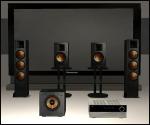
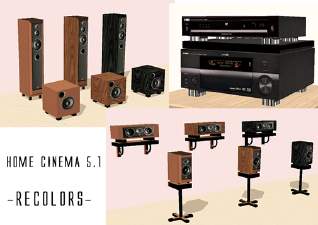
 Home Cinema 5.1: Full equipment.
 Home Cinema 5.1: Full equipment.

homec04.jpg - width=751 height=409

I think many of you enjoy the Home Cinema experience. But...What about yours sims?

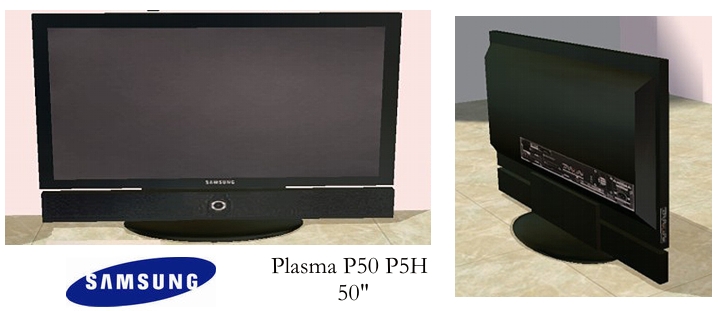
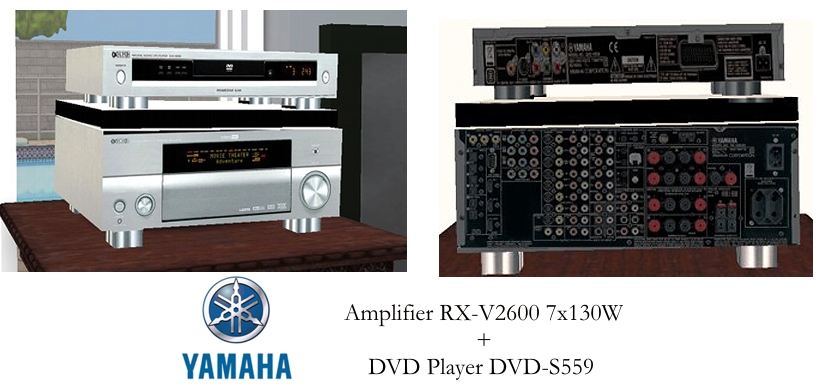
Note:
- Speakers are DECORATIVES items. They improve the environment average while yours sims are watching TV (by example). To find them in your catalog, go to: Decoratives / Sculptures (500§ / item).
- TV and Amplifier+DVD are still electronics items. Amplifier is with the Audio items of your catalog.
- To put the Center Speaker correctly (upside the TV), use the "Moveobjects on" cheat (ctrl+shift+C).
Here is an installation example, but I'm sure you'll find other way to use these items
 ...
...
Have fun!
Thx,
Lastrie.
This is a new mesh, and means that it's a brand new self contained object that usually does not require a specific Pack (although this is possible depending on the type). It may have Recolours hosted on MTS - check below for more information.
|
Home cinema (electronic).rar
Download
Uploaded: 1st Jul 2006, 716.4 KB.
52,260 downloads.
|
||||||||
|
Home cinema (acoustic).rar
Download
Uploaded: 1st Jul 2006, 1.95 MB.
50,443 downloads.
|
||||||||
| For a detailed look at individual files, see the Information tab. | ||||||||
Install Instructions
1. Download: Click the download link to save the .rar or .zip file(s) to your computer.
2. Extract the zip, rar, or 7z file.
3. Place in Downloads Folder: Cut and paste the .package file(s) into your Downloads folder:
- Origin (Ultimate Collection): Users\(Current User Account)\Documents\EA Games\The Sims™ 2 Ultimate Collection\Downloads\
- Non-Origin, Windows Vista/7/8/10: Users\(Current User Account)\Documents\EA Games\The Sims 2\Downloads\
- Non-Origin, Windows XP: Documents and Settings\(Current User Account)\My Documents\EA Games\The Sims 2\Downloads\
- Mac: Users\(Current User Account)\Documents\EA Games\The Sims 2\Downloads
- Mac x64: /Library/Containers/com.aspyr.sims2.appstore/Data/Library/Application Support/Aspyr/The Sims 2/Downloads
- For a full, complete guide to downloading complete with pictures and more information, see: Game Help: Downloading for Fracking Idiots.
- Custom content not showing up in the game? See: Game Help: Getting Custom Content to Show Up.
- If you don't have a Downloads folder, just make one. See instructions at: Game Help: No Downloads Folder.
Loading comments, please wait...


 View with Names
Uploaded: 1st Jul 2006 at 10:58 AM
Updated: 20th Feb 2009 at 5:40 PM by -Maylin-
-
by ta539 14th Mar 2005 at 4:16pm
 93
91.7k
51
93
91.7k
51
-
by Red Storm13 1st Apr 2005 at 4:43pm
124
80.4k
13
-
by teknakoleair 7th May 2005 at 4:15pm
6
8.5k
4
-
by moolio 27th Jan 2006 at 2:22am
20
22.1k
2
-
by jcbratt 21st Mar 2006 at 7:01pm
5
12.7k
2
-
by waywardpixie 6th Apr 2006 at 4:12am
29
41.7k
12
-
by JohnBrehaut1 22nd May 2006 at 8:42am
31
45.6k
20
-
-
-


-
The "Open-wall" bar - *4 recolors*
by lastrie 6th Jul 2006 at 2:08am
Hi, As promised I give you some recolors for the "Open-wall" bar uploaded a more...
+1 packs
28 37.2k 18 University
-
-
GLAM Skintones *Valentine Edition* (with defaults replacement)
by lastrie 11th Feb 2007 at 10:37pm
Hi! more...
-
-
-
-
-
-
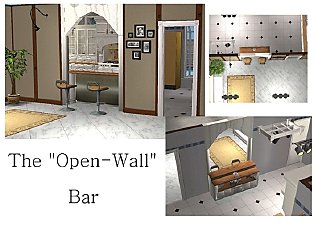
*New Mesh* The "Open-wall" Bar *updated 07/06 fixed recolors
by lastrie 3rd Jul 2006 at 6:39pm
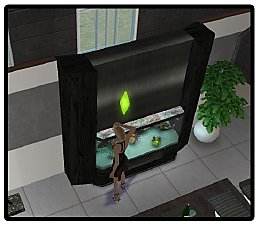
Hi, You don't know where you could put this damned bar without modify your so perfect and lovely living-room? more...
88
102.3k
64
-


Packs Needed
| Expansion Pack | |
|---|---|
| University |